
Grammarly Review: AI Writing Assistant for Small Business (2026)
Grammarly is best for small business owners, marketers, and content creators who want every email, blog post, and message to sound professional and error-free. The free plan covers basic grammar and spelling with no credit card required. The Pro plan starts at $12/month (annual) and adds full-sentence rewrites, tone detection, plagiarism checking, and 2,000 monthly AI prompts via Grammarly GO. Our rating: 8.3/10.
AI Writing Tools
Every email, proposal, and social post your business sends is a first impression. Grammarly catches errors, adjusts your tone, and rewrites clunky sentences before your customers ever see them.
Start Free Plan
AI Grammar, Spelling, and Punctuation
Grammarly catches errors in real time as you type across emails, documents, social media, and messaging apps. It goes beyond basic spell check by identifying contextual mistakes, misused words, and punctuation problems that standard tools miss. The free plan alone is more accurate than the built-in checkers in Google Docs or Microsoft Word.
Tone Detection and Style Suggestions
Grammarly analyzes your writing and tells you how it sounds to the reader: confident, friendly, formal, urgent, or passive. Pro users get full-sentence rewrites that make awkward passages clearer and more concise. For small business owners writing sales emails or client proposals, knowing your tone before hitting send can prevent costly miscommunication.
Grammarly GO (Generative AI)
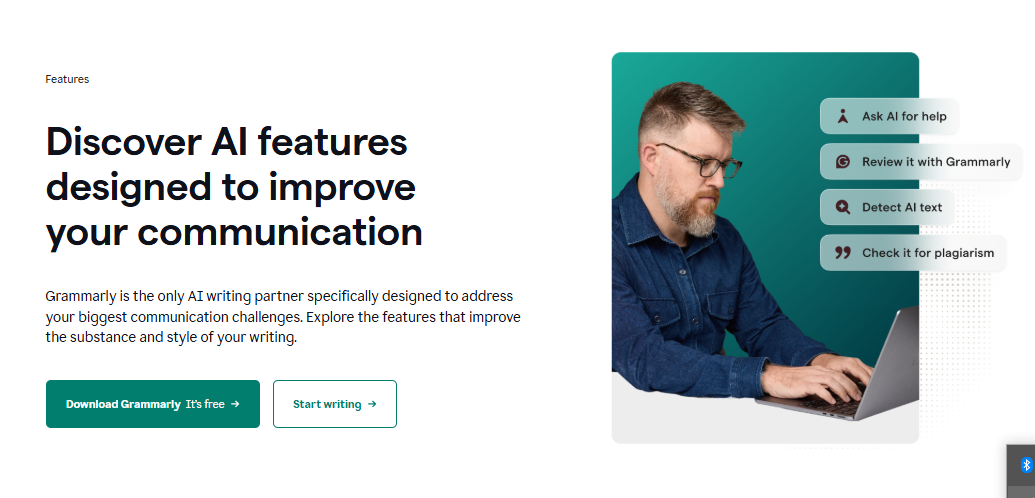
Generate drafts, brainstorm ideas, rewrite paragraphs, and compose replies using built-in generative AI prompts. Free users get 100 prompts per month; Pro users get 2,000. Unlike standalone AI writers like Jasper AI, Grammarly GO works inside every app where Grammarly is installed, so you can generate content without switching tools.
Plagiarism Detection (Pro)
Check your content against billions of web pages to ensure originality before publishing. This is critical for blog posts, marketing copy, and any content your business publishes publicly. The plagiarism checker is included in the Pro plan at no extra cost, while competitors like Copyscape charge separately per scan.
Works Everywhere You Write
Grammarly runs as a browser extension (Chrome, Firefox, Safari, Edge), a desktop app (Mac and Windows), a mobile keyboard (iOS and Android), and inside Microsoft Office (Word, Outlook). It also integrates with Google Docs, Slack, and thousands of other websites. You install it once and it works across every platform automatically.
Team Style Guide and Brand Voice (Pro)
Set custom rules for your business terminology, preferred spellings, and tone of voice. When any team member writes, Grammarly flags deviations from your style guide in real time. Pro plans support up to 149 team members, making it practical for growing small businesses that need consistent communications without a dedicated editor on staff.
Pricing
Free plan available. Pro from $12/month
Grammarly offers a Free plan with basic grammar, spelling, punctuation checking, tone detection, and 100 AI prompts per month. No credit card required and no time limit. The Pro plan (formerly called Premium) costs $30/month (monthly billing), $20/month (quarterly), or $12/month (annual). Pro includes everything in Free plus full-sentence rewrites, advanced clarity and style suggestions, plagiarism detection, 2,000 AI prompts per month, custom style guides, brand voice settings, and team features for up to 149 members. The Enterprise plan (which replaced the old Business plan) offers custom pricing for organizations with 150+ users and includes unlimited AI prompts, SAML SSO, advanced admin controls, HIPAA compliance options, and a dedicated account manager. A 30% student discount is available for Pro annual plans.
What We Like
- The free plan is genuinely useful for everyday writing, not just a teaser for paid features.
- Works everywhere you write: browser, desktop, mobile, Microsoft Office, Google Docs, Slack, and thousands of websites.
- Tone detection helps small business owners avoid miscommunication in sales emails, client messages, and social posts.
- Pro at $12/month (annual) is affordable compared to hiring a proofreader or subscribing to a separate AI writing tool.
- The plagiarism checker is included in Pro at no additional cost, saving the expense of a separate tool like Copyscape.
- Team style guides and brand voice settings keep all 149 members writing consistently without manual review.
What Could Be Better
- Monthly billing at $30/month is steep; the best value requires committing to an annual plan upfront ($144 total).
- Grammarly GO’s generative AI is useful for short-form content but cannot compete with dedicated AI writers like Jasper or Copy.ai for long-form articles.
- Suggestions can occasionally be overly aggressive, flagging stylistic choices as errors, which requires judgment to override.
- The Enterprise plan requires contacting sales for pricing, making it hard to budget without a conversation first.
Who Is Grammarly For?
Best for: Small business owners and professionals who write daily and need every email, proposal, social post, and document to sound polished and error-free. If writing is a core part of your work but you are not a professional writer, Grammarly is the most practical investment you can make.
Good for: Content marketing teams of 2 to 20 people who need consistent brand voice, style guide enforcement, and quality control across all written communications without hiring a full-time editor.
Good for: Non-native English speakers running international businesses who want to ensure their written English sounds natural, professional, and culturally appropriate for US/UK/EU audiences.
Not ideal for: Businesses that need a full AI content generation tool. Grammarly GO helps with short-form content, but for long-form blog posts, ad copy at scale, or marketing campaigns, dedicated tools like Jasper AI or Copy.ai are better suited.
| Feature | Grammarly | Hemingway Editor |
|---|---|---|
| Starting Price | Free / Pro from $12/month (annual) | Free (web) / $19.99 one-time (desktop) |
| Free Plan | Yes (unlimited, basic grammar + 100 AI prompts) | Yes (web version only) |
| Best For | Grammar, tone, plagiarism, and AI writing across all apps | Readability and sentence structure improvement |
| Key Strength | Works everywhere: browser, desktop, mobile, Office, Docs | Simple, distraction-free readability scoring |
| AI Writing | Yes (Grammarly GO, 2,000 prompts/month on Pro) | No |
| Plagiarism Check | Yes (Pro plan) | No |
| Team Features | Yes (style guides, brand voice, up to 149 members) | No |
| Our Rating | 8.3/10 | 7.0/10 |
Grammarly is used by over 30 million people and 70,000 professional teams worldwide
Grammarly Pro includes 2,000 monthly AI prompts via Grammarly GO for content generation and rewriting
Grammarly works across 500,000+ apps and websites through its browser extension, desktop app, and mobile keyboard
Our Verdict
Grammarly is the most practical AI writing tool for small business owners in 2026. It does not write your content for you (that is what Jasper and Copy.ai are for), but it makes everything you write clearer, more professional, and error-free. The free plan alone is worth installing today. The Pro plan at $12/month (annual) adds genuine value with plagiarism detection, full-sentence rewrites, tone analysis, and 2,000 AI prompts. If your team writes anything that customers, clients, or partners read, Grammarly should be the first tool you install and the last one you cancel.
Frequently Asked Questions
Is Grammarly worth it for small businesses?
Yes. At $12/month per member (annual), Grammarly Pro costs less than a single hour of professional proofreading and works 24/7 across every app your team uses. The free plan alone catches more errors than built-in spell checkers. For businesses that send client-facing emails, proposals, or publish content, it pays for itself immediately.
Is Grammarly free really free?
Yes. Grammarly’s free plan has no time limit, no credit card required, and no word count restrictions. It covers grammar, spelling, punctuation, and basic tone detection. You also get 100 AI prompts per month. The main limitations are no plagiarism checker, no full-sentence rewrites, and no advanced style suggestions.
What happened to Grammarly Premium and Business plans?
Grammarly renamed its Premium plan to “Pro” in 2025. The features and pricing remain the same. The Business plan was replaced by an Enterprise plan with custom pricing for organizations with 150+ users. Pro now includes team features (style guides, brand voice, up to 149 members) that were previously only in Business.
Grammarly vs Jasper AI: which should I use?
Use both for different purposes. Grammarly checks and improves writing you have already created: grammar, tone, clarity, and plagiarism. Jasper AI generates new content from scratch: blog posts, ad copy, and marketing campaigns. Grammarly is an editing tool; Jasper is a writing tool. Many professionals use both together.
Does Grammarly work with Google Docs and Microsoft Word?
Yes. Grammarly integrates directly with Google Docs through its browser extension and with Microsoft Word through a dedicated add-in (available for both Windows and Mac). It also works in Outlook, PowerPoint, Gmail, Slack, and thousands of other apps and websites where you type.
Part of our Complete Guide to AI Tools for Small Business guide.