Best AI Video Generators in 2026: The 4 Top Tools for Small Business
You want professional video for your business, but you do not have a camera crew, an editing suite, or hours to spare. That is exactly what the best AI video generators solve in 2026. After testing dozens of platforms over several weeks, we narrowed the field to four tools that genuinely work for small business owners: Synthesia, Canva Pro, Pictory AI, and Colossyan. Each one turns a script, a blog post, or a few prompts into a finished video in minutes. Below, we break down what each does best, what it costs, and which one fits your goals.
Video keeps outperforming other formats for marketing, which is why most businesses now lean on it to sell and explain (you can see the trend in the latest video marketing statistics). The good news: you no longer need a studio budget to keep up.
This guide is part of our complete guide to AI tools for small business. Read the full pillar for a complete overview of every category, from writing and SEO to automation and video.
Quick Answer
The best AI video generator for most small businesses in 2026 is Synthesia (free plan; paid from $18 a month), which turns a script into a polished AI presenter video. Canva Pro ($10 a month) is the best value all-rounder, Pictory AI ($19 a month) is best for repurposing blog posts into clips, and Colossyan is best for team training.
The Best AI Video Generators in 2026 at a Glance
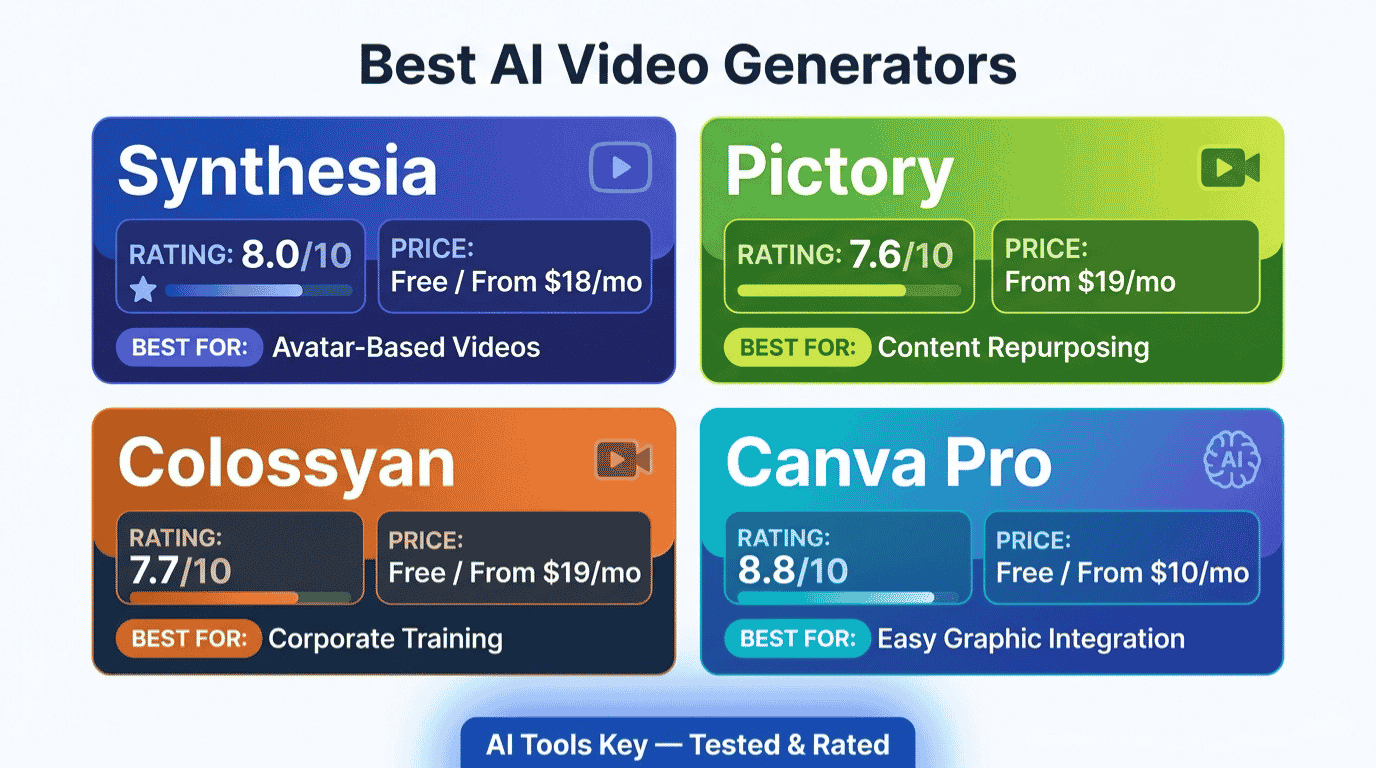
Short on time? Here is the quick comparison. We rated every tool on the same 10-point scale, then matched each one to the job it does best. All four offer a way to try before you pay.
| Tool | Best For | Starting Price | Free Plan or Trial | Our Rating |
|---|---|---|---|---|
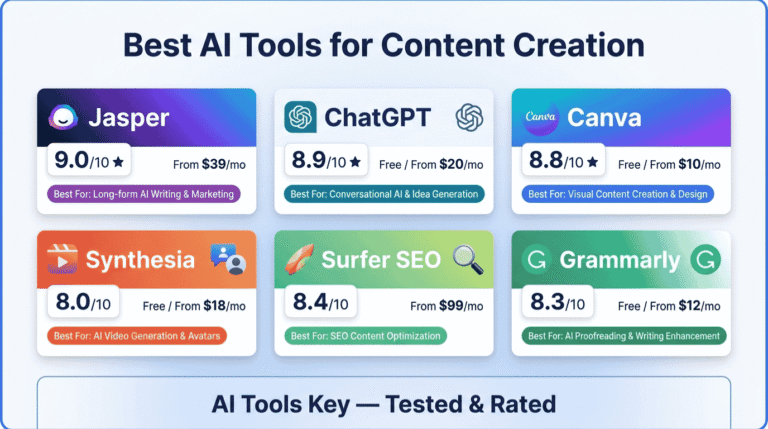
| Synthesia | AI presenter, training, and explainer videos | $18/mo (annual) | Free plan (10 min/mo) | 8.0/10 |
| Canva Pro | Best value: video plus full design toolkit | $10/mo (annual) | Free plan | 8.8/10 |
| Pictory AI | Turning blog posts and long videos into clips | $19/mo (annual) | Free trial | 7.6/10 |
| Colossyan | Team training, L&D, and SCORM courses | $19/mo (annual) | Free plan (limited mins) | 7.7/10 |
Here is the short version of who each tool is for. Synthesia is the best AI video generator if you want a presenter on screen without filming. Canva Pro is the smartest buy if you want video plus everything else. Pictory wins for repurposing written content, and Colossyan is built for training teams.
How We Tested and Rated These AI Video Generators
We did not just read feature lists. We built accounts, wrote real scripts, and produced the same 60-second business video in each tool to compare the output side by side.
Our rating weighs five factors: features (30%), ease of use (25%), pricing value (20%), support quality (15%), and integrations (10%). You can read the full method on our editorial guidelines page.
For transparency: some links below are affiliate links, which means we may earn a commission at no extra cost to you. That never changes our scores, and you can read our affiliate disclosure for the details. Every tool here earned its spot on merit.
One quick definition before we dive in. An AI video generator turns text, images, or existing content into a finished video, usually with AI voiceovers, captions, and either a digital presenter or stock footage. In practice, that means you can skip the camera, the studio, and the editing timeline.
1. Synthesia: Best Overall AI Video Generator for Business
If you want a real-looking presenter delivering your message without ever switching on a camera, Synthesia is the tool to beat. It is the most polished AI avatar platform we tested, and it is genuinely built for business use rather than novelty clips.
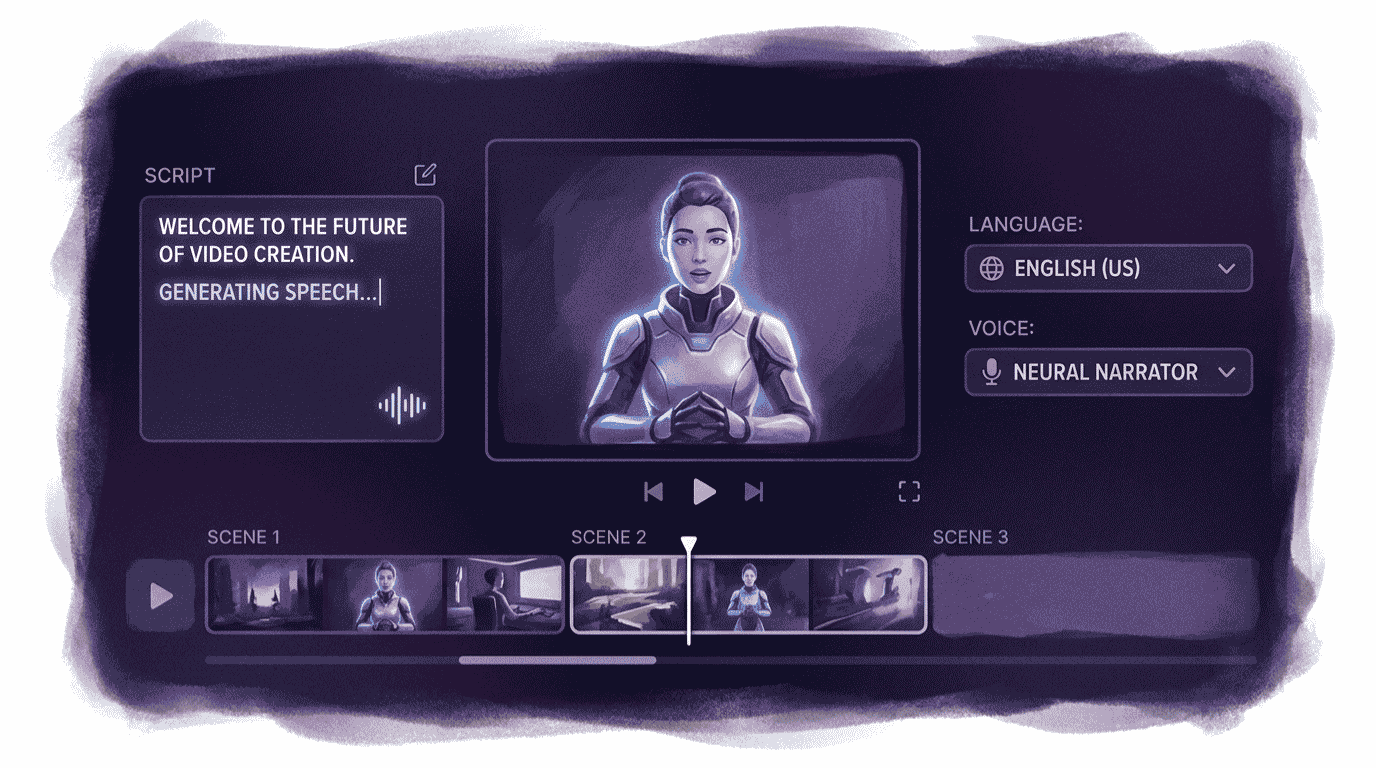
The workflow is dead simple. You paste a script, pick an AI presenter, choose a language, and Synthesia renders a clean talking-head video. When we ran our test script through it, the presenter looked the most natural of any avatar tool, and the lip-sync held up well.
Synthesia is used by more than 50,000 teams and holds a 4.7-star rating from over 2,000 reviews on G2. You can verify that on its G2 profile. It also supports 140-plus languages, which is a huge advantage if you sell across the US, UK, and EU and want the same video localized fast.
Synthesia Best Overall
- Script to presenter: Type or paste text and get a talking-head video in minutes.
- 140-plus languages: Localize the same video without re-recording anything.
- PowerPoint to video: Convert slide decks and speaker notes into narrated videos.
- The most natural-looking AI avatars and lip-sync we tested.
- Excellent for training, onboarding, and product explainers.
- Free plan lets you create a real video before paying.
- Best-in-class language support for global audiences.
- Video minutes are capped on every paid plan, and unused minutes do not roll over.
- It is built for presenter videos, not cinematic or product-footage style content.
Best for: small businesses that need training, onboarding, explainer, or announcement videos with a person on screen. Definitive take: Synthesia is the best AI video generator for camera-free presenter videos in 2026.
2. Canva Pro: Best Value and Best All-Rounder
Here is a slightly contrarian pick. If you want the most value for your money, the smartest AI video buy is not a dedicated video app at all. It is Canva Pro.
Canva is a full design platform that also happens to do video well. You get text-to-video, a huge template library, AI script help through Magic Write, auto-captions, background removal, and one-click resizing for every social format. For a solo owner or a small team, that breadth is hard to beat.
Canva Pro unlocks more than 100 million premium photos, videos, and graphics, plus the full Magic Studio AI suite, for about $10 a month on annual billing. That is the same price as a single stock-photo subscription, and you get video, design, and AI in the bundle.
Canva Pro Best Value
- Video plus design: Make videos, social posts, logos, and ads in one place.
- Magic Studio AI: AI writing, background removal, and text-to-image built in.
- Resize once, post everywhere: Turn one video into every aspect ratio instantly.
- Unbeatable value: video, design, and AI for around $10 a month.
- The easiest tool on this list for non-designers.
- Generous free plan and a 30-day Pro trial.
- Perfect for social media, where you need many quick assets.
- No realistic AI presenter or avatar like Synthesia offers.
- Pricing is per seat, so inviting a teammate bumps you to the Business plan.
Best for: solopreneurs and small teams who want one affordable tool for social video, graphics, and quick branded clips. Definitive take: Canva Pro is the best-value AI video tool in 2026, full stop.
3. Pictory AI: Best for Turning Blog Posts Into Video
Already write blog posts? Then Pictory AI is your shortcut to video. Paste a blog URL or a block of text, and Pictory pulls matching stock clips, adds AI voiceover and captions, and builds a finished video around it.
We love this tool for one reason: it squeezes more value out of work you have already done. In our test, a 1,200-word blog post became a captioned, social-ready video in under ten minutes with very little cleanup.
Pictory gives you access to more than 3 million stock video clips and 15,000 music tracks, drawing from libraries like Shutterstock and Getty Images. That stock quality matters a lot for brand and B2B content.
Pictory AI Best for Repurposing
- Blog to video: Turn articles and scripts into videos automatically.
- Long video to shorts: Chop webinars and recordings into highlight clips.
- Auto-captions and voiceover: Add subtitles and AI narration in a click.
- The fastest way to repurpose written content into video.
- High-quality, commercially safe stock footage.
- Great for content marketers and faceless YouTube channels.
- No permanent free plan, only a free trial.
- It uses stock footage, so it cannot generate original AI scenes.
Best for: bloggers, content marketers, and anyone who wants to turn existing articles or long recordings into short video. Definitive take: Pictory is the fastest way to turn a blog post into a social-ready video.
4. Colossyan: Best for Team Training and L&D
Colossyan looks a lot like Synthesia on the surface, since both create AI avatar videos from a script. The difference is focus. Colossyan is built for learning and development teams that need real training courses, not just marketing clips.
What sets it apart is interactivity. You can add quizzes, branching scenarios, and SCORM export, which means your videos plug straight into a learning management system. For onboarding and compliance training, that is a big deal.
Colossyan supports text-to-video in more than 70 languages, with 70-plus AI avatars and conversational multi-avatar scenes on higher tiers. The free plan lets you create your first videos before committing.
Colossyan Best for Teams
- Interactive training: Add quizzes and branching paths inside videos.
- SCORM export: Drop finished videos into your LMS in one step.
- Multi-avatar scenes: Create realistic conversations between presenters.
- Purpose-built for corporate training and onboarding.
- Interactivity and SCORM export that Synthesia keeps behind enterprise plans.
- Free plan available to test the workflow.
- Avatar realism is good but a step behind Synthesia.
- The free plan caps video minutes tightly.
Best for: L&D teams and HR managers building onboarding, compliance, or training courses. Definitive take: Colossyan is the best AI video generator for interactive, SCORM-ready team training.
Want to browse more options? These four are our top picks, but you can explore the full AI video tools category or our entire AI tools directory for adjacent picks like design and writing tools.
What About Veo, Sora, Runway, and the Cinematic AI Models?
If you have searched this topic before, you have seen the hype around Google Veo, OpenAI Sora, Runway, and Kling. These are generative video models, and they create short cinematic clips from a text prompt. The output can be jaw-dropping.
So why are they not our top picks for small business? Because they solve a different problem. They are built for creative and film-style clips, not for the practical marketing and training videos most owners actually need.
In practice, these models work on credits that burn fast, the clips are short, and getting a usable result takes real prompt skill. For a 30-second product explainer or a training module, a tool like Synthesia or Pictory will get you there faster and cheaper.
Our rule of thumb: if you need a presenter, an explainer, or repurposed content, use the four tools above. If you want experimental cinematic b-roll for an ad and you enjoy tinkering, that is where Veo, Sora, and Runway shine. Definitive take: the cinematic models are impressive, but they are overkill for most small business marketing.
Plenty of other names come up too, like HeyGen, InVideo, Descript, and VEED. They are solid tools, but in our testing they either overlapped with our picks or fell short on value for a small business budget. We will keep this guide updated as that changes.
What These AI Video Tools Actually Cost
Pricing is where AI video gets confusing, because almost every tool sells minutes or credits rather than flat access. Here is the plain-English version, with current 2026 numbers we verified directly.
Canva Pro is the cheapest entry at around $10 a month on annual billing, and it does the most. Synthesia starts at $18 a month annually (or $29 month-to-month) and includes about 10 minutes of video. Pictory begins at $19 a month annually, and Colossyan also starts at $19 a month annually.
Watch two things on every plan. First, billing cadence: the headline prices usually require paying for a full year up front, and monthly billing costs noticeably more. Second, minute caps: unused video minutes do not roll over, so do not overpay for a tier you will not fill.
Traditional video production can run $500 to $5,000 per finished video; these AI tools bring that down to a few dollars per video. Even the priciest plan here pays for itself after a single avoided production.
For most small businesses, the math is simple. Start on a free plan or trial, confirm the tool fits your workflow, then commit to annual billing on the one you will actually use weekly.
Find Your AI Video Generator in 30 Seconds
Not sure which of the four fits you? I built a quick finder below. Answer three short questions about your main goal, budget, and team, and it returns our tested top pick with current pricing, plus a runner-up. Nothing you tap is stored anywhere; it all stays in your browser.
Quick AI Video Tool Finder
3 questions, about 30 seconds. Get your best-fit tool with 2026 pricing.
Doing It Yourself vs Hiring a Video Expert
AI tools make video far easier, but easier is not the same as effortless. You still need a script, a sense of pacing, and a few hours to learn the editor. For some owners, that time is better spent elsewhere.
If you would rather skip the learning curve, you can hand the whole thing off. A specialist can take your brief and deliver a polished result using these same tools, often within a few days.
Short on time? Our recommended AI video creation service connects you with vetted Fiverr experts who turn your script and brand into ready-to-post videos. It pairs well with ongoing AI social media management if you want a steady stream of content.
Get Your Video Made on FiverrNot sure what to brief? You can browse the full AI services directory to see what is possible, from short ads to full explainer videos.
Our Verdict: Which of the Best AI Video Generators Should You Choose?
There is no single winner for everyone, which is the honest answer most roundups dodge. The right tool depends on the video you actually need to make.
Choose Synthesia if you want a presenter on screen for training and explainer videos. Choose Canva Pro if you want the best value and a full design toolkit alongside video. Choose Pictory if you publish blog content and want to repurpose it fast. Choose Colossyan if you build training courses for a team. When in doubt, start with Canva Pro for value or Synthesia for presenter videos; both have free options.
Start With Synthesia FreeWant to keep building your stack? Pair your video tool with the right script-writing app from our guide to the best AI writing tools, see the bigger picture in our roundup of the best AI tools for small business, or keep costs down with our list of the best free AI tools for business.
The Information People Are Looking For
What is the best AI video generator for small business in 2026?
Synthesia is the best AI video generator for most small businesses in 2026. It turns a script into a natural AI presenter video and starts free, with paid plans from $18 a month. For the best value, Canva Pro at $10 a month bundles video with a full design toolkit.
Is there a free AI video generator?
Yes. Synthesia, Colossyan, and Canva all offer free plans, while Pictory provides a free trial. Free tiers add a watermark and limit your monthly video minutes, but they are perfect for testing the tool before you commit to a paid plan.
Can AI generate realistic videos from text?
Yes, in two ways. Avatar tools like Synthesia and Colossyan create realistic talking-head videos from a script. Generative models like Google Veo and OpenAI Sora create cinematic clips from a prompt. For business marketing and training, avatar tools deliver usable results faster and cheaper.
What is the best AI tool to turn a blog post into a video?
Pictory AI is the best tool for turning a blog post into a video. You paste the article URL or text, and Pictory adds matching stock footage, AI voiceover, and captions automatically. It starts at $19 a month on annual billing and is ideal for content marketers.
Do AI video generators put a watermark on free videos?
Most do. On free plans, Synthesia and similar tools add a watermark and cap video length or resolution. Upgrading to any paid plan removes the watermark, unlocks downloads, and raises your minute limits. If you publish publicly, a paid plan is worth it.
How much do AI video generators cost?
For small business tools, expect $10 to $30 a month on annual billing. Canva Pro is about $10, while Synthesia, Pictory, and Colossyan each start at $18 to $19. Monthly billing costs more, and unused video minutes do not roll over, so match the plan to your real usage.
Which AI video generator is best for YouTube and social media?
For short-form social and YouTube, Canva Pro and Pictory are the strongest picks. Canva is best for quick branded clips and resizing for every platform, while Pictory excels at turning long videos and articles into shareable shorts. Both keep production fast and affordable.