Best AI Tools for Content Creation in 2026: The 6 Tools We Actually Use
The best AI tools for content creation in 2026 are not one single app; they are a small stack that covers writing, SEO, editing, design, and video. After testing dozens of them, our go-to lineup is Jasper for writing, ChatGPT for ideas, Surfer SEO for ranking, Grammarly for polish, Canva for visuals, and Synthesia for video. Each one owns a different job, and together they replace a whole content team.
Here is the truth most listicles skip: you do not need fifteen tools. You need the right tool for each part of your workflow, and you need to know which ones are worth paying for. We use these tools every week to plan, write, and publish, so this guide is built on real hands-on use, not marketing pages.
Quick Answer
The best AI tools for content creation in 2026 are Jasper (from $39/mo) for writing, ChatGPT (free) for ideas, Surfer SEO ($99/mo) for SEO, Grammarly (free) for editing, Canva (from $10/mo) for visuals, and Synthesia (from $18/mo) for video. Jasper is our top overall pick. ChatGPT is the best free starting point.
This article is part of our complete guide to AI Tools for Small Business. Read the full guide for a wider look at the AI software every small team should be using in 2026.
The Best AI Tools for Content Creation at a Glance
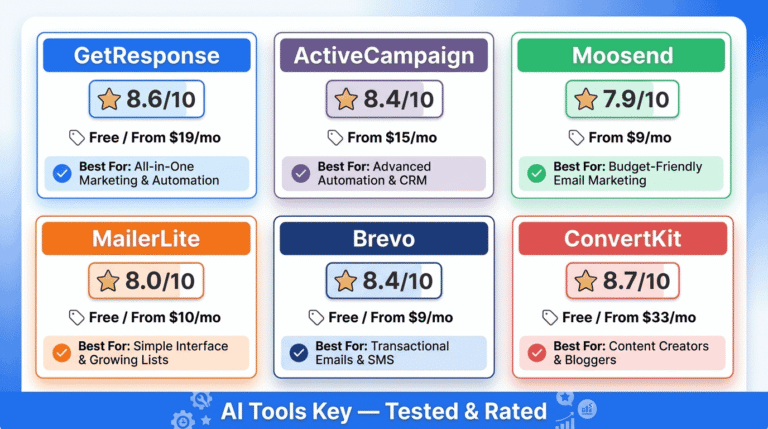
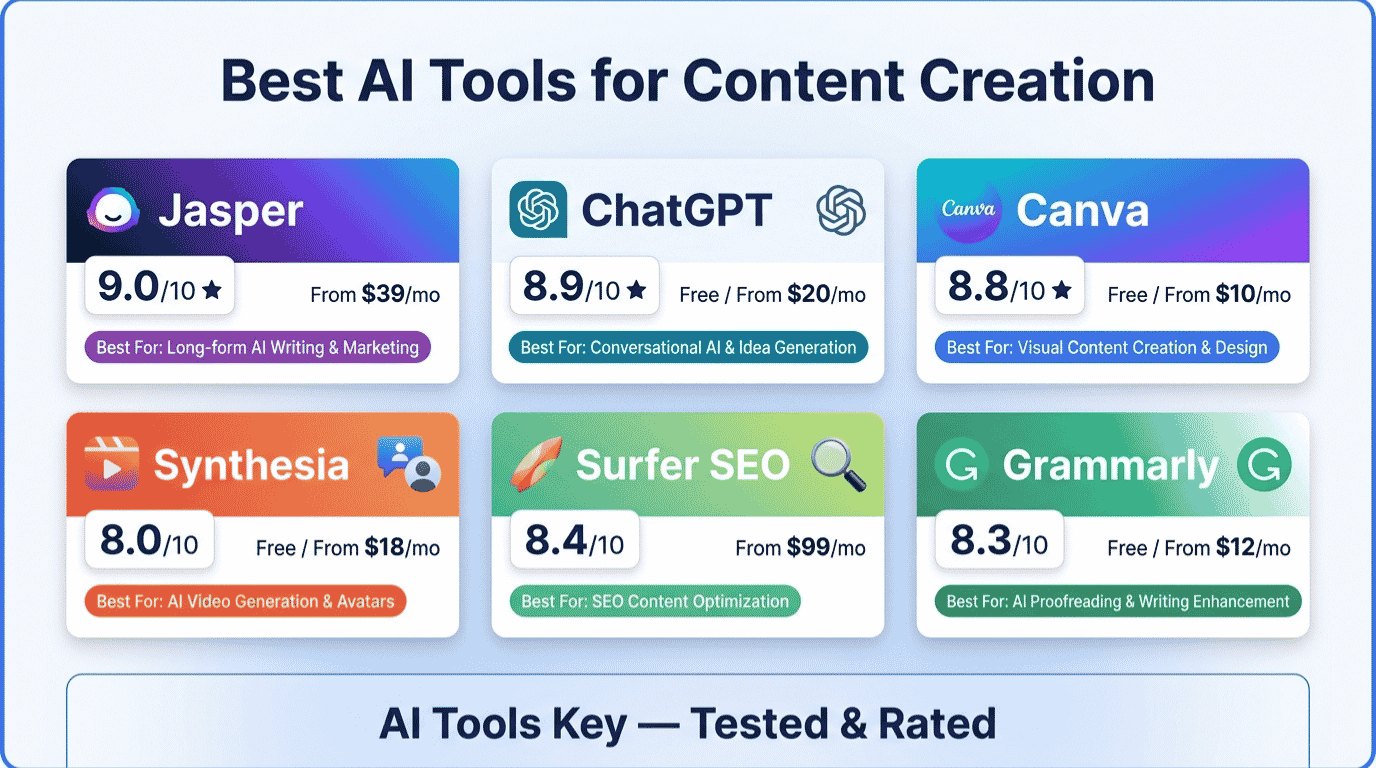
Here is the quick view. Each tool earns its spot for a specific content job, so the best pick depends on what you make most. Pricing is verified as of July 2026.
| Tool | Best For | Starting Price | Free Plan or Trial | Rating |
|---|---|---|---|---|
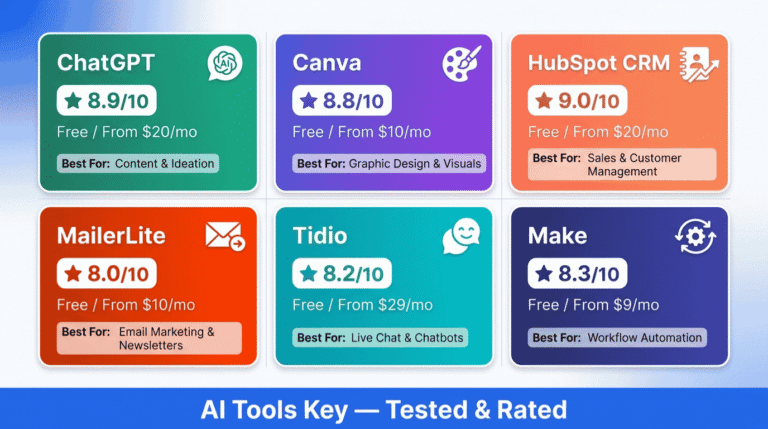
| Jasper | Best overall, long-form and marketing copy | $39/mo (annual) | 7-day free trial | 9.0/10 |
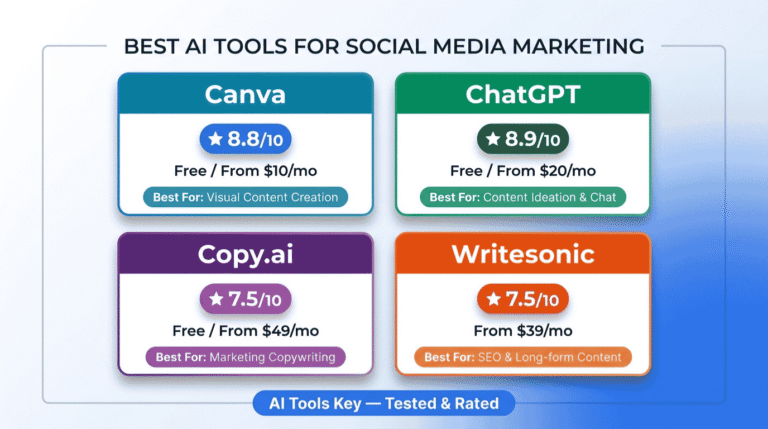
| ChatGPT | Best free all-rounder and ideation | Free, then $20/mo | Free plan | 8.9/10 |
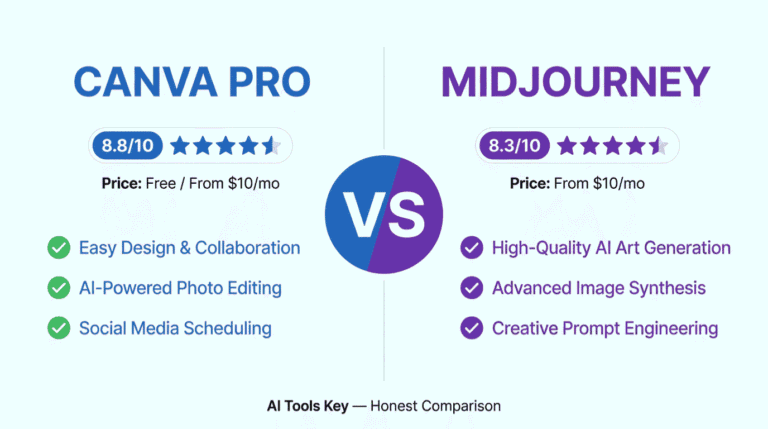
| Canva Pro | Best for visual and social content | Free, then $10/mo | Free plan | 8.8/10 |
| Surfer SEO | Best for SEO-optimized content | $99/mo ($79 annual) | No free plan | 8.4/10 |
| Grammarly | Best for editing and polishing | Free, then $12/mo | Free plan | 8.3/10 |
| Synthesia | Best for video content | Free, then $18/mo | Free plan | 8.0/10 |
How We Tested and Rated These Tools
We do not score tools from a spec sheet. We used each one for real content tasks: drafting blog posts, generating ideas, optimizing for search, fixing copy, designing graphics, and producing short videos.
Our 10-point score weighs five factors: features (30%), ease of use (25%), pricing value (20%), support quality (15%), and integrations (10%). You can read the full method on our editorial guidelines page.
Some links below are affiliate links. If you buy through them, we may earn a commission at no extra cost to you, and it never changes our ratings. Here is our affiliate disclosure if you want the details.
A quick reality check: AI does not replace your judgment. It removes the friction, the blank page, the repetitive formatting, the first draft, so you can focus on strategy and your own voice. The best AI tools for content creation make you faster, not lazier.
Jasper: Best Overall AI Tool for Content Creation
Jasper is the best AI tool for content creation if writing is the core of your work. It is purpose-built for marketing content, and its brand voice system learns how you sound, then keeps that tone consistent across every blog post, email, and ad.
Jasper Editor’s Pick
- Brand voice training for consistent, on-brand content
- 50+ templates for blogs, ads, emails, and social posts
- Built-in SEO mode and a collaborative Canvas
- Browser extension that works inside Google Docs and email
The Creator plan is $39 per month on annual billing and includes one brand voice, SEO mode, and unlimited word output. The Pro plan at $59 per month adds up to five seats and three brand voices for teams. There is a 7-day free trial, but no permanent free tier.
What sets Jasper apart is consistency. Jasper includes more than 50 content templates plus brand voice training, so your tenth article sounds like your first. In our testing it produced cleaner first drafts than a raw chatbot prompt, especially for structured marketing copy.
- Best brand voice and tone consistency we tested
- Templates make structured content fast
- Strong for long-form blogs and marketing copy
- Integrates with Surfer SEO and Grammarly
- No free plan, only a 7-day trial
- Pricier than a general chatbot at $39/mo
- Overkill if you only write occasionally
Best for: Bloggers, marketers, and small teams who publish regularly and want on-brand content at speed.
Definitive take: Jasper is the best overall AI tool for content creation in 2026 for anyone serious about written content.
ChatGPT: Best Free AI Tool for Content Creation
If you want one tool to start with for free, it is ChatGPT. It is the most versatile content assistant out there: brainstorming, outlines, drafts, rewrites, repurposing, and research all live in one chat box.
ChatGPT Best Value
- Generous free plan for everyday content tasks
- Brilliant for ideation, outlines, and repurposing
- Handles research, drafting, and structural planning
- Plus plan ($20/mo) unlocks the most capable models
The free plan covers most content needs. ChatGPT Plus at $20 per month gives you the newest, most capable models and higher limits, which matters if you generate content all day. It is made by OpenAI and is the model most creators reach for first.
The catch is that output quality depends heavily on your prompt. A lazy prompt gives generic copy. A good one, with a role, context, and format, gives you something close to publish-ready. It is a tool for thinking, not a replacement for it.
- Genuinely useful free plan
- The most flexible single content tool
- Great for beginners and ideation
- Improves fast with better prompting
- No brand voice memory like Jasper
- Generic output without strong prompts
- Not specialized for SEO or design
Best for: Anyone starting out, working on a budget, or who wants a single all-purpose content sidekick.
Definitive take: ChatGPT is the best free AI tool for content creation and the smartest place for beginners to start.
Surfer SEO: Best for SEO-Optimized Content
Writing great content is only half the battle; it also has to rank. Surfer SEO is the tool that turns guesswork into a checklist by scoring your draft against the pages already winning on Google.
Surfer SEO Best for SEO
- Real-time content scoring from 0 to 100
- Keyword, heading, and word-count targets
- Content briefs that show what to cover to compete
- Works inside Google Docs and WordPress
The Essential plan is $99 per month, or $79 per month billed annually, with around 30 content editor articles. There is no free plan, and the SERP Analyzer and AI writer are paid add-ons. It is the most expensive tool on this list, but for content teams chasing rankings, it pays for itself.
Surfer does not write polished content from scratch on its own; it is built to optimize. Pair it with Jasper or ChatGPT and you get a fast, measurable, repeatable way to publish content that actually ranks.
- The clearest path to content that ranks
- Concrete targets instead of guesswork
- Integrates with the main AI writing tools
- Most expensive tool here, no free plan
- Add-ons raise the real monthly cost
- Best used alongside a writing tool, not alone
Best for: Bloggers and content teams who care about organic traffic and want their writing to rank.
Definitive take: Surfer SEO is the best AI tool for turning content into search rankings in 2026.
Grammarly: Best for Editing and Polishing
AI drafts still need a human-quality polish, and Grammarly is the fastest way to get there. It checks grammar, clarity, tone, and style everywhere you write, from your browser to your email to Google Docs.
Grammarly Best for Editing
- Real-time grammar, spelling, and clarity checks
- Tone and style suggestions as you type
- Full-sentence rewrites and AI prompts on Pro
- Works across browsers, email, and documents
The free plan is genuinely useful. Grammarly’s free plan includes 100 AI prompts per month on top of unlimited grammar and tone checks. Grammarly Pro, which now replaces the old Premium and Business names, costs $12 per month on annual billing and adds plagiarism detection, deeper rewrites, and far more AI prompts.
It will not generate a whole article for you, and it is not meant to. Grammarly is the final pass that makes AI-assisted writing read like a human wrote it carefully. That last 10 percent of polish is exactly where it shines.
- Excellent, usable free plan
- Catches issues other tools miss
- Works everywhere you already write
- Cheapest paid plan on this list
- Not a content generator on its own
- English-first, weaker for other languages
- Some best suggestions sit behind Pro
Best for: Every content creator. It is the polish layer that makes everything else read better.
Definitive take: Grammarly is the best AI tool for editing and polishing your content before you publish.
Canva Pro: Best for Visual Content
Content is not just words. Blog images, social graphics, thumbnails, and carousels all need to look professional, and Canva makes that possible without a designer.
Canva Pro Best for Visuals
- Thousands of templates for social, blog, and ads
- Magic Studio AI for images, text, and edits
- Brand kit to keep colors and fonts consistent
- One-click resizing for every platform
The free plan is strong enough for many creators. Canva Pro at around $10 per month on annual billing unlocks the premium library and the full Magic Studio AI suite. Canva offers over 100 million premium assets plus its Magic Studio AI tools, which is remarkable value for the price.
For small business owners, Canva is often the single biggest time saver, because it removes the design bottleneck entirely. You can go from blank canvas to on-brand graphic in minutes.
- Easiest design tool for non-designers
- Huge template and asset library
- Powerful AI features at a low price
- Excellent free plan
- Not built for written or video content
- Best AI assets need the Pro plan
- Templates can look generic if unedited
Best for: Anyone who needs social graphics, blog images, or branded visuals without hiring a designer.
Definitive take: Canva Pro is the best AI tool for creating visual content on a small business budget.
Synthesia: Best for Video Content
Video is the format audiences want most, and the one most owners avoid because it is slow and expensive. Synthesia removes the camera entirely: you type a script, pick an AI avatar, and get a professional video in minutes.
Synthesia Best for Video
- Turn any script into a presenter-led video
- 150+ AI avatars and voice cloning
- Auto-translation into 140+ languages
- Perfect for explainers, training, and social clips
The free plan lets you test it with a few minutes of video per month. The Starter plan at $18 per month on annual billing removes limits and the watermark. Synthesia offers 150+ AI avatars and supports more than 140 languages, so one script can become videos for audiences worldwide.
It is best for talking-head style content: explainers, product walkthroughs, training modules, and social videos. For cinematic, scene-based video you would look elsewhere, but for business video, Synthesia is the fastest route.
- Makes video without a camera or crew
- Huge avatar and language range
- Fast for training and explainer content
- Free plan to try it risk-free
- Avatar video can feel less personal
- Not built for cinematic or scene-based video
- Higher tiers needed for heavy use
Best for: Creators and businesses that want professional video without filming anything.
Definitive take: Synthesia is the best AI tool for creating business video content in 2026.
How to Build Your AI Content Creation Stack
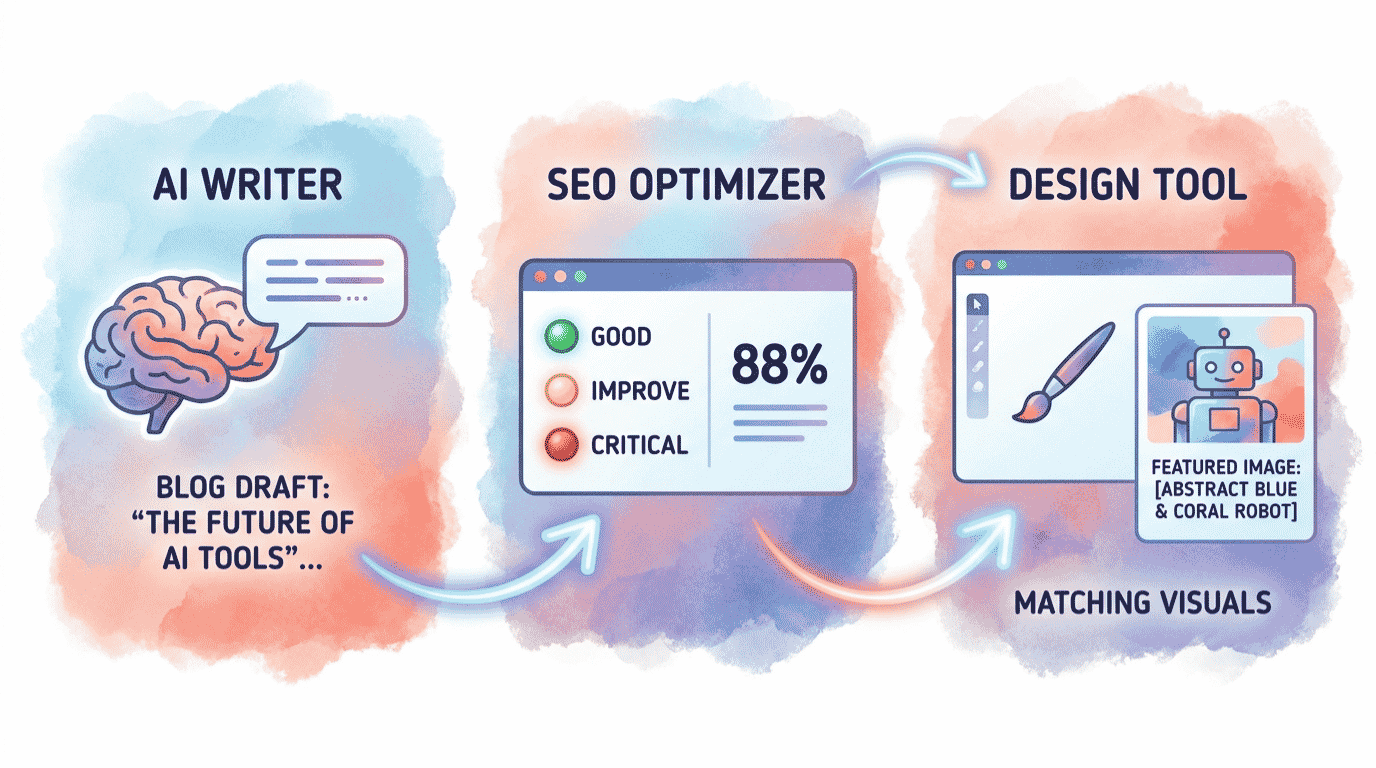
The real magic is not any single tool; it is the workflow. Here is how these tools fit together into one smooth pipeline that takes you from idea to published content.
Start with ChatGPT to brainstorm topics and outline your piece. Move to Jasper to write a strong, on-brand first draft. Run that draft through Surfer SEO to optimize it for search. Polish it with Grammarly so it reads cleanly. Design the blog image and social graphics in Canva. Finally, turn the key points into a short video with Synthesia for YouTube or social.
That is six tools doing the work of a writer, an SEO specialist, an editor, a designer, and a video producer. This shift is why an estimated 85% of marketers now use AI in their content workflows, up from around 61% a few years ago, according to recent industry surveys.
Budget tip: You do not have to buy everything at once. Start free with ChatGPT, Grammarly, and Canva. Add Jasper when you scale up writing, and Surfer when rankings become a priority. Browse the full lineup any time in our AI writing tools category or the wider AI tools directory.
What Is AI Content Creation?
AI content creation is the use of artificial intelligence tools to plan, write, optimize, design, and produce content faster than doing it all by hand. These tools are powered by large language models trained on huge amounts of text, plus specialized models for images and video.
In practice, AI handles the heavy lifting at each stage. It generates ideas and outlines, drafts written content, suggests SEO improvements, fixes grammar and tone, creates graphics, and even produces video from a script. You stay in control of strategy, accuracy, and your unique voice.
The goal is not to publish raw AI output. The best results come from a human plus AI workflow, where the tools speed up production and you add the judgment, originality, and fact-checking that good content still needs.
Quick Finder: Which AI Content Tool Should You Start With?
Answer four quick questions and we will point you to the best AI content tool for your situation. Nothing is saved or sent anywhere; every answer stays in your browser.
Don’t Want to Create Content Yourself?
Even with the best AI tools, content still takes time, skill, and consistency. Learning each tool, building a workflow, and publishing week after week is a real commitment that not every owner wants to make.
If you would rather hand it off, you can. A skilled freelancer who already uses these AI tools can produce your content faster and free you up to run your business.
Get Your Content Created by an Expert
Our recommended freelancers offer full AI content writing services, from blog posts to web copy, starting around $30. Need video instead? See our AI video creation service, or browse all AI services we recommend.
Hire a Content Writer on FiverrOur Verdict: The Best AI Tools for Content Creation in 2026
Jasper is our pick for the best overall AI tool for content creation in 2026, with ChatGPT as the best free starting point. The smartest move is not picking one tool; it is building a small stack: ChatGPT or Jasper to write, Surfer to optimize, Grammarly to polish, Canva for visuals, and Synthesia for video. Start free, then add paid tools as your content grows.
Whatever you choose, remember the goal: more content, better quality, less time. The tools do the busywork so you can focus on the ideas only you can have.
Want to go deeper? Explore the best AI writing tools for written content, the best AI SEO tools to help you rank, and the best AI video generators for video.
The Information People Are Looking For
What is the best AI tool for content creation?
Jasper is the best overall AI tool for content creation in 2026, thanks to brand voice training and 50+ templates for written content. ChatGPT is the best free all-rounder, Surfer SEO is best for ranking, Canva is best for visuals, and Synthesia is best for video.
What is the best free AI content creation tool?
ChatGPT is the best free AI content creation tool because its free plan handles ideation, outlines, drafts, and rewrites. Canva and Grammarly also offer strong free plans for visuals and editing. Together, these three free tools cover most of a small business content workflow at no cost.
Is AI-generated content good for SEO?
Yes, when it is high quality and helpful. Google rewards useful content regardless of how it is made, but penalizes thin, spammy output. The best approach is a human plus AI workflow: draft with AI, optimize with Surfer SEO, then edit and fact-check yourself before publishing.
Is Jasper better than ChatGPT for content?
For structured marketing content, Jasper is better because of brand voice memory, templates, and a built-in SEO mode. ChatGPT is more versatile and free, making it ideal for ideas and general drafting. Many creators use ChatGPT to brainstorm and Jasper to produce on-brand final copy.
What AI tools do content creators use?
Most content creators use a stack rather than one tool: ChatGPT or Jasper for writing, Surfer SEO for optimization, Grammarly for editing, Canva for design, and Synthesia for video. This combination covers every content format and replaces the work of a small in-house team.
What is the best AI tool for writing blog posts?
Jasper is the best AI tool for writing blog posts, with long-form templates and brand voice that keep your articles consistent. Pair it with Surfer SEO to optimize for search and Grammarly to polish the final draft. ChatGPT is a strong free alternative for blog drafting.
Does Google penalize AI-generated content?
No, Google does not penalize content simply for being AI-generated. It rewards helpful, original, accurate content and penalizes low-quality, spammy pages. As long as you edit, fact-check, and add genuine value, AI-assisted content can rank just as well as content written entirely by hand.