HubSpot CRM Review 2026: Free Plan, Real Pricing, and Honest Verdict
Thinking about HubSpot for your business but unsure whether the free plan is enough, or where the real costs kick in? You are in the right place. In this hands-on HubSpot CRM review, we share exactly what we found after putting the platform through its paces: the real 2026 pricing, the genuine strengths, the weak spots, and who it actually fits.
HubSpot is one of the biggest names in customer relationship management, and it holds roughly a third of the entire CRM market. So the question is not really whether it works. It is whether it works for a small business like yours, and whether the free CRM is a smart starting point or a clever on-ramp to pricey upgrades. We will keep this honest, because that is the whole point. (We may earn a commission if you sign up through our links, at no extra cost to you. Here is our affiliate disclosure.)
Quick Answer
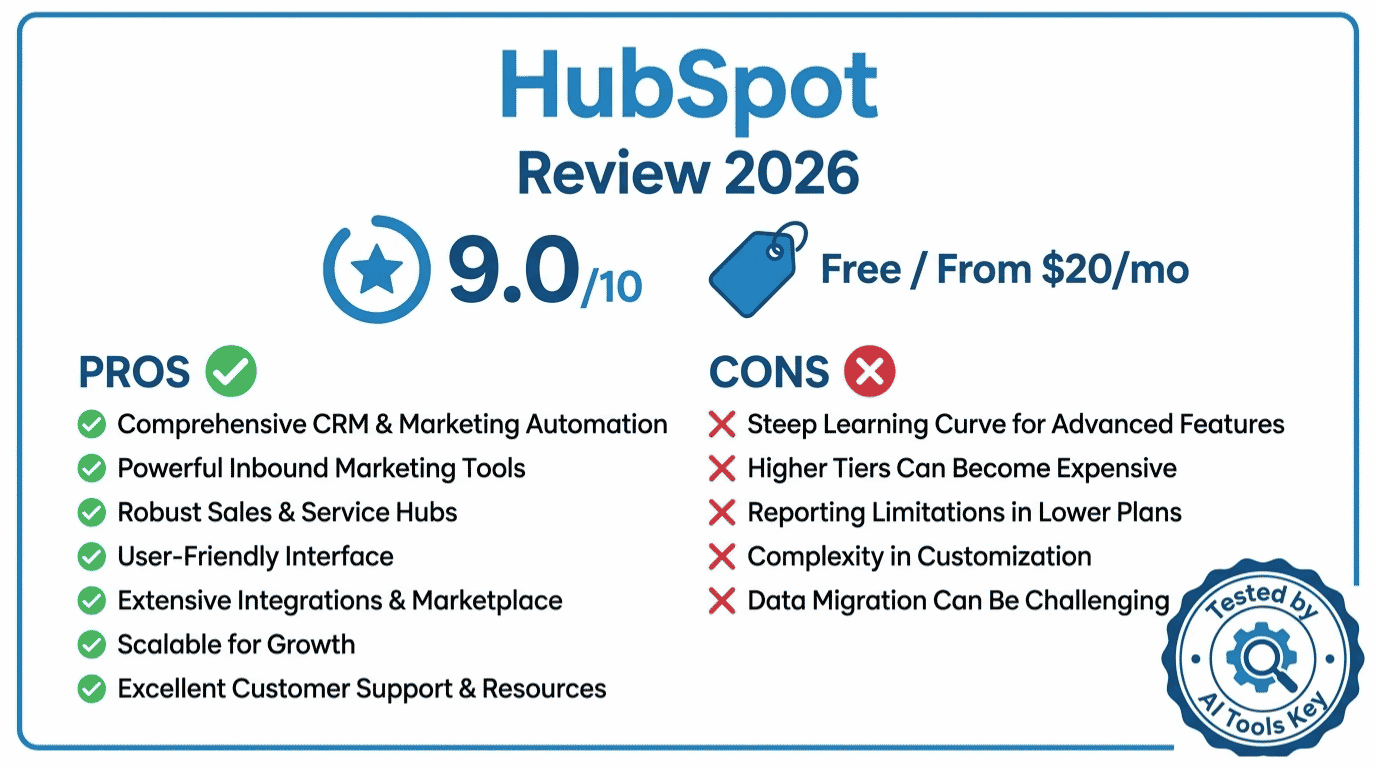
This HubSpot CRM review gives it a 9/10. HubSpot is the best all-in-one CRM for small businesses in 2026, with a genuinely free plan for unlimited users and paid Starter plans from $15 per seat each month. It shines on ease of use and built-in Breeze AI, but Professional-tier pricing climbs fast.
This review is part of our complete guide to the best AI tools for small business. Read the full guide for a wider view of the software that helps small teams grow without hiring more people.
What Is HubSpot CRM?
HubSpot CRM is an all-in-one customer relationship management platform built around a single shared database called the Smart CRM. It connects sales, marketing, service, content, and data tools so every contact, deal, and support ticket lives in one place. The core CRM is free forever, with paid hubs added as you grow.
In plain English, HubSpot keeps track of your leads and customers, then gives your team the tools to email them, call them, book meetings, and close deals without jumping between apps. You can start with the free HubSpot CRM and bolt on extra power later.
It belongs to the wider category of AI CRM and sales tools, and it competes with options like Pipedrive, Salesforce, and Zoho. However, what sets HubSpot apart is how much you get before paying anything, and how everything feeds one tidy customer record.
HubSpot CRM Review: Our Verdict at a Glance
After testing HubSpot’s free plan and the Starter Customer Platform for two weeks, our verdict is clear: this is the CRM we recommend first to most small businesses. It is powerful, surprisingly easy to learn, and the free tier is the most generous in the market.
Our 9/10 rating weighs five factors: features, pricing, ease of use, support, and integrations. You can read exactly how we test and rate AI tools if you want the full methodology. HubSpot scores high on four of those five. The one that drags it down is pricing once you move past Starter.
Our Rating: 9.0/10 ⭐
HubSpot is the best all-in-one CRM for small businesses in 2026. The free plan alone is worth setting up today, and Breeze AI is genuinely useful. Just watch the jump to Professional pricing.
Try HubSpot FreeHere is a quick snapshot before we dig in. HubSpot holds roughly one-third of the CRM market and scores 4.5/5 on G2 from over 13,000 reviews, with 88% of reviewers recommending it. That kind of adoption matters, because it means a huge ecosystem of integrations, templates, and experts.
HubSpot CRM Key Features
HubSpot bundles a lot into one platform. Here are the features that matter most for a small business, based on what we actually used.
Smart CRM and contact management
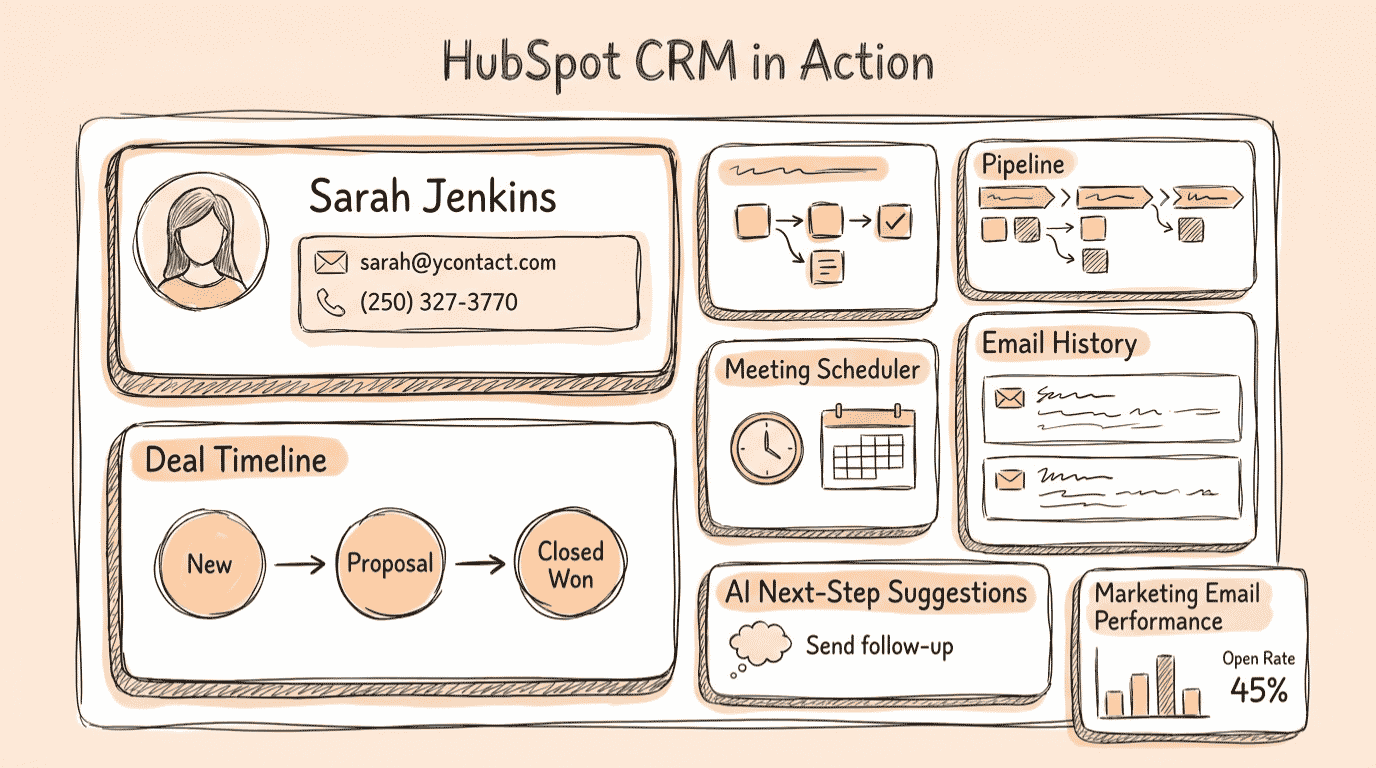
Every contact gets a clean timeline: emails, calls, notes, meetings, and deals in one view. The free CRM supports unlimited users and up to 1,000,000 contacts, which is unheard of at no cost. In practice, setup took us minutes, not hours.
Deal pipelines and sales tools
The visual deal pipeline lets your whole team move deals along together. You also get email tracking, meeting scheduling, live chat, and templates on the free plan. However, sales sequences and heavier automation sit behind the paid Sales Hub, which we cover in pricing below.
Marketing, service, and content hubs
This is where HubSpot pulls ahead of simple sales tools. You can run email campaigns, build landing pages, and manage support tickets from the same place. If email is your main focus, compare it first with our roundup of the best AI email marketing tools before you commit.
Integrations and ecosystem
HubSpot connects with 1,500+ apps and integrations, from Gmail and Outlook to Zapier, Slack, and your favorite ad platforms. In practice, that means HubSpot slots into your existing stack instead of forcing you to replace it.
How Good Is HubSpot Breeze AI?
Because we review AI tools for a living, the AI question matters here. HubSpot’s AI layer is called Breeze, and it is built directly on your CRM data. As a result, its suggestions are grounded in your real contacts and deals, not generic templates.
Breeze has three parts. First, Breeze Assistant is a conversational helper that drafts emails, summarizes records, and answers questions about your data. Second, Breeze Agents are autonomous helpers that handle whole tasks like prospecting, content, and customer support. Third, Breeze Intelligence enriches contact records with company and buyer-intent data.
Here is the key detail for budget-conscious teams. Breeze Assistant is available on every plan, including the free CRM. Breeze Agents, however, need a Professional or Enterprise plan and burn through usage credits as they work. So basic AI is free, but the headline autonomous agents are not.
In our testing, Breeze Assistant was the standout. It is not magic, but it removes the blank-page problem for emails and saves real time on admin. Meanwhile, the Agents are promising and improving fast, though we think they are best treated as a paid add-on, not a reason to buy on their own.
HubSpot CRM Pricing in 2026
This is the section everyone scrolls to, so let us be specific. HubSpot moved to a seat-based pricing model, and the entry price is actually lower than many guides claim. We checked it against HubSpot’s official pricing page while writing this review.
The headline numbers: the CRM is free forever. The paid Starter Customer Platform starts at $15 per seat each month on annual billing, or $20 month to month. From there, costs rise sharply.
| Plan | Starting Price | Best For | Key Limits |
|---|---|---|---|
| Free CRM | $0 forever | Testing the platform; very small teams | HubSpot branding on emails and forms; limited automation and AI |
| Starter | $15/seat/mo (annual) | Solopreneurs and small teams wanting branding removed | 1,000 marketing contacts; 2 pipelines per hub |
| Professional | From $1,300/mo (5 seats) | Growing teams needing full automation and reporting | Onboarding fee from $3,000; contact tier costs |
| Enterprise | From $4,300/mo (7 seats) | Larger organizations needing advanced controls | Annual contract; onboarding up to $7,000 |
A few things are worth knowing before you buy. Individual hubs can be cheaper than the full platform: Sales Hub Professional is about $100 per seat each month, and Marketing Hub Professional starts near $890 per month with three seats included. HubSpot’s Professional tier often costs 5x to 10x the Starter price, which is the single biggest complaint we see from small businesses.
On top of that, watch three hidden costs. First, marketing contact overages once you pass your tier. Second, one-time onboarding fees on Professional and Enterprise. Third, annual contracts that lock you in for twelve months. None of these show up on the sticker price.
Want HubSpot set up properly without the headache?
Importing contacts, building pipelines, and wiring up automation can eat a week. Instead, a vetted expert can do it for you, often for less than one month of Professional. See our AI CRM setup and integration service, or browse more options in our AI services directory.
Hire a CRM Setup Expert on FiverrHubSpot CRM Pros and Cons
Here is the honest balance sheet after our testing.
What We Liked
- The most generous free CRM available, with unlimited users
- Genuinely easy to set up and learn, even for non-technical owners
- Sales, marketing, and service share one clean customer record
- Breeze Assistant AI is free on every plan
- 1,500+ integrations and a massive expert ecosystem
What Could Be Better
- Professional pricing jumps sharply and surprises many small teams
- Core automation and reporting are gated behind paid tiers
- Onboarding fees of $1,500 to $7,000 on higher plans
- Annual contracts lock you in for a full year
- Email deliverability has tested lower than some rivals
Two definitive takeaways. First, HubSpot offers the best free CRM for small businesses in 2026, full stop. Second, based on our testing, HubSpot is the easiest all-in-one CRM to set up and learn. The trade-off is that serious automation lives behind Professional, where the price stops being friendly.
Is HubSpot CRM the Right Fit? Quick Checklist
Not sure if HubSpot suits your situation? Use the quick scorecard below. We have pre-set each row to HubSpot’s real strengths and weak spots, but you can tap any row to match your own priorities. It updates a live verdict at the bottom, and nothing you tap ever leaves your browser.
Is HubSpot CRM Right for You?
Tap any row to match your own priorities. Your live fit score updates below.
Who Is HubSpot CRM Best For?
HubSpot is not the right answer for everyone. Here is who should pick it, and who should look elsewhere.
HubSpot is best for: early-stage startups, marketing-focused small businesses, and any team that wants sales, marketing, and support under one roof. It is also the best free CRM for owners who want to start tracking leads today without spending a cent.
Look elsewhere if: you are a solo seller who only needs a simple pipeline, or you need heavy automation on a tight budget. In those cases, a focused tool like Pipedrive can deliver better value. For a side-by-side look, see our HubSpot vs Pipedrive breakdown.
HubSpot CRM vs the Best Alternatives
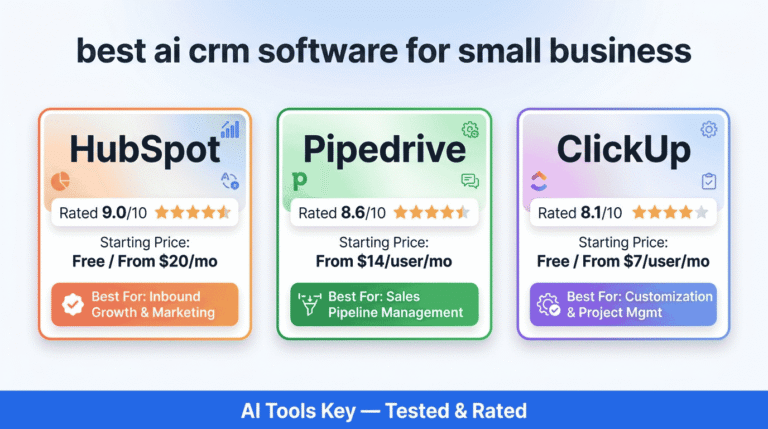
If you want to weigh your options, here is how HubSpot stacks up against two strong alternatives we have tested. For the full field, see our guide to the best AI CRM software for small business.
| Tool | Best For | Starting Price | Free Plan | Rating | Visit |
|---|---|---|---|---|---|
| HubSpot | Best overall all-in-one CRM | $15/seat/mo (free plan available) | Yes | 9.0/10 | Try HubSpot |
| Pipedrive | Best for simple sales pipelines | $14/user/mo | No (14-day trial) | 8.6/10 | Try Pipedrive |
| ActiveCampaign | Best for marketing automation plus CRM | $15/mo | No (14-day trial) | 8.4/10 | Try ActiveCampaign |
Best overall: HubSpot. Best value for pure sales: Pipedrive. Best for marketing automation: ActiveCampaign. All three are solid; the right pick depends on whether you want breadth (HubSpot) or focus (the other two). You can also browse our full AI tools directory for more.
Is HubSpot CRM Worth It in 2026?
For most small businesses, yes. HubSpot is worth it if you value ease of use and want one platform for sales, marketing, and service. The free CRM is a no-brainer starting point, and Starter at $15 per seat is fair for what you unlock.
That said, it stops being obvious value at the Professional tier. If you only need a sales pipeline, cheaper tools win. But if you plan to grow into marketing and automation, starting on HubSpot now saves a painful migration later. If you would rather hand the whole build to a pro, including a done-for-you sales funnel, that is a smart shortcut.
HubSpot CRM
Editor’s Pick- Free forever core CRM
- Unlimited users
- Breeze AI built in
- 1,500+ integrations
- Sales, marketing, service in one
- Easy to set up
Bottom line: HubSpot earns its 9/10 and its spot as our top CRM recommendation. Set up the free plan, try Breeze Assistant, and only reach for Professional when growth makes the price worth it.
HubSpot CRM Review: Your Questions Answered
Is HubSpot CRM really free?
Yes, HubSpot CRM is genuinely free forever, with no credit card required. The free plan supports unlimited users and up to 1,000,000 contacts, plus contact management, deal pipelines, email tracking, live chat, and basic Breeze AI. The catch is HubSpot branding on emails and forms, and limited automation until you upgrade.
Is HubSpot CRM good for small business?
HubSpot CRM is an excellent fit for most small businesses, especially marketing-focused teams that want sales, marketing, and service in one place. It earns a 9/10 in our testing for ease of use and its strong free tier. Budget-tight teams needing heavy automation may find the Professional tier expensive.
How much does HubSpot CRM cost in 2026?
HubSpot CRM costs nothing on the free plan. The paid Starter Customer Platform starts at $15 per seat each month billed annually, or $20 month to month. Professional plans begin around $1,300 per month for five seats, and Enterprise starts near $4,300 per month, plus onboarding fees.
What are the biggest downsides of HubSpot CRM?
The biggest downside of HubSpot CRM is cost. Prices climb sharply at the Professional tier, where core automation and reporting unlock, and onboarding fees run from $1,500 to $7,000. Marketing contact overages add more. The platform can also feel overwhelming at first because it bundles so many tools together.
Is HubSpot CRM better than Pipedrive?
HubSpot is better for all-in-one needs, while Pipedrive wins on sales simplicity and price. Choose HubSpot if you want free CRM plus marketing, service, and Breeze AI in one platform. Choose Pipedrive, from $14 per user monthly, if you only need a clean, affordable sales pipeline tool.
Does HubSpot CRM have AI?
Yes, HubSpot CRM includes Breeze, its built-in AI layer. Breeze Assistant works on every plan, including the free CRM, and helps draft emails, summarize records, and answer CRM questions. Breeze Agents, which automate tasks like prospecting and support, require a Professional or Enterprise plan and consume usage credits.