GetResponse Review 2026: Is This All-in-One Tool Worth It?
Welcome to our hands-on GetResponse review 2026. If you want one platform to handle your email marketing, automation, and even webinars, GetResponse promises to do it all. We have tested it across real campaigns, so this GetResponse review gives you a straight answer on whether the all-in-one approach is worth it.
Below you will find current pricing, the features that actually matter, honest pros and cons, and exactly who should use it. No fluff, no copied marketing claims, just what we found when we used the tool ourselves.
Quick Answer
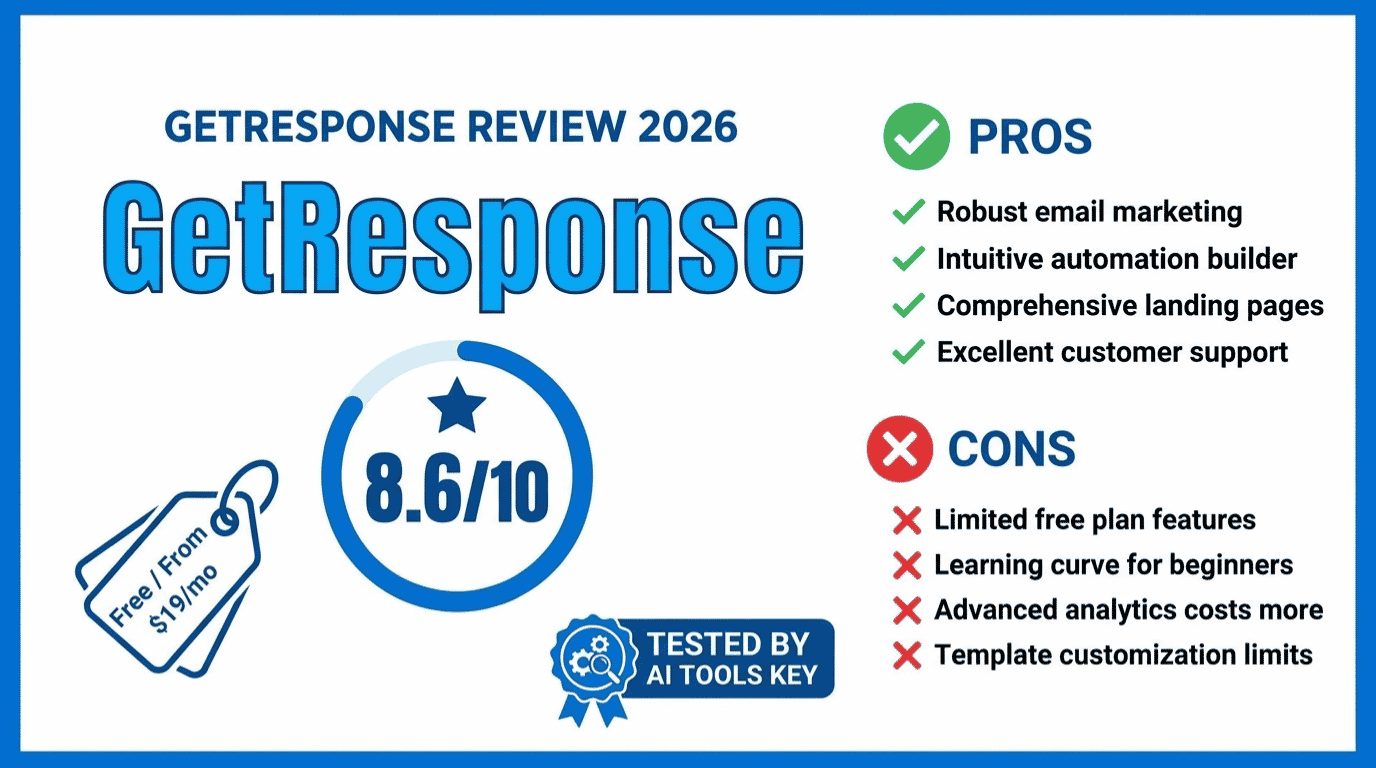
Our GetResponse review verdict: it is one of the best all-in-one email marketing platforms in 2026, earning 8.6 out of 10 in our testing. It combines email, automation, landing pages, and webinars in one dashboard. Plans start at $19 per month, and there is a genuinely useful free-forever plan to start with.
GetResponse
Editor’s Pick- Best for: small businesses and ecommerce brands that want everything in one place
- All-in-one: email, automation, landing pages, and funnels
- Built-in webinars and online courses, which rivals rarely offer
- AI tools for writing emails, subject lines, and send-time optimisation
This review is part of our complete guide to AI tools for small business. Read the full guide for a complete overview of the best AI software to grow your business this year.
What Is GetResponse and How Does It Work?
GetResponse is an all-in-one email marketing and automation platform built for small businesses, marketers, and ecommerce brands. Instead of stitching together separate tools, you get email, landing pages, funnels, webinars, and a basic CRM in one dashboard.
It is also one of the most experienced players around. GetResponse has been in email marketing since 1998, making it one of the oldest platforms in the space. Over the years it has grown from a simple newsletter tool into a full marketing suite.
The scale is serious, too. GetResponse is used by over 350,000 businesses across 183 countries. That track record matters when you are trusting a platform with your email list and your revenue.
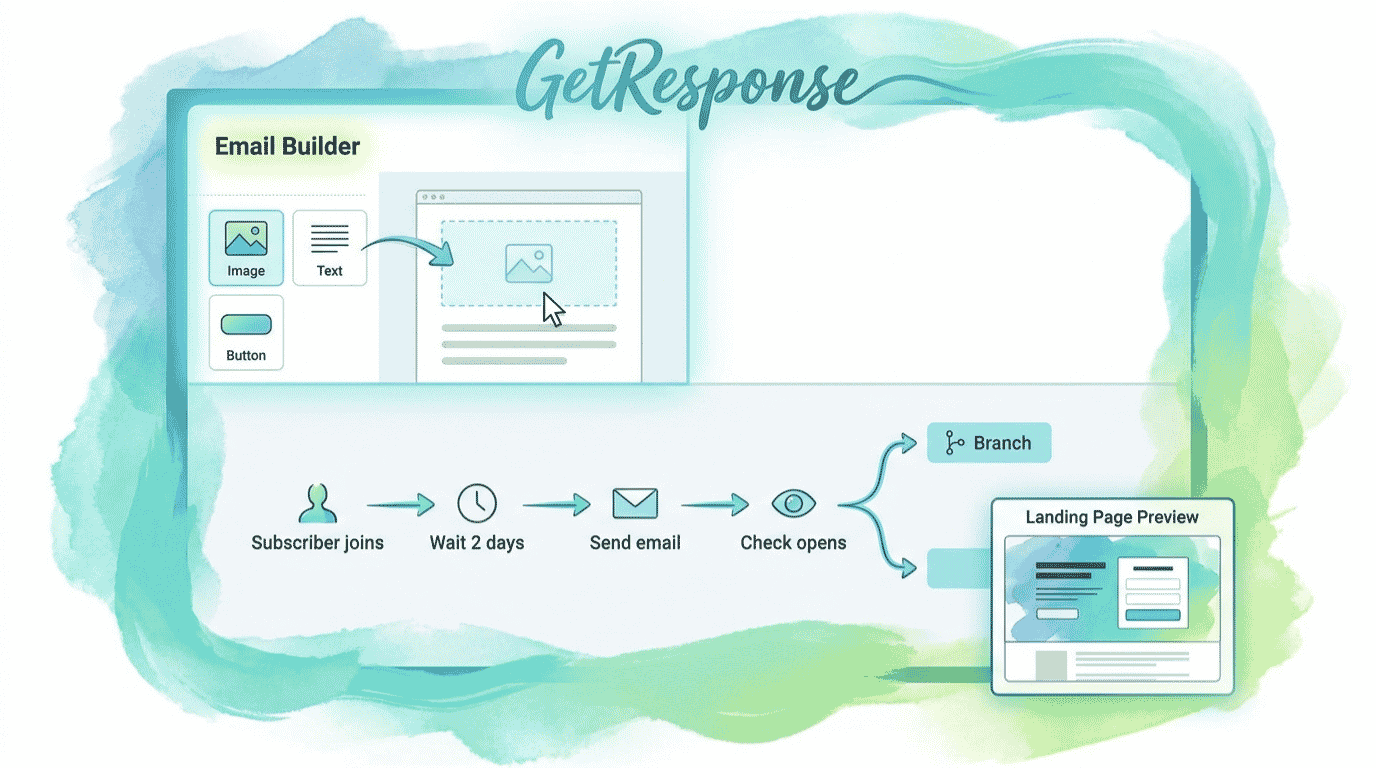
Here is how it works day to day. You build your list with forms and popups, create emails with the drag-and-drop editor or AI, set up automated sequences, and then track results. For ecommerce, you can add funnels and abandoned-cart recovery to drive sales.
The headline difference is breadth. Most email tools stop at email. GetResponse keeps going into webinars, online courses, and paid ads, which is rare. Whether that is a strength or a distraction depends on what you actually need.
GetResponse Review: The Features That Actually Matter
GetResponse packs in a huge amount, but only a few features genuinely move the needle for a small business. These are the ones we leaned on most during testing.
Email Marketing and AI Tools
The core email editor is fast and beginner-friendly, with hundreds of templates. The AI email generator drafts campaigns from a short prompt, and AI suggests subject lines and optimal send times. It is a genuine time-saver for anyone who stares at a blank email.
Marketing Automation
The visual workflow builder lets you create automated sequences based on behaviour, tags, and scoring. It is powerful without being overwhelming, though true automation lives on the Marketer plan and above, not the entry tier.
Webinars, Funnels, and Courses
This is where GetResponse stands apart. Unlike almost every other email tool, GetResponse includes built-in webinar hosting. You also get conversion funnels and online course creation, so you can replace several separate subscriptions with one bill.
Landing Pages and Ecommerce
The landing page and website builders are solid, and ecommerce features like product blocks and cart recovery make it a strong fit for online stores. If you want to compare it against the wider field, browse our full AI tools directory or our roundup of the best AI email marketing tools.
Tip: The free-forever plan is genuinely useful for testing. Build a form, a landing page, and a welcome email before you pay anything. You will learn whether GetResponse fits your workflow without spending a cent.
Don’t want to set up your funnels and automations yourself? You can hand it off. Explore our done-for-you AI email marketing automation service, or browse the full range of AI services on Fiverr to get your campaigns built for you.
Hire an email automation expertHow Much Does GetResponse Cost in 2026?
GetResponse uses contact-based pricing across four paid tiers, plus a free plan. Here is the current structure for a list of 1,000 contacts, with the gap between monthly and annual billing made clear.
| Plan | Best For | Monthly Price | Annual Price | Key Features |
|---|---|---|---|---|
| Free | Testing the platform | $0 | $0 | 500 contacts, 2,500 emails, website builder, 1 landing page |
| Starter | Simple email marketing | $19/mo | $15.58/mo | Unlimited emails, autoresponders, landing pages, 24/7 chat |
| Marketer | Automation and ecommerce | $59/mo | $48.38/mo | Visual automation, cart recovery, segmentation, CRM |
| Creator | Webinars and courses | $69/mo | $56.58/mo | Webinars, online courses, website builder, advanced tools |
The headline number is the $19 per month Starter plan, but remember it drops to about $15.58 on annual billing. The Starter plan includes unlimited email sends, with annual billing dropping the price from $19 to about $15.58 per month. That unlimited sending is rare at this price.
One catch to know: pricing rises with your contact count, and it jumps in steps. Cross from 1,000 to 1,001 contacts and you move to the 2,500 tier at $29 per month. Webinars and real automation also require the higher Creator and Marketer plans, so factor those in.
There is also a free-forever plan, and new accounts get 30 days of premium features to test. For an enterprise-grade option, GetResponse MAX adds a dedicated IP, SSO, and SMS marketing on custom pricing.
Money-saving tip: Annual billing saves 18 percent, and biennial billing saves 30 percent. If you are committed to GetResponse, paying for one or two years upfront is the cheapest route by a wide margin.
GetResponse Performance: Deliverability and Ease of Use
For this GetResponse review, we built automations, sent campaigns, and tested the landing page and webinar tools across real projects. So how did it actually perform? Here is the honest picture.
On ease of use, GetResponse is strong. The editor is intuitive, the templates look modern, and the AI tools genuinely speed up email creation. A beginner can send a polished campaign on day one.
Deliverability is mostly reliable, but not flawless. Some users report occasional spam-filtering and slower delivery on shared IPs. For most small senders it is fine, but high-volume teams should consider the dedicated IP on the Enterprise plan.
The all-in-one breadth is the real win. Running a webinar, capturing registrations, and following up by email without leaving the platform feels effortless. That said, the deep CRM and reporting are not as advanced as dedicated tools.
To be clear about our scoring, our 10-point rating weighs five things: output quality, features, ease of use, value for money, and support. You can read exactly how we test in our editorial guidelines.
GetResponse Pros and Cons
No tool is perfect, and GetResponse is no exception. Here is the balanced view after our testing.
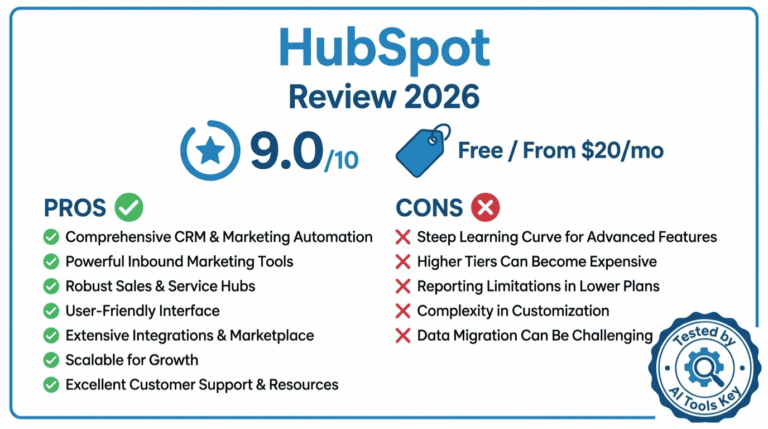
What We Liked
- True all-in-one: email, automation, landing pages, and funnels
- Built-in webinars and courses that almost no rival offers
- One of the most generous free-forever plans in email marketing
- Helpful AI tools for emails, subject lines, and send times
- Strong ecommerce features, including abandoned-cart recovery
- Reasonable entry price with unlimited email sending
What Could Be Better
- Not the cheapest for simple newsletters; Brevo undercuts it
- Occasional deliverability complaints on shared IPs
- Real automation and webinars require the pricier higher tiers
- Pricing jumps in steps as your contact count grows
- CRM and reporting are lighter than dedicated platforms
Is GetResponse Right for You?
Pricing and features only matter if GetResponse fits how you actually work. Use the quick fit checklist below: it is pre-set to GetResponse’s real strengths and weaknesses, and you can click any row to change it based on your own priorities. Your score updates instantly and tells you whether GetResponse is a strong fit. Nothing you click leaves your browser.
Is GetResponse a Fit for You?
Tap any row to match your own priorities. Your score updates live.
Tap a row to cycle: strength → acceptable → weakness
Who Is GetResponse Best For?
After all that testing, here is the short version of who should and should not use GetResponse.
GetResponse is best for small businesses, ecommerce brands, and course creators who want email, automation, funnels, and webinars in one place. If you would otherwise pay for several separate tools, the all-in-one value is hard to beat.
GetResponse is not ideal for anyone who only needs simple newsletters at the lowest possible price. In that case, a leaner tool like Brevo will cost you less and do the job fine.
GetResponse also runs one of the most generous affiliate programs in the space, paying recurring commissions, which is worth knowing if you ever plan to recommend it to others.
GetResponse Alternatives Worth a Look
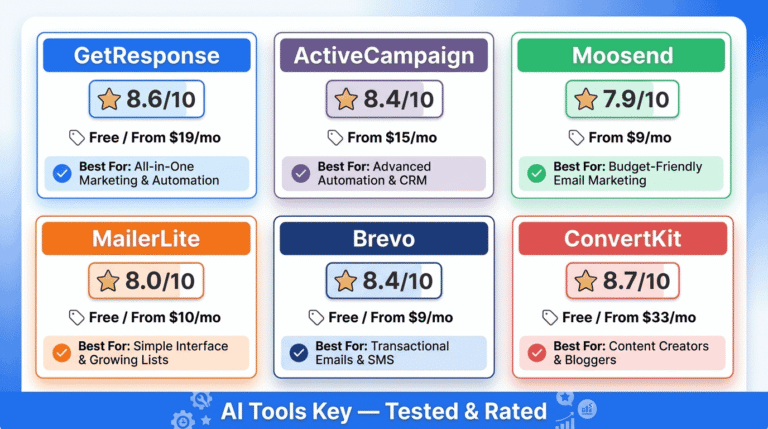
GetResponse is strong, but it is not the only option. Depending on your budget and goals, one of these alternatives might suit you better. Here is how the main contenders stack up.
| Tool | Best For | Starting Price | Free Trial | Rating | Visit |
|---|---|---|---|---|---|
| GetResponse | All-in-one with webinars | Free / $19/mo | Free plan | 8.6/10 | Try GetResponse |
| ActiveCampaign | Advanced automation | From $15/mo | Yes | 8.4/10 | Try ActiveCampaign |
| Brevo | Budget and transactional email | Free / $9/mo | Free plan | 8.4/10 | Try Brevo |
| Kit (ConvertKit) | Creators and newsletters | Free / $33/mo | Free plan | 8.7/10 | Try Kit |
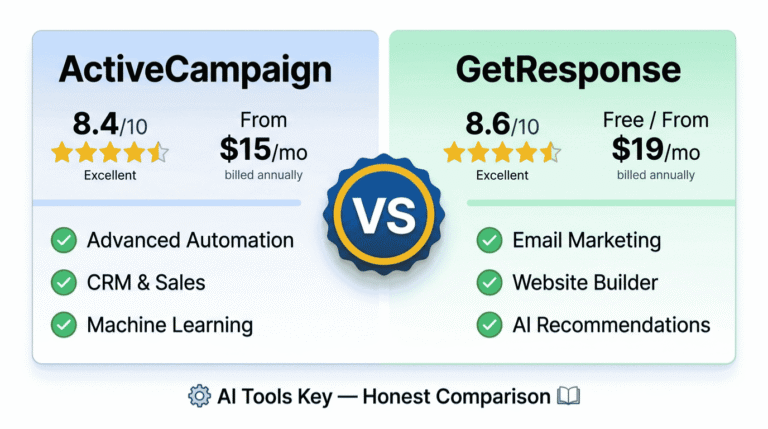
If you want deeper automation, ActiveCampaign is the specialist, and we compare the two directly in our ActiveCampaign vs GetResponse guide. For a budget-friendly option, Brevo is hard to beat on price. Creators who live on newsletters may prefer Kit. We also pit GetResponse against the most popular rival in our GetResponse vs Mailchimp comparison.
Want to see the whole field side by side? Our roundup of the best AI email marketing tools ranks every option we have tested, including a few budget picks worth knowing about.
Our GetResponse Review Verdict: Is It Worth It in 2026?
So, is GetResponse worth it? For the right user, yes. It remains one of the most capable all-in-one marketing platforms on the market, and the built-in webinars are a genuine differentiator.
Verdict: . GetResponse is the best all-in-one email marketing platform for small businesses that also want webinars in 2026. It is not the cheapest for plain newsletters, and deliverability can wobble on shared IPs, but the breadth of features and the strong free plan make it easy to recommend. Start free, then upgrade when you outgrow it.
For full transparency, we earn a commission if you subscribe through our links, at no extra cost to you. You can read more in our affiliate disclosure. Our ratings are never paid for, and our verdict above reflects real hands-on testing.
The Information People Are Looking For
Is GetResponse worth it in 2026?
Yes, GetResponse is worth it in 2026 if you want email marketing, automation, landing pages, and webinars in one platform. At $19 per month, it offers strong all-in-one value for small businesses and ecommerce. If you only need simple newsletters, a cheaper tool like Brevo may suit you better.
How much does GetResponse cost?
GetResponse costs $19 per month for the Starter plan, or about $15.58 per month billed annually, for 1,000 contacts. The Marketer plan is $59 per month and adds automation. The Creator plan is $69 per month and adds webinars and courses. A free-forever plan is also available.
Does GetResponse have a free plan?
Yes, GetResponse has a free-forever plan for up to 500 contacts and 2,500 emails per month. It includes the email editor, a website builder, landing pages, and signup forms. New accounts also get 30 days of premium features to test. It is one of the more generous free plans available.
Is GetResponse better than Mailchimp?
GetResponse is better than Mailchimp for all-in-one features like webinars, funnels, and automation at a lower price. Mailchimp has a more polished interface and bigger brand. If you want webinars and ecommerce tools in one place, choose GetResponse. For pure simplicity, Mailchimp still appeals. See our full comparison for details.
Is GetResponse good for deliverability?
GetResponse generally delivers reliably, though some users report occasional spam-filtering and slower sending on shared IPs. For high-volume senders, the Enterprise plan offers a dedicated IP to protect your reputation. Keep your list clean and warm up sending gradually, and deliverability is solid for most small businesses.
What is GetResponse used for?
GetResponse is used for email marketing, marketing automation, landing pages, sales funnels, webinars, and online courses. Small businesses and ecommerce brands use it to capture leads, nurture subscribers, and drive sales from one dashboard. Its all-in-one design means you avoid stitching together several separate marketing tools.
Does GetResponse offer webinars?
Yes, GetResponse includes built-in webinar hosting, which almost no other email marketing platform offers. Webinars are available on the Creator plan and above. You can run live webinars, collect registrations, and follow up by email automatically, all without paying for a separate tool like Zoom.