How to Use AI for Content Creation: A Step-by-Step Guide (2026)
If creating enough content for your blog, social channels, and emails feels impossible, AI can do most of the heavy lifting for you. Learning how to use AI for content creation means turning ideas into polished drafts, optimized articles, and on-brand visuals in a fraction of the time. You do not need to be a writer or a designer to start. In this guide, we will walk through the exact process we use after hands-on testing, share copy-and-paste prompts, name the best tools for each step, and show you how to keep your content sounding human.
The best free starting point is ChatGPT, which we use for ideas and drafts in nearly every content workflow we build.
Quick Answer
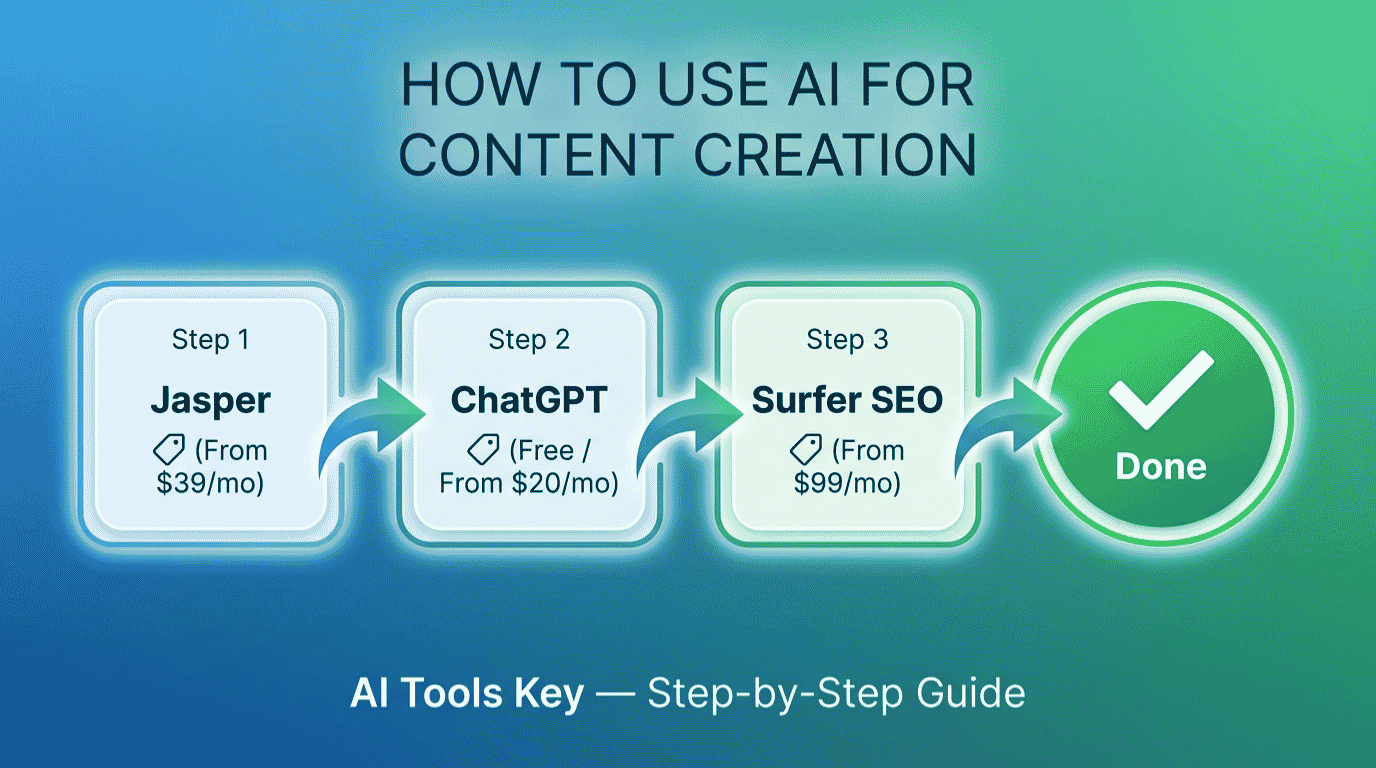
To use AI for content creation, plan and draft with ChatGPT (free) or Jasper (from $39/mo), optimize for search with Surfer SEO (from $99/mo), and design visuals with Canva (from $10/mo). Then edit everything in your own voice and fact-check before publishing. AI handles the first draft and busywork, while your judgment keeps the quality high.
This guide is part of our complete Guide to AI Tools for Small Business. Read the full pillar for a complete overview of the AI tools that help small businesses grow.
What Is AI Content Creation?
AI content creation is the use of AI tools to help research, write, optimize, and design content like blog posts, social media, emails, and graphics. You give the AI a clear instruction, called a prompt, and it produces a draft in seconds that you then refine. Think of it as a creative partner that handles the busywork while you guide the strategy and voice.
The shift is already mainstream. More than 75% of marketers now use AI tools to some degree, and a CoSchedule report found 55% of marketers say AI can massively scale content creation. The smart move is not to fight it, but to use it well.
What Can AI Help You Create?
AI will not replace your expertise, but it will erase the blank-page problem. Here is where tools like ChatGPT, Jasper, Surfer SEO, and Canva earn their keep across content types.
- Blog posts and articles: outlines, first drafts, intros, and meta descriptions in minutes.
- Social media: captions, hooks, hashtags, and a full content calendar.
- Emails and newsletters: subject lines, body copy, and follow-up sequences.
- Marketing copy: ad headlines, landing pages, and product descriptions.
- Visuals: images, graphics, carousels, and short videos from a text prompt.
- Repurposing: turning one blog post into a week of social posts and an email.
The payoff is speed and consistency. Instead of staring at a blank screen, you start with a solid draft and spend your time making it great.
How to Use AI for Content Creation in 6 Steps
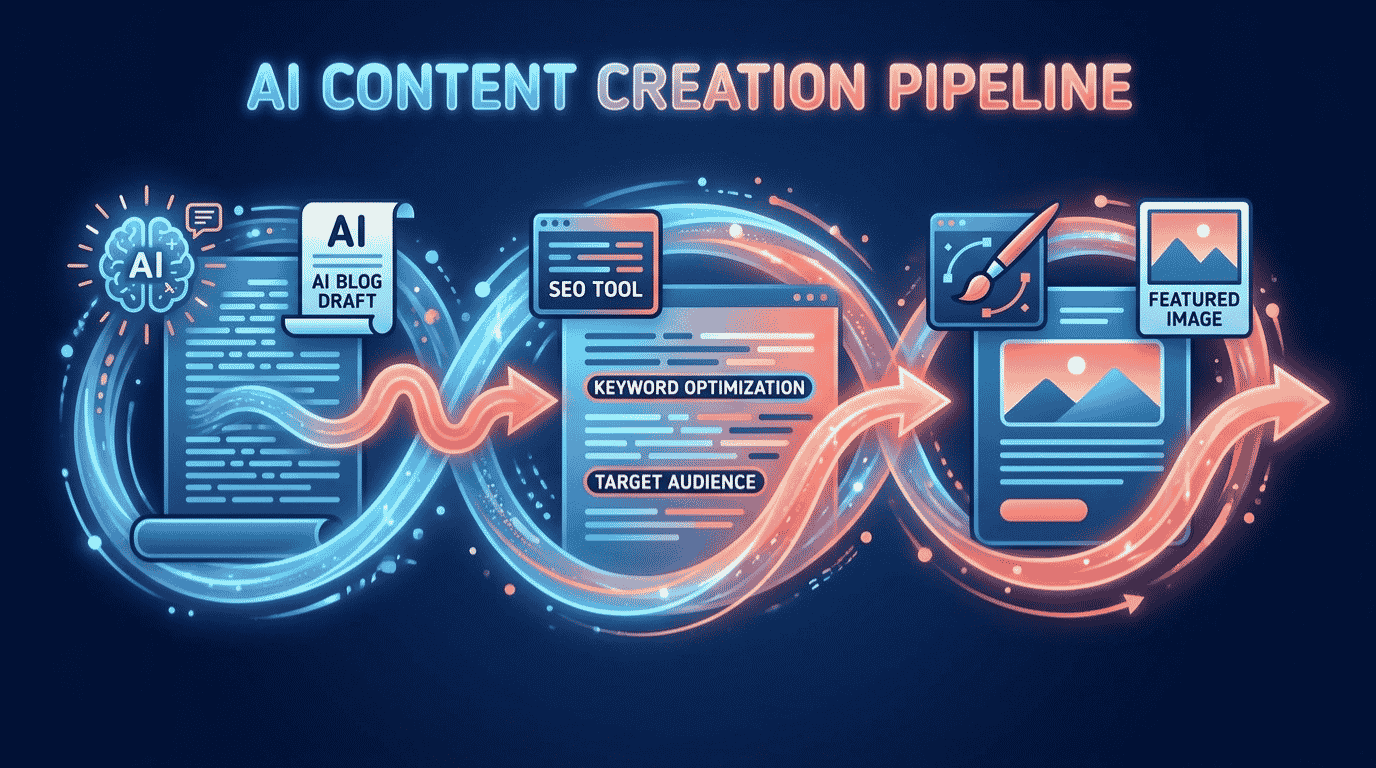
Here is the exact process we use to create content with AI from start to finish. Follow it in order and you will have publish-ready content by the end.
Step 1: Plan and research with AI
Start with a plan, not a blank page. Ask ChatGPT to brainstorm ideas and outlines for your audience. A prompt like “Act as a content strategist and give me 10 blog post ideas for [audience] about [topic], each with a one-line angle” gives you a month of direction in seconds. Then ask it to outline your chosen topic before you write.
Step 2: Write the first draft with AI
Now turn the outline into a draft. ChatGPT is great for quick, free drafts, while Jasper is built for long-form content and keeping a consistent brand voice across everything you publish. Try: “Write a 700-word first draft for the post titled [title], aimed at [audience], in a friendly, expert tone with an intro hook and four H2 sections.”
Treat the output as a starting point, never the finished piece. AI gets you 80% of the way there fast, and your edits make it yours.
Step 3: Optimize for search with AI
A great post needs to be found. Surfer SEO scans the pages already ranking for your keyword and gives you a real-time Content Score, telling you which terms and headings to add so your article can compete. Paste your draft in, follow the suggestions, and watch the score climb.
Step 4: Create visuals with AI
Content needs to look good too. Canva turns your ideas into polished featured images, social graphics, and carousels using thousands of templates and its Magic Studio AI, which can generate images from a prompt and resize one design for every platform. Set up a brand kit so every visual stays consistent.
Step 5: Edit, fact-check, and add your voice
This is the most important step, so never skip it. AI can get facts wrong and often writes in a bland, generic tone, so read every line, correct any errors, and rewrite anything that does not sound like you. Add a personal story, a real example, or your own opinion. That human layer is what separates content that ranks and resonates from content that gets ignored.
Step 6: Publish and repurpose
Once it is polished, publish it, then make it work harder. Ask AI to turn your blog post into five social captions, an email, and a short video script. One piece of content becomes a week of material, which is where AI saves you the most time of all.
Want your content created for you?
A professional can run this entire workflow and deliver finished, on-brand content on a schedule. Skip the setup and have it handled by a vetted expert.
See AI Content Writing ServicesThe Best AI Tools for Content Creation
You do not need every tool, but the right mix covers the whole workflow. Here is how the four we recommend compare after our testing.
| Tool | Best For | Starting Price | Free Option | Rating |
|---|---|---|---|---|
| ChatGPT | Best free starting point | Free / $20/mo | Free plan | 8.9/10 |
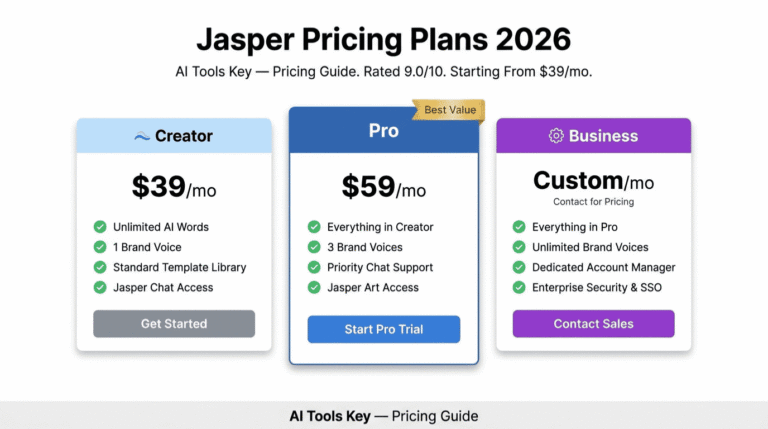
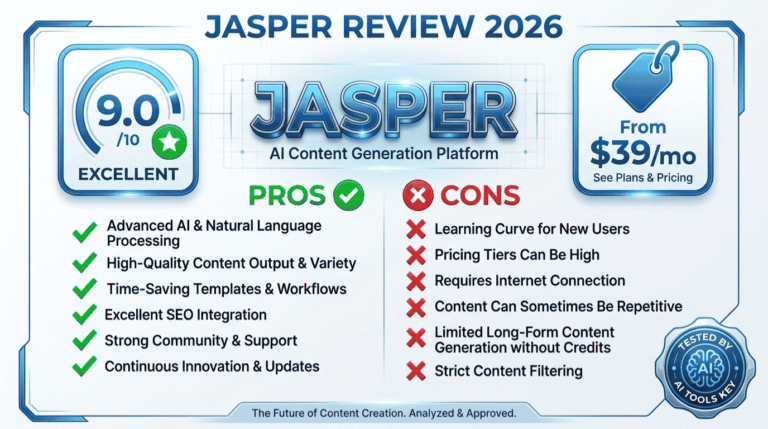
| Jasper | Best for long-form and brand voice | $39/mo | 7-day trial | 9.0/10 |
| Surfer SEO | Best for SEO optimization | $99/mo | 7-day refund | 8.4/10 |
| Canva | Best for visuals | $10/mo | Free plan | 8.8/10 |
Jasper Best for Long-Form
- Brand Voice keeps content consistent
- Built for long-form blogs and campaigns
- Surfer SEO integration built in
- Unlimited words on paid plans
Jasper is our top pick for scaling on-brand content. If you publish often and need a consistent voice, it is worth the premium over a general chatbot.
Canva Best for Visuals
- Thousands of ready-to-use templates
- AI image generation and background removal
- Resize one design for every platform
- Brand kit for consistent visuals
Canva turns your words into professional visuals in minutes. It is the easiest way to make your content look polished without a designer.
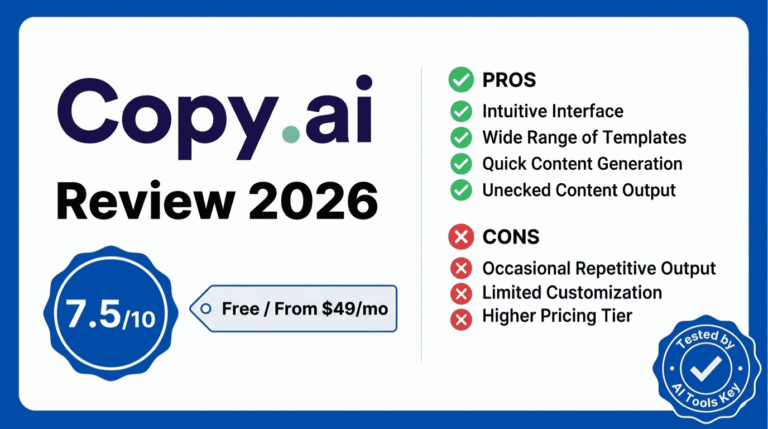
Not sure whether to write with ChatGPT or Jasper? Our Jasper vs ChatGPT for content comparison breaks down the choice, and you can see our full shortlist in the best AI tools for content creation roundup.
A Real Example: A Week of Content
Let me make this concrete. Say you run a small fitness studio and want a steady stream of content without hiring an agency. Here is how a single afternoon plays out.
You ask ChatGPT for ten blog ideas, pick one on “beginner home workouts,” and have it draft a 700-word post. You optimize that draft in Surfer SEO until it scores well, then design a featured image and three Instagram graphics in Canva. Finally, you ask AI to spin the post into five social captions and a newsletter. You edit everything in your friendly, motivating voice and schedule it all.
That is a week of content created in one sitting, instead of spread across days. The same workflow fits a coach, a shop, a SaaS startup, or any small business.
What Does It Cost?
The honest answer: you can start free and pay only as you grow. ChatGPT and Canva both have capable free plans, so you can create real content at no cost while you learn.
For a realistic paid stack, most small businesses spend between $20 and $60 per month. A common setup is Canva Pro at $10/mo plus one writing tool, with Surfer SEO added once SEO becomes a priority. Compare that to hiring out the work: a single freelance 1,500-word article can cost upwards of $175. Note that Canva’s $10 rate is the annual price, with month-to-month closer to $15. Explore more options in our AI writing tools category.
How to Make AI Content Sound Human
This is the part most people get wrong, so let me be direct. Raw AI content is easy to spot and rarely ranks or converts. The fix is to use AI for the draft, then add the human layer that only you can provide.
Edit out the telltale AI phrases like “in today’s digital landscape,” add a real story or example from your experience, and inject your honest opinion. Google rewards helpful, experience-driven content, and its guidance on AI content confirms that quality and usefulness matter far more than how content is produced. In short: AI should write the first draft, but a human should always have the final say.
DIY vs Hiring a Content Pro
So should you create content yourself with AI or hire help? It comes down to time and volume.
Do it yourself if
- You enjoy writing and want to learn the tools.
- You have a few hours a week for content.
- Your budget is tight and you want full control.
Hire a pro if
- You need consistent, high-volume content.
- Your time is better spent running the business.
- You want polished, ready-to-publish work without the effort.
If you would rather hand it off, a freelancer can run the whole AI content workflow and deliver finished pieces on a schedule. Compare experts and budgets in the full directory of AI services on Fiverr.
Want a steady stream of content without the work?
Hand your content to a vetted writer who uses AI to deliver fast, on-brand articles, posts, and emails on your schedule.
Hire a Content WriterIs It Worth Learning How to Use AI for Content Creation?
In our view, yes, clearly. AI turns content creation from a constant grind into a fast, repeatable system, freeing you to focus on strategy and your business. Every hour you invest in learning the workflow returns many times over.
We rate every tool on a transparent 10-point scale across features, ease of use, pricing value, support, and integrations. You can read more about how we test in our editorial guidelines. By that standard, ChatGPT is the best free starting point, Jasper is best for scaling on-brand writing, Surfer SEO is best for optimization, and Canva is best for visuals. If you also want your content to rank, our guide on how to use AI for SEO goes deeper on optimization.
Our Recommendation
Plan and draft with ChatGPT or Jasper, optimize with Surfer SEO, and design with Canva, then edit everything in your own voice and fact-check before publishing. Start free, add paid tools as you scale, and always keep a human in the loop. It is the highest-leverage content move a small business can make.
Get Started With JasperThe Information People Are Looking For
How do I use AI to create content?
Use AI across the whole process: plan and draft with ChatGPT or Jasper, optimize for search with Surfer SEO, and design visuals with Canva. Give each tool a clear prompt, then edit the output in your own voice and fact-check it. AI handles the first draft and busywork, while you guide the strategy and quality.
What is the best AI for content creation?
For most small businesses, ChatGPT is the best free tool for ideas and drafts, Jasper is best for long-form content and brand voice, Surfer SEO is best for optimization, and Canva is best for visuals. The right mix depends on your needs, but combining a writing tool, an SEO tool, and a design tool covers the full workflow.
Is AI content good for SEO?
Yes, when it is helpful and high quality. Google rewards useful, experience-driven content regardless of how it is made, but it penalizes thin, spammy output. Use AI to draft and optimize, then add real expertise, accurate facts, and your own voice. Optimized, human-edited AI content can rank just as well as fully manual content.
How do I make AI content sound human?
Edit every draft in your own voice, remove generic AI phrases, and add a personal story, real example, or honest opinion. Vary your sentence length and write the way you speak. The goal is to use AI for the first draft, then layer in the experience and personality that only a human can provide.
Can I use AI to write blog posts?
Yes. AI tools like ChatGPT and Jasper can draft full blog posts from an outline in minutes. The key is to treat the draft as a starting point: edit it for accuracy, add your own insights and examples, and optimize it for search with a tool like Surfer SEO before publishing. Never post raw AI output unedited.
How much does AI content creation cost?
You can start free with ChatGPT and Canva. A realistic paid stack runs $20 to $60 per month: Canva Pro at $10/mo, ChatGPT Plus at $20/mo, Jasper from $39/mo, or Surfer SEO from $99/mo. That is far less than the cost of hiring out content, where a single article can run $175 or more.
Will AI replace content writers?
No. AI speeds up writing and removes busywork, but it cannot replace human creativity, real experience, brand judgment, or original insight. The best results come from a human-AI partnership: AI handles speed and structure, while the writer brings strategy, voice, and accuracy. Think of AI as a tool that makes good writers faster, not a replacement.