Best AI Tools for Real Estate Agents in 2026: The Complete Agent Stack
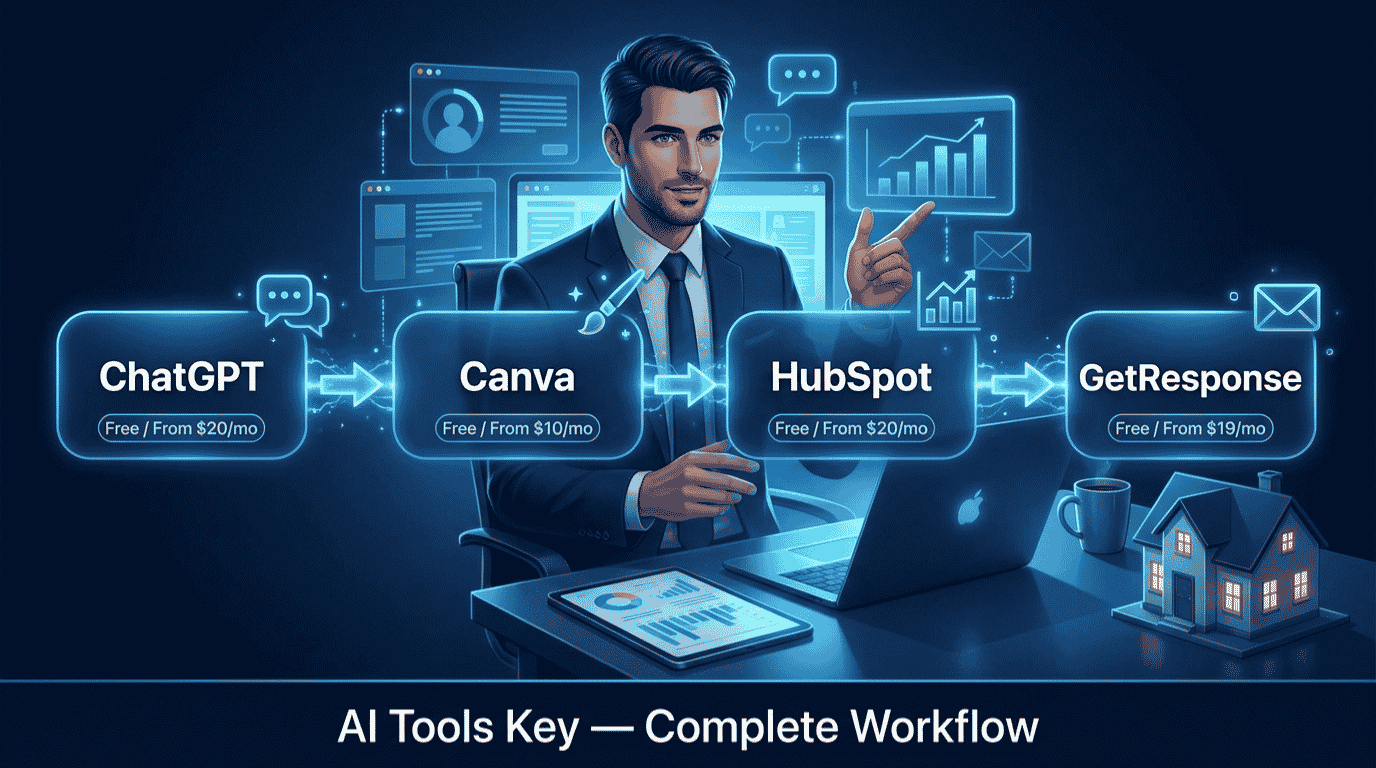
If you sell homes for a living, the best AI tools for real estate agents in 2026 can hand back the hours you currently lose to writing listings, chasing leads, and posting on social. We have tested dozens of them, and here is the honest takeaway: you do not need a $400-a-month all-in-one platform. You need a small, connected stack where each tool does one job well and passes the work to the next. Get that right, and a solo agent can run like a small team.
Quick Answer
The best AI tools for real estate agents in 2026 are ChatGPT (free) for listing copy and client emails, HubSpot (free CRM) for lead capture and pipeline, Canva Pro ($10/mo) for marketing graphics, and GetResponse ($19/mo) for automated follow-up. Start completely free, then add one paid tool as your commissions grow.
This guide is part of our complete Guide to AI Tools for Small Business. Read the full pillar for a wider view of how small teams use AI across marketing, sales, and operations.
Why Real Estate Agents Need an AI Stack in 2026
Here is the uncomfortable part. The job is mostly speed and follow-up, and most agents lose deals on both. Industry research suggests the average agent takes around 917 minutes, roughly 15 hours, to respond to a new online lead. By then the buyer has already talked to three other agents who answered first.
That is exactly where AI helps. It removes the slow, repetitive steps so you reply faster, market more consistently, and never let a warm lead go cold. The goal is not to replace you. It is to clear the busywork so you can spend your time face to face, where deals close.
The numbers also explain why efficiency matters so much. According to the National Association of REALTORS, the median agent closed only about 10 transactions in a recent year. The gap between a steady producer and a stalled one is rarely talent. It is consistency, response time, and marketing that never stops.
Before we get into the workflow, you can also browse our full AI tools directory if you want options beyond the four core picks below.
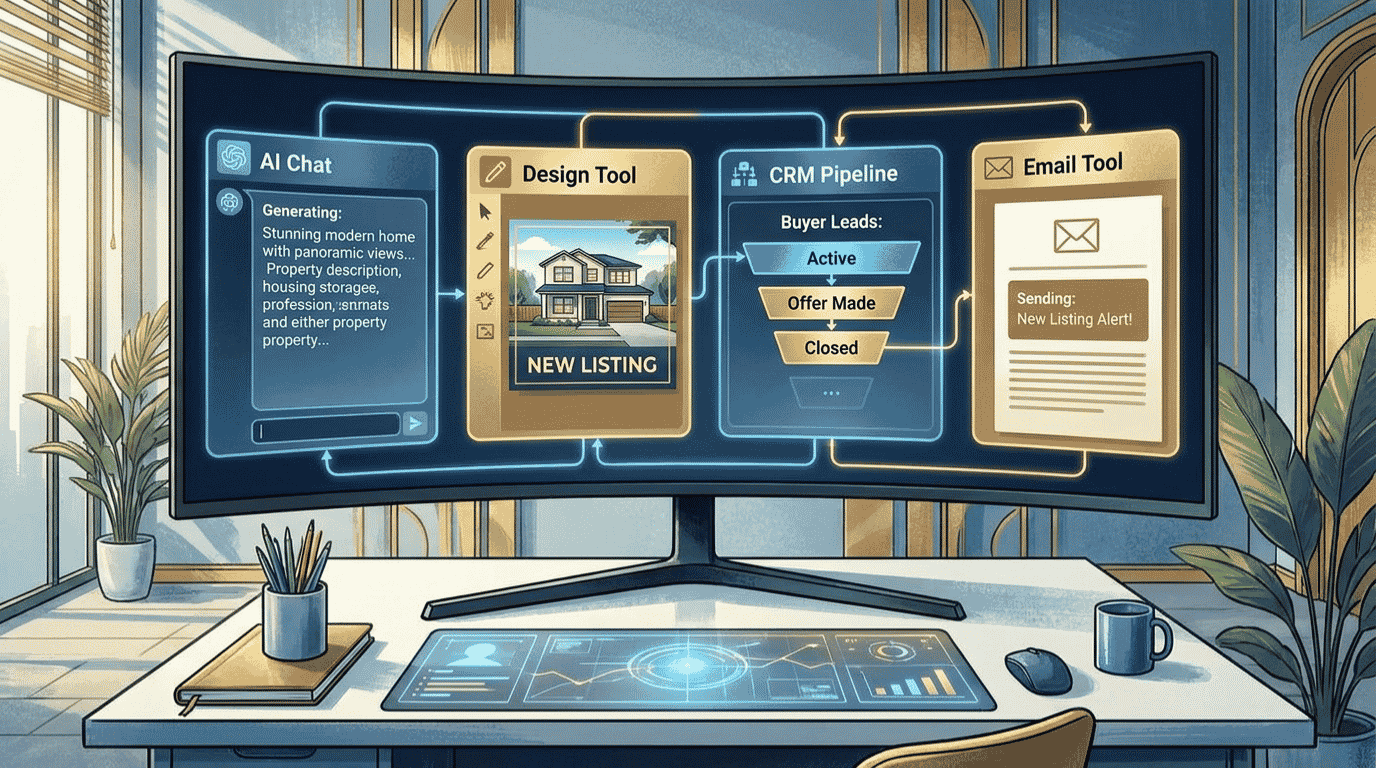
The Best AI Tools for Real Estate Agents at a Glance
Here is the full stack in one view. Each tool earns its place at a different stage, so you are not paying twice for the same job. Prices shown are the lowest monthly cost, which usually means billing annually.
| Tool | Best For | Starting Price | Free Option | Rating |
|---|---|---|---|---|
| HubSpot | Best overall and best free CRM | Free / $20/mo | Yes | 9.0/10 |
| ChatGPT | Best for listing copy and emails (free) | Free / $20/mo | Yes | 8.9/10 |
| Canva Pro | Best value for marketing graphics | Free / $10/mo | Yes | 8.8/10 |
| GetResponse | Best for email nurture and follow-up | Free / $19/mo | Yes | 8.6/10 |
Some links in this guide are affiliate links, which means we may earn a commission at no extra cost to you. See our affiliate disclosure for the details. It never changes our ratings.
How We Picked the Best AI Tools for Real Estate Agents
We did not pull this list from a press release. Every tool here was tested against one question: does it remove real work from an agent’s week, and can a non-technical person run it without help?
Our rating considers five factors: features, ease of use, pricing, support, and integrations. You can read the full process in our editorial guidelines. In short, we favored tools you can set up in an afternoon, because most agents do not have time for a steep learning curve.
We also weighted free tiers heavily. Most real estate-specific platforms start at $179 to $499 a month, which is hard to justify before you have closed a deal. The best AI tool stack for real estate agents in 2026 is one you can start completely free and scale only as your commissions grow. All four of our picks have a real free plan.
The 4-Step AI Workflow for Real Estate Agents
This is the part that matters. Below is the exact pipeline we recommend, from new listing to closed deal. Each step names one tool, links to our full review, and shows where it fits. Follow it in order and nothing falls through the cracks.
Step 1: Write Listing Descriptions and Client Emails With ChatGPT
Start with the writing, because that is where most agents stall. ChatGPT is the fastest, cheapest way to turn property facts into a polished MLS description, a “just listed” email, and five social captions in minutes.
The trick is specificity. Feed it the beds, baths, square footage, three standout features, and the buyer you are targeting, then ask for a description in a warm, professional tone. The more context you give, the less editing you do later.
Compliance tip: Always review AI-written listings against fair housing rules before you publish. AI can accidentally include language about families, religion, or “perfect for” a certain group that violates the law. You are responsible for the final copy, so read every line.
For a deeper playbook on prompts and use cases, our guide on how to use ChatGPT for business goes further. For most agents, the free plan covers listing copy and emails just fine.
Step 2: Capture and Organize Every Lead With HubSpot’s Free CRM
A lead you forget to follow up with is a commission you gave to someone else. HubSpot fixes that, and this is the single biggest money-saver on the list. Its CRM is the engine that holds your contacts, deals, and reminders in one place.
Here is the part other guides bury. HubSpot’s CRM is free forever for unlimited users and up to 1 million contacts, with contact records, deal pipelines, email tracking, forms, live chat, and meeting scheduling built in. For a solo agent or a small team, the free plan alone can replace a $200-a-month real estate CRM.
You get a clear pipeline of every buyer and seller, automatic logging when someone opens your email, and a booking link that lets clients schedule showings without the back-and-forth. When you outgrow free, the Starter plan adds light automation from $20 a month, or $15 billed annually.
HubSpot Editor’s Pick
- Free forever for unlimited users and up to 1M contacts
- Visual deal pipeline for buyers, sellers, and showings
- Email tracking, forms, and a free booking link built in
HubSpot is one of several strong options here. If you want to compare CRMs side by side, see our roundup of the best AI CRM software for small business.
Step 3: Design Listing Graphics and Social Posts With Canva Pro
Your marketing decides whether a listing gets attention before anyone tours it. Canva Pro is the best value tool for the job, and it is the one app nearly every agent should run from day one.
Canva Pro unlocks 140 million-plus premium photos, videos, and graphics plus the Magic Studio AI tools for about $10 a month billed annually. The one-click background remover, Magic Resize, and ready-made real estate templates turn a phone photo into a “just listed” flyer, an Instagram carousel, and a story in minutes.
The Brand Kit keeps your colors, fonts, and logo consistent across every post, so your marketing looks like a brand instead of a scramble. No design background required.
Our pick for marketing: Canva Pro. It is the cheapest high-impact upgrade an agent can make, and the free plan covers a surprising amount before you ever need to pay. For more options, see our best AI design tools guide.
Step 4: Automate Follow-Up and Nurture With GetResponse
Most deals are not lost at the first call. They are lost in the months of silence afterward. GetResponse handles the follow-up so a slow buyer or a future seller never forgets your name.
GetResponse Starter includes unlimited email sends and an AI email generator from $19 a month for 1,000 contacts, with a free plan for up to 500 contacts. You can build a new-listing alert, a buyer drip sequence, and a yearly “home anniversary” check-in once, then let it run on autopilot.
For an agent, the math is simple. A single nurture sequence that wins back one past client a year pays for the tool many times over. That is the highest-leverage automation you can set up.
Workflow tip: Connect your HubSpot contacts to GetResponse so new leads drop straight into the right sequence. Set it up once, and every form fill triggers an instant, personal-feeling welcome email while you are out showing homes.
GetResponse is one of several strong email tools. For cheaper and alternative options, see our roundup of the best AI email marketing tools.
A Real Example: How a Solo Agent Uses This Stack
Let me make this concrete. Picture a solo agent who lists six to eight homes a year, works mostly referrals, and has maybe an hour a day for marketing and admin.
A new listing comes in on Monday. They open ChatGPT, paste the property details, and get an MLS description, a “just listed” email, and five captions in ten minutes. The new lead from the listing form lands automatically in their HubSpot pipeline, tagged and ready.
Tuesday is marketing day. They build a flyer and an Instagram carousel in Canva Pro using a saved template, then schedule the posts. Every inquiry that comes in gets dropped into a GetResponse sequence that sends a warm welcome instantly and a follow-up three days later, even while they are at a showing.
That is a fully marketed listing with automated follow-up, run by one person in under two hours of admin. Based on our testing, this is the realistic payoff of a connected stack: not magic, just far less friction at every step.
What This Real Estate AI Stack Costs
Now the question everyone asks: what is the bill? The honest answer is that it depends on how much you turn on. You do not need everything at once.
Toggle the tools below to see your real monthly and annual cost. It also shows the free-alternative total, so you can see exactly where paying is worth it. Nothing is saved, and all the math stays in your browser.
Real Estate AI Stack Cost Calculator
Toggle tools on or off to see your monthly and annual cost. Prices are the lowest monthly rate (billed annually).
Three numbers are worth memorizing. A lean free starter, with ChatGPT, HubSpot CRM, Canva, and GetResponse all on their free plans, costs $0. A solid paid starter of Canva Pro plus GetResponse Starter runs about $26 a month. The full stack with all four tools on paid plans lands near $61 a month, billed annually. Compare that to a single real estate platform at $179 to $499 a month, and the value is obvious.
DIY vs Hiring an Expert
The stack above is fully doable yourself. Still, time is the one thing agents never have enough of, and sometimes the smarter move is to hand off a piece of it.
Why run the stack yourself
- Lowest cost, since all four tools have free plans
- Full control over your voice, brand, and client touchpoints
- You build a skill that compounds with every listing
Why hire it out instead
- CRM setup and automation can be fiddly to wire up correctly
- A pro nails consistent social marketing while you list and show
- Great for launching fast or clearing a backlog before listing season
Want it done for you? If wiring up HubSpot and automations is not how you want to spend your week, our vetted freelancers handle AI CRM setup and integration. Want hands-off marketing instead? Try AI social media management, or browse all AI services on Fiverr.
Your Complete Tool Stack
The full real estate agent stack at a glance, with current pricing:
- ChatGPT (listing copy and emails): Free or $20/mo. Try free
- HubSpot (lead capture and CRM): Free or $20/mo. Get free CRM
- Canva Pro (marketing graphics): Free or $10/mo. Get Canva
- GetResponse (email nurture and follow-up): Free or $19/mo. Start free
Our recommendation: Start with the free tier of all four tools to learn the workflow at zero cost. HubSpot’s free CRM is the foundation, so set that up first. The moment your business picks up, add Canva Pro and GetResponse Starter. They give the biggest return on the least money, while ChatGPT and HubSpot can stay free for a long time.
Frequently Asked Questions
What are the best AI tools for real estate agents in 2026?
The top AI tools for real estate agents in 2026 are ChatGPT for listing descriptions and client emails, HubSpot for lead capture and CRM, Canva Pro for marketing graphics, and GetResponse for automated follow-up. Together they cover writing, lead management, marketing, and nurture for a solo agent at very low cost.
Can AI replace a real estate agent?
No, AI cannot replace a real estate agent. It handles the busywork, including listing copy, follow-up emails, and marketing, but the high-judgment parts of the job stay human. Negotiation, neighborhood expertise, fiduciary advice, and guiding a family through a major decision still require a real agent. AI is a leverage layer, not a replacement.
What is the best AI tool for writing real estate listing descriptions?
ChatGPT is the best AI tool for writing real estate listing descriptions. Give it the beds, baths, square footage, standout features, and target buyer, and it drafts a polished MLS description in seconds. Always review the result against fair housing rules before publishing, since you are responsible for the final wording.
Is there a free AI CRM for real estate agents?
Yes. HubSpot offers a free CRM for unlimited users and up to 1 million contacts, with deal pipelines, email tracking, forms, live chat, and a booking link. For a solo agent or small team, it can fully replace a paid real estate CRM until you need advanced automation, which starts at $20 a month.
How much do AI tools for real estate agents cost?
You can run a capable real estate AI stack for free using the free tiers of ChatGPT, HubSpot, Canva, and GetResponse. A paid starter runs about $26 a month, and the full stack on paid plans is roughly $61 a month billed annually. That is far below the $179 to $499 most real estate platforms charge.
Can ChatGPT write real estate listing descriptions?
Yes. ChatGPT writes strong listing descriptions when you give it specific details and a clear tone. It also drafts emails, social captions, and open house invites. The key is a detailed prompt and a careful human review, especially for fair housing compliance, since AI can include language that unintentionally violates the rules.
What is the best AI tool for real estate email marketing and follow-up?
GetResponse is the best AI tool for real estate email marketing and follow-up. It starts at $19 a month for 1,000 contacts with unlimited sends and an AI email generator, plus a free plan for up to 500 contacts. Build a buyer drip and a yearly client check-in once, then let it run automatically.