AI Workflow for Email Marketing Beginners: Build Your First Automated System in 2026
If you are new to email and drowning in advice, here is the good news: a simple AI workflow for email marketing beginners can take you from an empty list to a working, automated system in an afternoon. AI now writes the copy, designs the emails, and runs the follow-ups while you focus on your business. This guide walks you through the exact stack, the tool behind each step, and what the whole thing costs, starting from $0.
Quick Answer
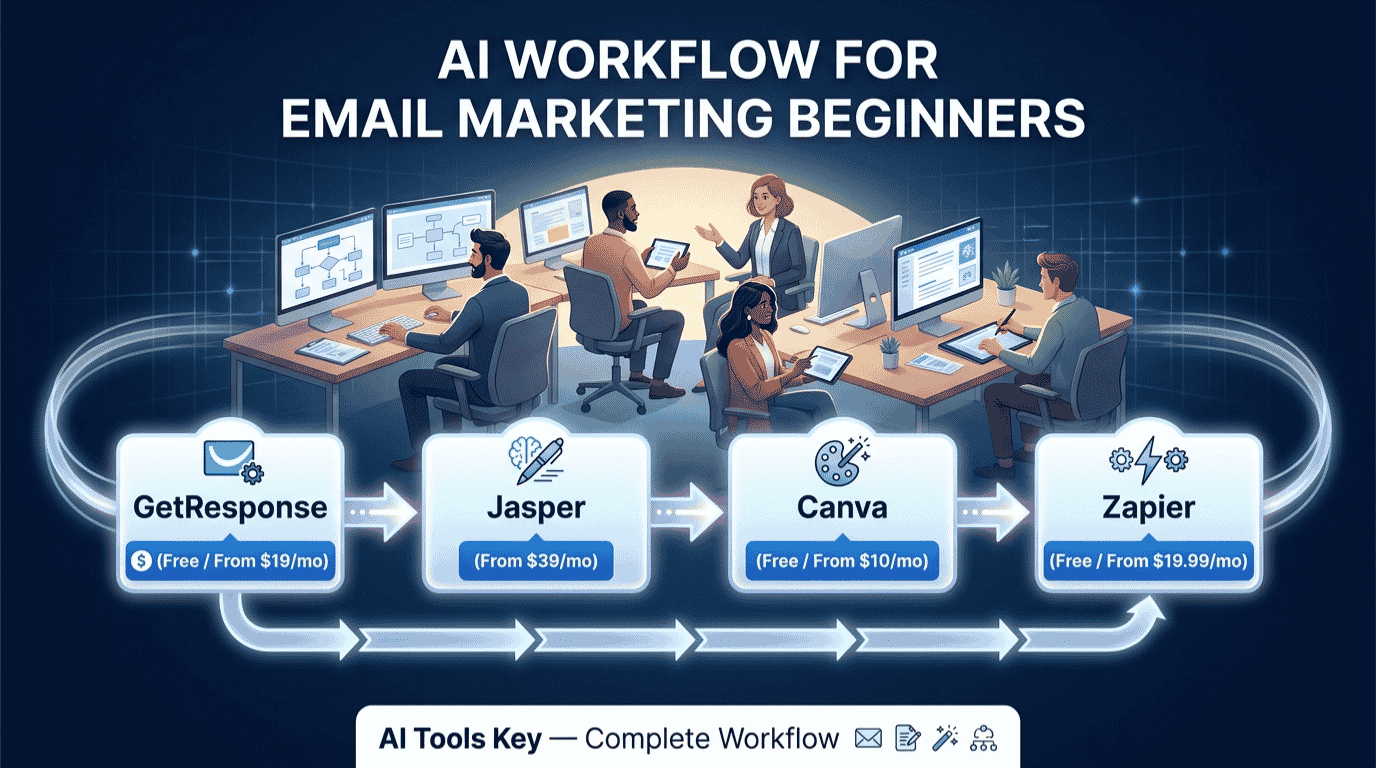
The simplest AI workflow for email marketing beginners is to collect subscribers in GetResponse (free, or $19/month), write emails with AI using GetResponse’s built-in tools or Jasper ($39/month), design them in Canva (free), and automate a welcome sequence. Add Zapier ($19.99/month) later to connect your other apps. You can start for $0.
This guide is part of our complete guide to AI automation for small business. Read the full pillar for a wider view of how to automate your marketing, content, and operations with AI.
Why an AI workflow for email marketing beginners beats doing it by hand
Email is still the highest-return marketing channel you can own, mostly because you control the list and no algorithm sits between you and your audience. The problem for beginners has always been the work: writing copy, designing templates, segmenting lists, and setting up automations is a lot to learn at once.
AI removes most of that friction. It drafts subject lines and full emails, suggests send times, and helps you build sequences without a marketing degree. The speed gain is the headline.
According to Litmus, in 2024 around 62% of teams needed two weeks or more to produce a single email; by 2025 that number had dropped to just 6%. AI is the main reason that timeline collapsed.
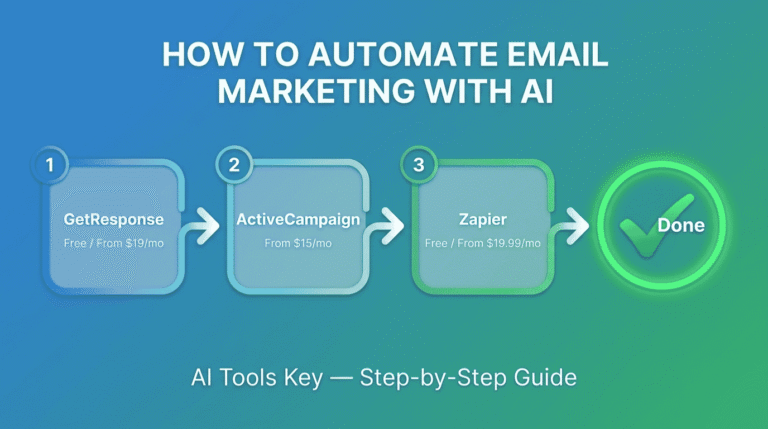
Litmus also reports that 70% of email marketers expect up to half of their email operations to be AI-driven by the end of 2026. Starting with an AI-first workflow now means you are learning email the way it works today, not the way it worked five years ago. If you want the deeper tutorial, our guide on how to automate email marketing with AI goes further on the automation side.
Your step-by-step AI workflow for email marketing beginners
Here is the full path from zero to a live, automated email system. Each step names the tool that does the work and links to our full review so you can go deeper.
Step 1: Pick your email platform and import a clean list
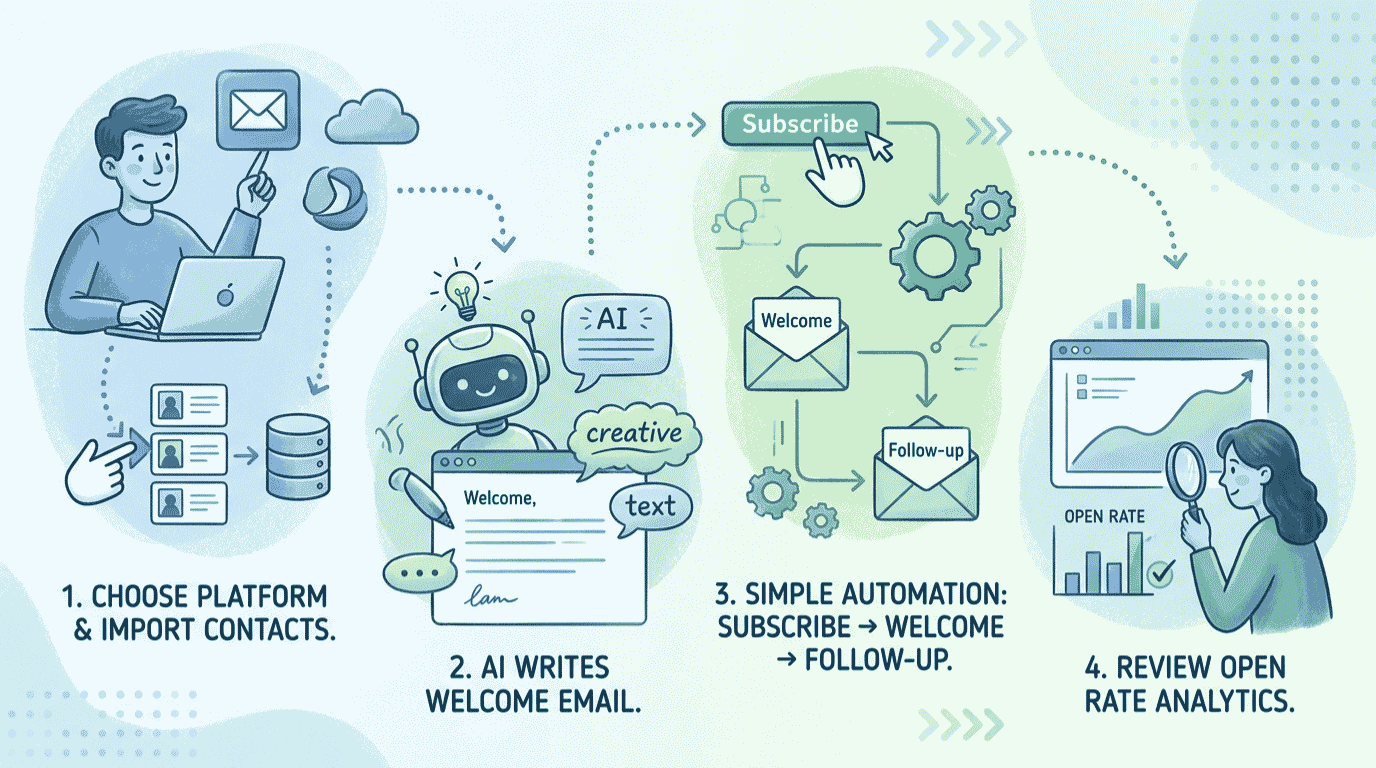
Your email platform, or ESP, is the foundation. For beginners, you want one tool that handles list building, AI writing, and automation together so you are not juggling five subscriptions. GetResponse does all three on a free plan, which makes it the easiest place to start.
Workflow tip: Before you import anyone, clean your list. Remove duplicates and obviously dead addresses. A small, engaged list beats a big, stale one every time, because bounces and spam complaints hurt your ability to land in the inbox.
GetResponse Best All-in-One for Beginners
- List building, AI email writing, and automation in one platform
- Free plan includes a 2,500-email monthly allowance to test before you pay
- Built-in AI generates subject lines, full emails, and campaign drafts
Not sure GetResponse is the right platform for you? Compare your options in our roundup of the best AI email marketing tools, or read our full GetResponse review for the deep dive.
Step 2: Write your emails fast with AI
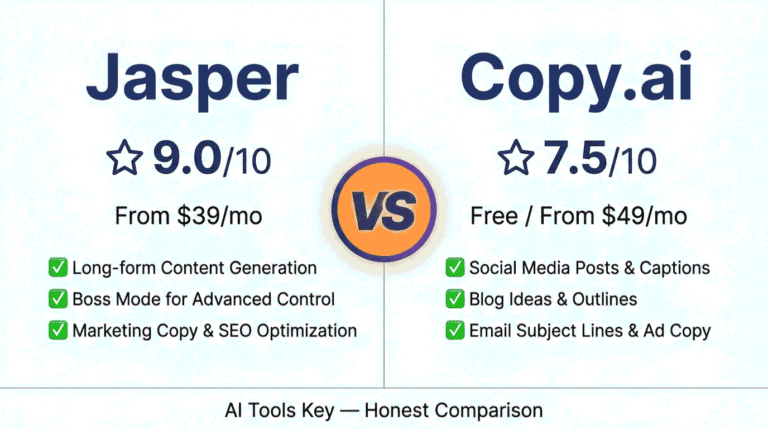
This is where beginners freeze: the blank page. GetResponse’s built-in AI can draft a whole email from a short prompt, which is enough to start. When you want stronger, more on-brand copy across many campaigns, a dedicated writer like Jasper adds brand voice and marketing templates that keep everything sounding like you.
Jasper Best for Email Copy
- Brand voice keeps every email consistent with your tone
- Marketing templates for subject lines, newsletters, and sequences
- 7-day free trial; no permanent free plan, so test before committing
Workflow tip: The quality of AI copy tracks the quality of your prompt almost perfectly. Give it the audience, one goal, one call to action, and two examples of emails you like. Vague prompts produce that generic AI tone that makes readers unsubscribe.
Step 3: Design on-brand emails and opt-in graphics with Canva
People judge your emails in a glance, and your signup forms even faster. Canva turns plain text into clean, branded email headers, lead-magnet covers, and social graphics that drive signups, all with drag-and-drop templates and a free plan.
Canva Best for Design
- Thousands of email header, banner, and lead-magnet templates
- Magic Write and background remover speed up every visual
- Brand kit keeps colors and fonts consistent across campaigns
Step 4: Build your welcome automation
This is the step that turns a list into a system. Inside GetResponse, build a welcome sequence that sends automatically the moment someone subscribes. It runs forever without you touching it, and it is the single most valuable automation a beginner can set up.
A simple beginner welcome sequence looks like this: send a warm welcome and your lead magnet instantly, a story or value email after one to two days, a helpful tip after two to three days, and a soft offer after three to five days. Write all four with AI, then edit for your voice.
Step 5: Connect your other apps with Zapier (the level-up)
Once the basics work, Zapier connects GetResponse to the rest of your tools without any code. New Shopify customer? Add them to a list. New form submission? Tag and route them. Zapier links over 8,000 apps so your email system talks to everything else you use.
Zapier Best for Connecting Apps
- Connects GetResponse to 8,000+ other apps with no code
- Free plan includes 100 tasks per month to test simple automations
- Beginner-friendly visual editor and AI-assisted Zap builder
Zapier is optional at the start, but it is where your automation gets powerful. When you are ready, our walkthrough on how to create AI workflow automation shows you how to chain tools together step by step.
The beginner email marketing tool stack, compared
Here are the four tools side by side. You do not need all of them on day one. Start with GetResponse and Canva for free, then add Jasper and Zapier as you grow.
| Tool | Best For | Starting Price | Free Option | Rating |
|---|---|---|---|---|
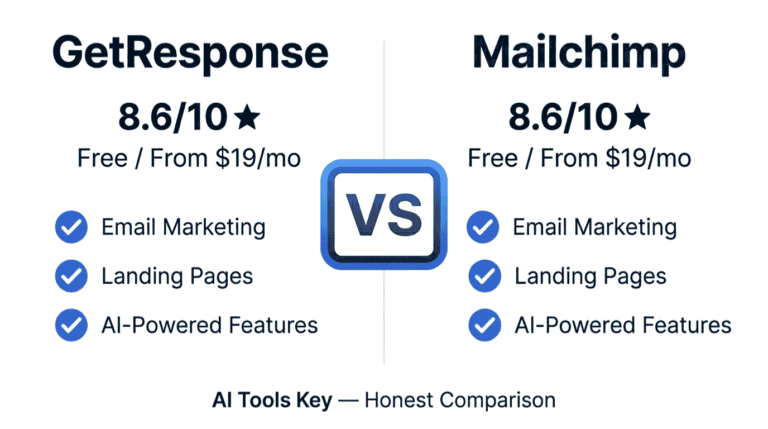
| GetResponse | All-in-one list, AI writing, automation | $19/mo | Yes (2,500 emails/mo) | 8.6/10 |
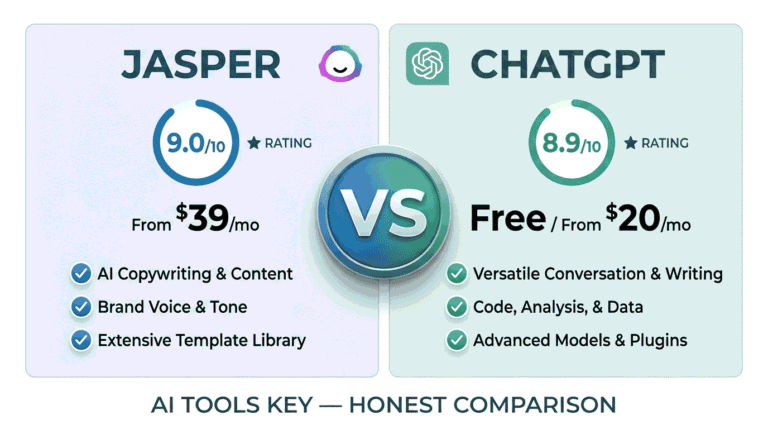
| Jasper | On-brand email copy at scale | $39/mo | 7-day trial | 9.0/10 |
| Canva | Email design and opt-in graphics | $10/mo (annual) | Yes | 8.8/10 |
| Zapier | Connecting your apps together | $19.99/mo (annual) | Yes (100 tasks/mo) | 8.5/10 |
Best all-in-one for beginners: GetResponse. Best for email copy: Jasper. Best for design: Canva. Best for connecting apps: Zapier. For beginners, GetResponse is the best starting point because it combines list building, AI writing, and automation in one free plan.
You can browse more options in the full AI email marketing tools category if you want to compare beyond these picks.
An honest note: what beginners get wrong with AI email
We test these tools constantly, so here is the straight talk. AI makes email faster, but it does not make you a marketer, a point even Salesforce’s guide to AI in email marketing keeps returning to. The biggest mistakes new senders make are not about tools.
First, the golden rule: AI proposes, a human disposes. Never let an AI draft send without reading it. Models occasionally invent a discount, a feature, or a stat you never approved, and your name is on the email. Always do a final human pass for accuracy and tone.
Second, deliverability is everything, and beginners ignore it. Apple Mail Privacy Protection made open rate a weak signal, so judge campaigns by clicks and replies instead. Run every email through a spam check, keep your list clean, and never buy lists. One spam complaint spike can sink your inbox placement for months.
Third, do not over-automate on day one. Start with one welcome sequence, watch how it performs, and add complexity slowly. Our testing and rating methodology explains how we weigh features, ease of use, and value so you can judge any tool the same way.
What this email marketing stack costs
The honest answer for beginners: you can run a complete, working email system for $0 using free plans. As you grow, the paid stack lands somewhere between $40 and $115 per month depending on which tools you add and your billing choice. Toggle the tools below to see your own number.
Beginner Email Stack Cost Calculator
Toggle the tools you want and see your monthly and annual cost.
The smart beginner move: start on free plans, prove the workflow brings in subscribers and sales, then upgrade only the tools you outgrow. Most people add a paid GetResponse plan first, then Jasper once they are writing weekly.
Do it yourself or hire an expert?
This whole stack is built to be do-it-yourself, and the free plans mean you can learn without spending a cent. For most beginners, setting it up yourself is the right call and a useful skill to own.
There are two moments where hiring helps. The first is when you want a polished, multi-step automation built correctly the first time so you are not debugging logic for a week.
Want your email automation set up for you? A freelance specialist can build your sequences, segments, and triggers so they work from day one.
Get AI Email Automation on FiverrThe second is connecting several apps into one smooth system, which is fiddly the first time. If you would rather skip the trial and error, our AI workflow automation setup service connects you with experts who wire it all together for you.
How a new coach launches their first email funnel
Here is what this workflow looks like for a first-time business owner. A new fitness coach has no list and no email experience. On day one, she signs up for GetResponse free and builds a simple opt-in form offering a free workout guide.
She designs the guide cover and a matching email header in Canva, both free, in under an hour. Then she uses GetResponse’s built-in AI to draft a four-email welcome sequence, edits each one to sound like her, and turns on the automation.
Within a week, signups are landing and the sequence runs on autopilot. As her list grows, she adds Jasper to write weekly newsletters faster, and later connects her booking app with Zapier so new clients are tagged automatically. Total starting cost: $0. When she is ready to scale her writing, our full Jasper review breaks down whether the paid upgrade is worth it.
Our Verdict
For beginners, the best AI email marketing workflow in 2026 is GetResponse for your list and automation, Canva for design, AI for your copy, and Zapier when you are ready to connect everything. Start entirely on free plans, launch one welcome sequence, and let it run. Add Jasper for stronger copy and a paid GetResponse tier as your list grows. Keep a human eye on every send, and you have a system that works while you sleep.
Your complete beginner email marketing stack:
- GetResponse (list, AI writing, automation) – free, or $19/mo: try GetResponse
- Jasper (on-brand email copy) – from $39/mo, 7-day trial: try Jasper
- Canva (email design and graphics) – free, or $10/mo: try Canva
- Zapier (connect your apps) – free, or $19.99/mo: try Zapier
Some links above are affiliate links. See our affiliate disclosure for details.
The Information People Are Looking For
How do beginners start AI email marketing?
Beginners should start by signing up for an all-in-one platform like GetResponse on its free plan, importing a clean list, and using built-in AI to draft a welcome sequence. Design emails in Canva, turn on the automation, then add tools like Jasper and Zapier as your list grows. You can begin for free.
What is the best AI tool for email marketing for beginners?
For beginners, GetResponse is the best AI email marketing tool because it combines list building, AI email writing, and automation in one free plan. Pair it with Canva for design and Jasper for stronger copy at scale. GetResponse’s all-in-one approach means you avoid juggling several subscriptions while you learn.
Can AI write marketing emails?
Yes. AI tools like GetResponse’s built-in writer and Jasper can draft full marketing emails, subject lines, and entire sequences from a short prompt. The quality depends on your prompt, so give it your audience, goal, and tone. Always have a human read and approve every email before it sends.
Is AI email marketing worth it for beginners?
Yes. AI email marketing is worth it for beginners because it removes the hardest parts, writing and automation, so you can launch faster and cheaper. Email remains the highest-return marketing channel, and AI tools let you start free. The main risk is over-relying on AI, so keep a human editor on every campaign.
How do you automate email marketing with AI?
You automate email marketing with AI by building a triggered sequence inside a platform like GetResponse, where AI drafts each email and the platform sends them automatically when someone subscribes or takes an action. Start with a welcome sequence, then use Zapier to connect other apps so new contacts flow in without manual work.
Does AI email marketing hurt deliverability?
AI itself does not hurt deliverability, but careless use can. Sending generic, mass AI content to a stale list raises spam complaints and bounces, which damage inbox placement. Protect deliverability by keeping your list clean, running a spam check on every email, never buying lists, and judging results by clicks rather than opens.
How much does an AI email marketing stack cost?
A beginner AI email marketing stack can cost $0 using free plans from GetResponse, Canva, and Zapier. As you grow, a paid stack runs roughly $40 to $115 per month depending on which tools you add and whether you bill annually. Most beginners upgrade GetResponse first, then add Jasper for copy.