Zapier Review 2026: Is This Automation Tool Worth It?
Welcome to our hands-on Zapier review 2026. If you are drowning in repetitive tasks and want to connect your apps without code, Zapier is probably the first tool you have heard of. We have tested it on real workflows, so this Zapier review gives you a straight answer on whether it is worth the price.
Below you will find current pricing, the features that actually matter, honest pros and cons, and exactly who should use it. No fluff, no copied marketing claims, just what we found when we used the tool ourselves.
Quick Answer
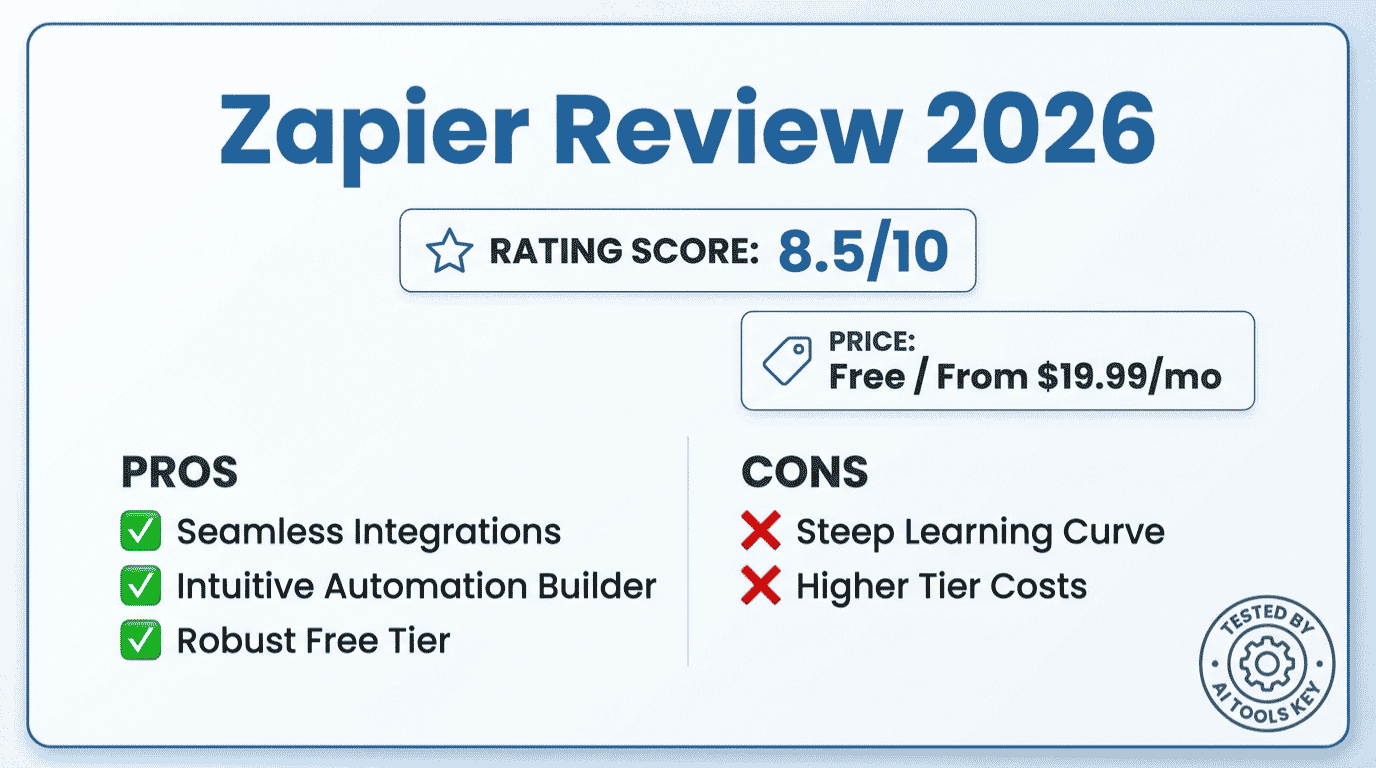
Our Zapier review verdict: it is the best no-code automation tool for ease of use and app support in 2026, earning 8.5 out of 10 in our testing. It connects over 8,000 apps with simple trigger-and-action Zaps. Plans start at $19.99 per month, and a free plan covers 100 tasks to start.
Zapier
Editor’s Pick- Best for: small businesses that want easy, no-code automation
- 8,000+ app integrations, the largest library anywhere
- Copilot AI builder: describe a workflow and it builds it
- Multi-step Zaps with filters, paths, and webhooks
This review is part of our complete guide to AI automation for small business. Read the full guide for a complete overview of how to automate your business with AI this year.
What Is Zapier and How Does It Work?
Zapier is a no-code automation platform that connects your apps and moves data between them automatically. You build workflows called Zaps, where a trigger in one app sets off an action in another. No coding required.
The scale of its ecosystem is the headline. Zapier connects more than 8,000 apps, the largest integration library of any automation platform. Whatever tools you use, the odds are Zapier already supports them.
It is also a veteran. Zapier was founded in 2011 and is one of the longest-running no-code automation platforms. That maturity shows in its reliability and the depth of its templates.
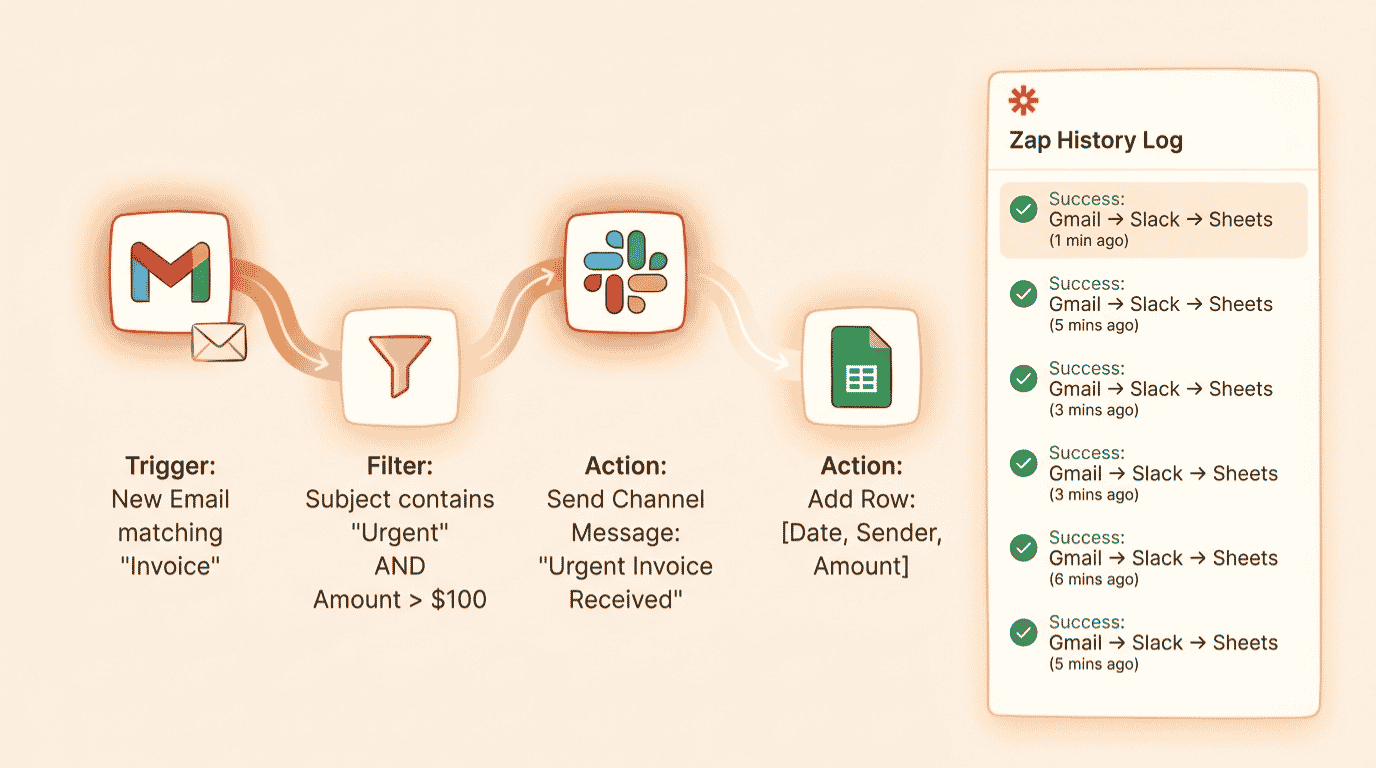
Here is how it works day to day. You pick a trigger, like a new form submission, then add one or more actions, like creating a CRM contact and sending a Slack message. Zapier runs the chain automatically every time the trigger fires.
In 2026, Zapier added Copilot, an AI builder. Instead of clicking through menus, you describe the workflow in plain English and Copilot assembles the Zap for you. It is a genuine speed boost for getting started.
Zapier Review: The Features That Actually Matter
Zapier packs in a lot, but only a few features genuinely move the needle for a small business. These are the ones we leaned on most during testing.
Multi-Step Zaps and Copilot
The core power is multi-step Zaps, where one trigger drives a whole chain of actions across different apps. Copilot makes building them faster by turning a sentence into a working draft. For non-technical users, this is the easiest automation builder on the market.
Paths, Filters, and Formatter
Paths add conditional logic, so your Zap can branch based on rules. Filters stop a Zap unless conditions are met, and Formatter cleans up data like dates and text. Helpfully, these built-in tools do not burn through your task allowance.
Tables, Interfaces, and AI
Beyond Zaps, Zapier now includes Tables for storing data, Interfaces for simple forms and pages, and AI features for smarter automations. It is slowly becoming a light app-builder, not just a connector. If you want to compare it against the wider field, browse our full AI tools directory or our roundup of the best AI automation tools.
Tip: Before you upgrade, do the task math. Triggers, filters, and built-in tools do not count toward your monthly task limit. Only successful actions count, so a five-step Zap uses about five tasks per run. Estimate your runs per month before picking a plan.
Don’t want to build your automations yourself? You can hand it off. Explore our done-for-you AI workflow automation setup service, or browse the full range of AI services on Fiverr to get your Zaps built for you.
Hire an automation expertHow Much Does Zapier Cost in 2026?
Zapier uses task-based pricing, which is the single most important thing to understand before you buy. Here is the current structure, with the gap between monthly and annual billing made clear.
| Plan | Best For | Monthly Price | Annual Price | Key Limits |
|---|---|---|---|---|
| Free | Testing simple automations | $0 | $0 | 100 tasks, two-step Zaps only, no premium apps |
| Professional | Solopreneurs and small teams | $29.99/mo | $19.99/mo | 750 tasks, multi-step Zaps, premium apps, webhooks |
| Team | Teams sharing automations | $103.50/mo | $69/mo | 2,000 tasks, up to 25 users, shared connections, SSO |
| Enterprise | Large organisations | Custom | Custom | High task volume, unlimited users, advanced controls |
The headline price looks friendly. Zapier’s Professional plan starts at $19.99 per month billed annually and includes 750 tasks. The catch is the meter: as your automations run more often, your task count climbs and the price climbs with it.
Here is the trap most people miss. A single five-step Zap running 30 times a day burns 4,500 tasks a month, which pushes you well beyond the entry tier. Always estimate your real task usage before choosing a plan, because the bill scales with your success.
The free plan is genuinely useful for testing, but it caps you at 100 tasks and two-step Zaps. Most businesses outgrow it within a couple of weeks and move to Professional.
Money-saving tip: Annual billing is about a third cheaper than monthly, so the Professional plan drops from $29.99 to $19.99 per month. If your volume is high, also price out Make, which often costs far less per task.
Zapier Performance: Ease of Use and Reliability
For this Zapier review, we built real multi-step Zaps connecting forms, CRMs, and Slack, and watched how fast the task counter moved. So how did it actually perform? Here is the honest picture.
On ease of use, Zapier is the gold standard. The interface is clean, templates are everywhere, and Copilot gets beginners to a working automation in minutes. If simplicity matters most, nothing beats it.
Reliability is generally strong, though not perfect. Most Zaps run without a hitch, but debugging a failed connection can be confusing for non-technical users. Complex multi-step workflows also get harder to manage as they grow.
The biggest watch-out is cost at scale. Because you pay per task, heavy automation gets expensive fast. For high-volume use, alternatives like Make deliver more operations per dollar.
To be clear about our scoring, our 10-point rating weighs five things: output quality, features, ease of use, value for money, and support. You can read exactly how we test in our editorial guidelines.
Zapier Pros and Cons
No tool is perfect, and Zapier is no exception. Here is the balanced view after our testing.
What We Liked
- The largest app library anywhere, with over 8,000 integrations
- The easiest, most beginner-friendly automation builder
- Copilot turns plain-English requests into working Zaps
- Built-in tools like Filter and Paths do not use tasks
- A genuinely useful free plan for testing ideas
- Reliable for everyday triggers and actions
What Could Be Better
- Task-based pricing gets expensive at high volume
- Make and n8n cost far less per task at scale
- Complex, multi-step Zaps can be hard to manage
- Debugging failed connections confuses non-technical users
- Free plan is limited to two-step Zaps and 100 tasks
Is Zapier Right for You?
Pricing and features only matter if Zapier fits how you actually work. Use the quick fit checklist below: it is pre-set to Zapier’s real strengths and weaknesses, and you can click any row to change it based on your own priorities. Your score updates instantly and tells you whether Zapier is a strong fit. Nothing you click leaves your browser.
Is Zapier a Fit for You?
Tap any row to match your own priorities. Your score updates live.
Tap a row to cycle: strength → acceptable → weakness
Who Is Zapier Best For?
After all that testing, here is the short version of who should and should not use Zapier.
Zapier is best for small businesses, marketers, and solopreneurs who want easy, no-code automation across the widest range of apps. If you value your time and want to go from idea to working workflow fast, Zapier is unbeatable.
Zapier is not ideal for teams running very high-volume automations on a tight budget. Once your task count gets large, the bill grows quickly, and a tool like n8n or Make will cost you far less per run.
Zapier Alternatives Worth a Look
Zapier is strong, but it is not the only option. Depending on your budget and goals, one of these alternatives might suit you better. Here is how the main contenders stack up.
| Tool | Best For | Starting Price | Free Trial | Rating | Visit |
|---|---|---|---|---|---|
| Zapier | Ease of use and most apps | Free / $19.99/mo | Free plan | 8.5/10 | Try Zapier |
| Make | Visual workflows on a budget | Free / $9/mo | Free plan | 8.3/10 | Try Make |
| n8n | Developers and self-hosting | Free self-hosted / $20/mo | Yes | 8.4/10 | Try n8n |
| Pabbly Connect | Budget flat-rate automation | From $16/mo | Yes | 8.5/10 | Try Pabbly |
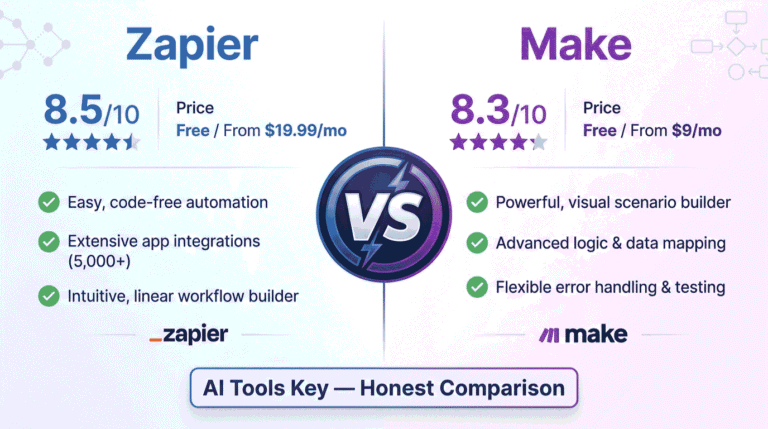
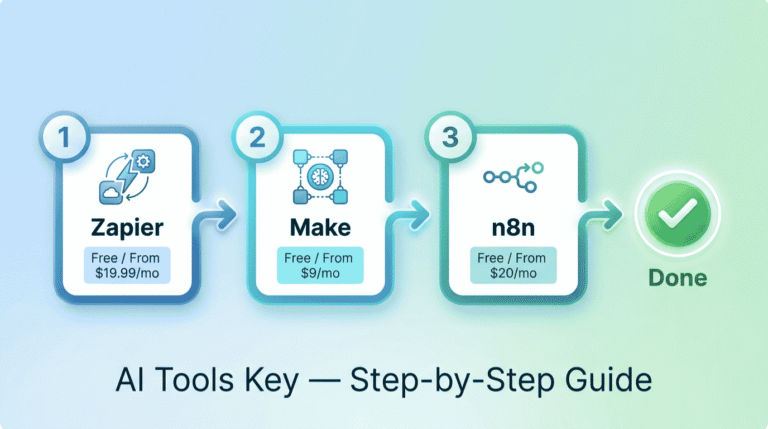
If you want more power per dollar, Make is the value pick, and we compare the two directly in our Zapier vs Make guide. Developers who want full control can self-host n8n for free, with cloud plans starting around $20 per month. For predictable, budget-friendly pricing, Pabbly Connect is worth a look.
Want to see the whole field side by side? Our roundup of the best AI automation tools ranks every option we have tested, and our guide to the best AI tools for small business covers the wider stack.
Our Zapier Review Verdict: Is It Worth It in 2026?
So, is Zapier worth it? For the right user, yes. It remains the easiest and most connected automation platform on the market, and Copilot makes it more beginner-friendly than ever.
Verdict: . Zapier is the best no-code automation tool for small businesses that value ease of use and the widest app support in 2026. It is not the cheapest at high volume, and the task meter can sting, but for simple-to-moderate automation it is hard to beat. Start free, run the task math, then upgrade when you outgrow it.
For full transparency, we may earn a commission if you sign up through our links, at no extra cost to you. You can read more in our affiliate disclosure. Our ratings are never paid for, and our verdict above reflects real hands-on testing.
The Information People Are Looking For
Is Zapier worth it in 2026?
Yes, Zapier is worth it in 2026 if you want the easiest no-code automation with the widest app support. It connects over 8,000 apps and the Copilot AI builder makes setup fast. At high task volume it gets pricey, so heavy users should compare Make, which costs less per task.
How much does Zapier cost?
Zapier costs $19.99 per month for the Professional plan billed annually, or $29.99 monthly, for 750 tasks. The Team plan is $69 per month annually for 2,000 tasks and up to 25 users. Enterprise is custom. A free plan offers 100 tasks per month with two-step Zaps.
Does Zapier have a free plan?
Yes, Zapier has a free-forever plan with 100 tasks per month and two-step Zaps. It is great for testing simple automations, but it lacks multi-step Zaps and premium app connectors. Most businesses outgrow it within weeks and move to the Professional plan starting at $19.99 per month.
How does Zapier count tasks?
Zapier counts one task for each successful action a Zap completes. Triggers, filters, paths, and built-in tools like Formatter do not count. So a five-step Zap that runs once uses about five tasks. Track this carefully, because task usage is what drives your monthly bill.
Is Zapier better than Make?
Zapier is better than Make for ease of use and app selection, with over 8,000 integrations and a gentler learning curve. Make is cheaper per operation and offers more powerful visual workflows. Choose Zapier for simplicity, or Make for high-volume automation on a budget. See our full comparison.
What can you automate with Zapier?
Zapier can automate almost any repetitive task between your apps. Common examples include adding leads to a CRM, sending Slack alerts, saving email attachments to Drive, posting to social media, and syncing form responses to spreadsheets. With over 8,000 supported apps, most business workflows can be automated.
Do you need to code to use Zapier?
No, you do not need to code to use Zapier. It is a no-code tool, so you build automations visually by choosing a trigger and actions. The new Copilot lets you describe a workflow in plain English and builds it for you. Advanced steps like webhooks are optional.