Zapier vs Make (2026): Which Automation Tool Should You Actually Pick?
Zapier vs Make is the automation showdown nearly every small business owner runs into eventually. Both let you connect your apps and automate repetitive work without writing a single line of code, yet they pull in different directions. Zapier wins on simplicity and sheer app coverage. Make wins on price and raw workflow power.
I have built and broken automations on both platforms, so this is not a spec sheet copied from their marketing pages. Below, we break down the real differences in pricing, ease of use, integrations, and the new AI features that landed in 2026.
By the end, you will know exactly which tool fits your business and your budget.
Quick Answer
For most small businesses, Zapier is the better pick if you want the easiest setup and the widest app library, with more than 8,000 integrations and paid plans from $19.99/month. Choose Make if you run multi-step workflows and want to cut costs, since Make starts at $9/month and is often 3 to 5 times cheaper at scale.
This comparison is part of our complete AI tools buyer’s guide. Read the full guide for a framework on how to choose the right AI software for your business.
Zapier vs Make at a Glance
Here is the short version before we dig in. Both tools belong to the same category, called iPaaS (integration platform as a service), but they serve slightly different users. Both also rank among the category leaders in G2’s iPaaS rankings, based on thousands of verified user reviews.
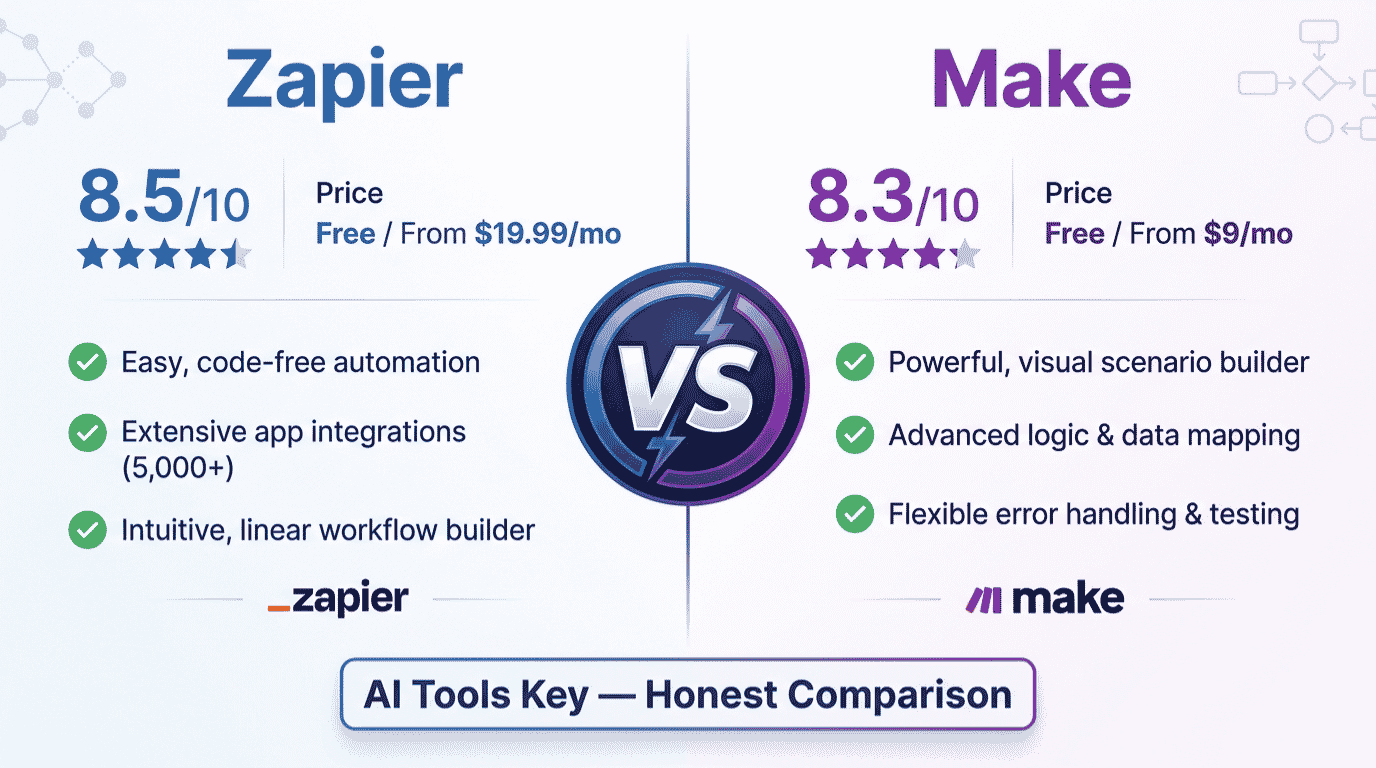
| Tool | Best For | Starting Price | Free Plan | Our Rating |
|---|---|---|---|---|
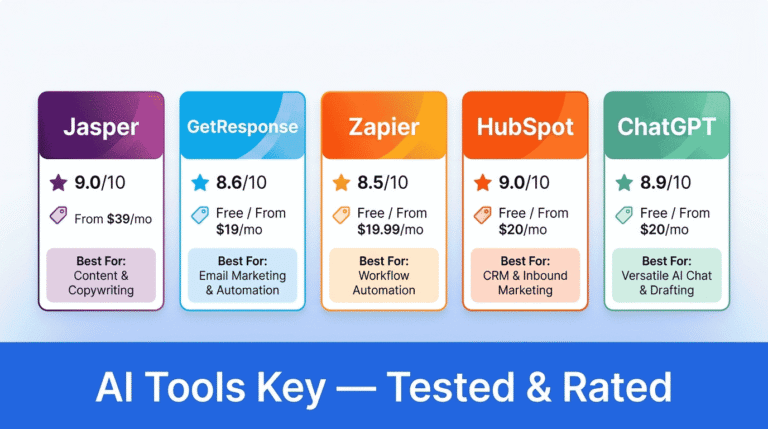
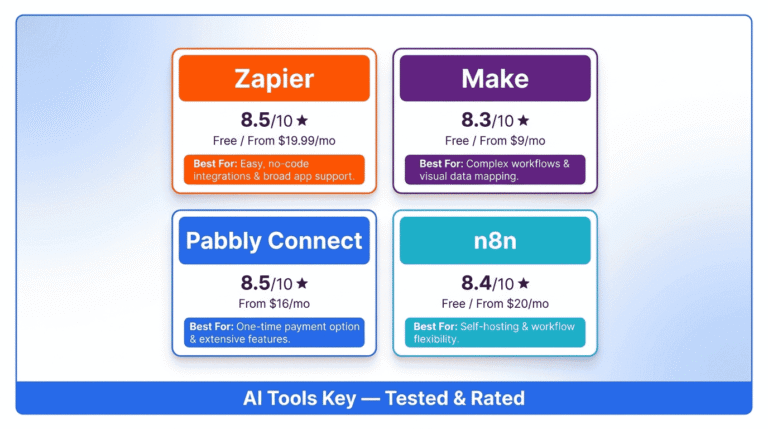
| Zapier | Beginners and widest app coverage | $19.99/mo (annual) | Yes (100 tasks) | 8.5/10 |
| Make | Complex workflows and best value | $9/mo (annual) | Yes (1,000 operations) | 8.3/10 |
Zapier is the best automation platform for beginners and the widest app coverage in 2026. Make, on the other hand, is the better value for complex, multi-step automations. Now let us look at why.
What Is Zapier?
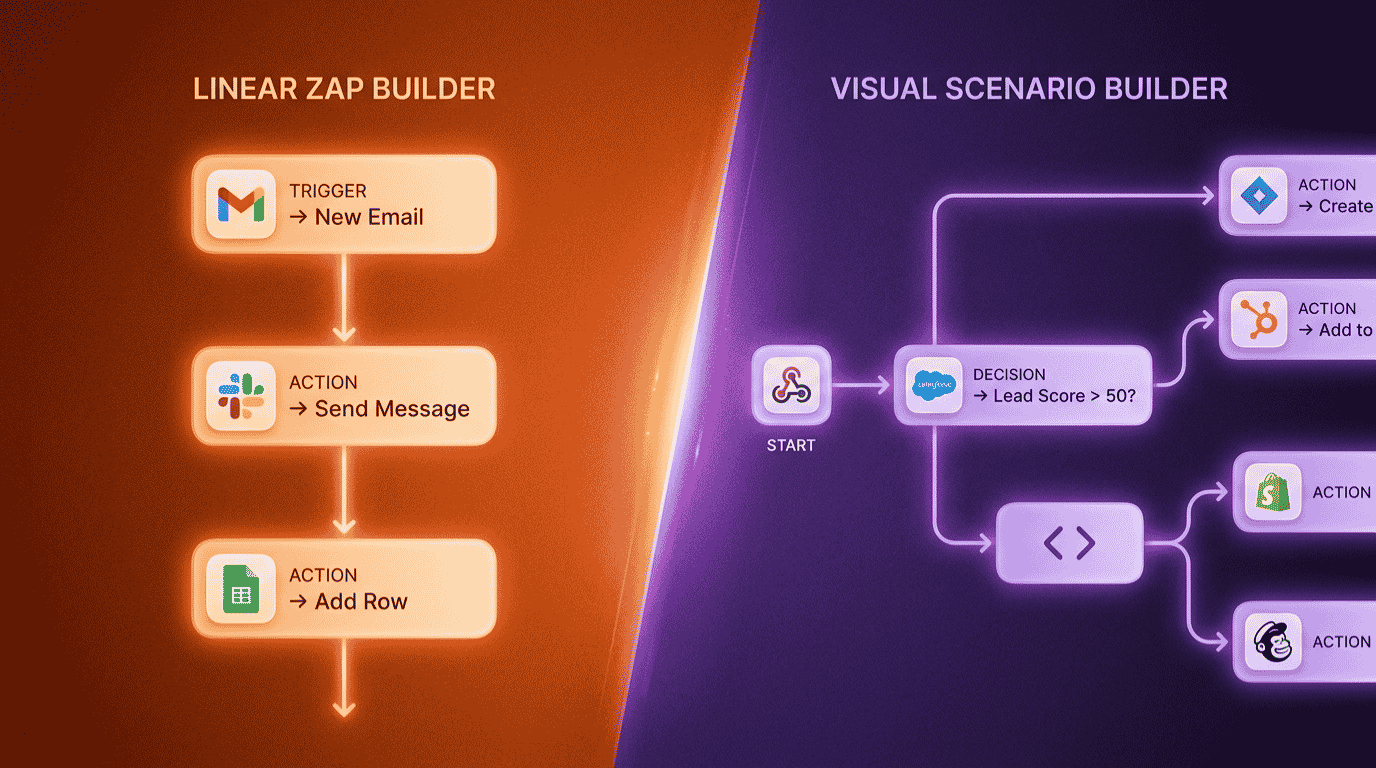
Zapier is a no-code automation platform that connects your apps and runs workflows called Zaps. Each Zap follows a simple trigger-and-action model: when something happens in one app, Zapier performs an action in another.
For example, when a new form is submitted, Zapier can add the contact to your CRM, send a Slack message, and create a task in your project tool. You set it up once, then it runs in the background.
Zapier has been around longer than almost anyone in this space. As a result, it has the largest integration library on the web and a reputation for being genuinely beginner-friendly. Zapier connects more than 8,000 apps, while Make integrates with around 3,000.
In practice, that long tail of integrations matters. If a tool has an API, there is a strong chance Zapier already supports it, including rare or legacy software that competitors skip.
What Is Make?
Make, formerly known as Integromat, is a visual automation platform built around a drag-and-drop canvas. Instead of a linear list of steps, you build “scenarios” that can branch, loop, and process data across multiple paths on one screen.
That visual approach is Make’s signature strength. You can see your entire workflow at a glance, route data based on conditions, and handle errors without breaking the whole automation.
Make is more technical than Zapier, but that extra complexity buys you control. It also tends to be far cheaper, which is why so many budget-conscious teams switch to it once their automations grow.
Here is a telling detail. Make supports 84 actions for Xero, compared to just 25 in Zapier. More apps is not the same as more depth, and Make often gives you more things to automate inside each app.
Zapier vs Make: Ease of Use and Setup
This is where the two tools split most clearly. Zapier wins on simplicity, full stop.
The Zapier interface is clean and guided. It walks you through setup with dropdowns and a step-by-step wizard, so you can build a working automation in under five minutes. There is almost no learning curve. For non-technical owners who want automations running by this afternoon, Zapier is the faster path.
Make asks more of you upfront. The visual canvas is powerful, but it takes time to understand how modules, routers, and iterators fit together. Most people need 5 to 10 hours to feel comfortable.
That said, once Make clicks, the canvas becomes easier to read and debug than Zapier’s linear list, especially for complex workflows. So the trade is real: speed now with Zapier, or control later with Make.
Quick tip: If you have never used automation software before, start with Zapier’s free plan to learn the concepts. You can always migrate to Make later when cost becomes the bigger issue.
Integrations: How Many Apps Can Each Connect?
On pure app count, Zapier wins decisively. With over 8,000 integrations, it covers nearly every major and minor service you can think of, plus a growing library of AI apps.
Make supports around 3,000 apps. That is plenty for most small businesses, but if your stack includes a niche or legacy tool, you should confirm Make supports it before you commit.
However, app count only tells half the story. Make generally offers more pre-built actions per app, which means you can automate more types of tasks inside each connection. Both tools also support webhooks and custom API calls, so you are rarely stuck if an integration is missing.
If you want to see how these two compare against other options, our roundup of the best AI automation tools for small business covers the wider field, including budget picks and self-hosted choices.
Pricing Models: Tasks vs Operations Explained
This section confuses more people than any other, so let us make it simple. The two tools count usage in completely different ways.
Zapier charges per task. A task is one successful action that moves data, such as creating a contact or sending an email. The trigger that starts a Zap is free, and built-in tools like filters and formatters do not count. So a 5-step Zap with 4 actions uses 4 tasks per run.
Make charges per operation. An operation is one step in your scenario, and here is the key difference: Make counts every step as an operation, including the trigger, while Zapier only charges for successful actions. A 5-module scenario uses 5 operations per run.
One more wrinkle for 2026: Make switched from “operations” to “credits” in late 2025. For standard automations the math is the same, one module equals one credit, but AI modules and code steps can cost more credits per run.
Here is how the plans line up side by side, all on annual billing.
| Plan Level | Zapier | Make |
|---|---|---|
| Free | 100 tasks/mo, 2-step Zaps | 1,000 operations/mo |
| Entry paid | Starter, $19.99/mo (750 tasks) | Core, $9/mo (10,000 operations) |
| Mid tier | Professional, $49/mo (2,000 tasks) | Pro, $16/mo (10,000 operations) |
| Team | Team, $69/mo | Teams, $29/mo |
Notice the gap. Make’s Core plan includes 10,000 operations for $9/month, versus Zapier’s 750 tasks for $19.99/month. Monthly billing on either tool costs roughly 30 to 50 percent more than these annual rates.
For exact current numbers, you can always check Make’s official pricing page, since both tools adjust plans from time to time.
Advanced Features and Workflow Power
If your automations are simple, you may never notice the feature gap. But once you start branching and processing data, Make pulls ahead.
Make handles complex scenarios with effectively unlimited steps, multiple routes, loops, and powerful data tools like JSON parsing and arrays. It also runs steps in parallel and offers detailed error handling, which matters for reliability.
Zapier keeps things more contained. Zaps are easy to build but have fixed limits, such as a maximum of 100 steps and fewer built-in data tools. Its Paths feature handles conditional logic, but it can get clunky and expensive once you stack many branches.
Here is a quick way to think about each tool’s sweet spot.
Make wins when you need
- Multi-step workflows with branching and loops
- Heavy data processing or file handling
- Lower costs at higher volume
- A visual map of complex logic for easier debugging
Zapier wins when you need
- The fastest possible setup with no learning curve
- The widest app coverage, including rare tools
- Predictable billing you do not have to babysit
- Simple trigger-and-action automations that just work
AI Automation in 2026: Agents, Make AI, and Zapier Tools
Both platforms leaned hard into AI this year, and this is where the comparison gets interesting for forward-looking businesses.
Make offers native modules for Claude, OpenAI, and Gemini, plus AI agents you can wire directly into the visual canvas. Because AI logic is rarely linear, Make’s branching design fits these workflows naturally. You can see exactly where data flows when an AI step misbehaves.
Zapier counters with AI agents, its built-in MCP support, and AI fields that enrich your data inside a workflow. The setup is simpler and more guided, which suits teams that want AI without managing complexity.
The honest summary: Make wins on cost and control for AI-heavy workflows, while Zapier wins on ease and speed. For a deeper look at picking AI tools in general, our Jasper vs Copy.ai comparison walks through a similar decision for AI writing.
Zapier vs Make: Which Is Actually Cheaper?
You have read that Make is cheaper, but let us prove it with real numbers instead of vague claims. This is the part most comparisons skip.
Imagine a common small business automation: a new lead comes in, you enrich the data, add the contact to your CRM, send a Slack alert, and log the row to a spreadsheet. That is a 5-step workflow, and say it runs 200 times a month.
On Zapier: the trigger is free, so 4 actions times 200 runs equals 800 tasks per month. That edges past the Starter limit of 750 tasks, so most owners would land on the Professional plan at $49/month.
On Make: all 5 modules count, so 5 times 200 equals 1,000 operations per month. That sits comfortably inside the Core plan at $9/month.
The cost result
For this realistic workflow, Make costs $9/month while Zapier costs around $49/month. That is roughly $40 saved every month, or close to $480 a year, for the exact same automation. Make is the better value for complex, multi-step automations, often costing 3 to 5 times less than Zapier at the same volume.
There is a fair caveat. At very low volume, say a simple 2-step automation running 20 times a month, Zapier’s free plan can cover you and the price difference disappears. In that case, Zapier’s simplicity is worth more than Make’s savings.
If even Make’s pricing feels tight at scale, two alternatives are worth a look: Pabbly Connect for flat-rate pricing, and n8n for self-hosting with no per-execution charges. Browse our full AI tools directory for more options.
Not Sure Which One Fits? Try the Head-to-Head Picker
Reading a comparison is one thing; getting a clear answer is another. Answer three quick questions below about what you value, your team size, and how complex your workflows are, and the picker returns our recommended winner with current pricing. Nothing you tap is saved or sent anywhere.
Zapier vs Make: Which Is Right for You?
3 quick questions, about 20 seconds, no email required.
The Verdict: Which Should You Choose?
After putting both tools through real workflows, here is our straight answer. There is no single winner, because the right choice depends on what you value most.
Choose Zapier if
You are new to automation, you want the widest app coverage, your workflows are simple (1 to 4 steps), and you would rather pay a little more to avoid managing usage. Zapier gets you running fastest with the least friction.
Choose Make if
You run multi-step or high-volume workflows, you want the lowest cost, you are comfortable learning a visual canvas, or you need advanced logic like routers, loops, and error handling. Make rewards the extra effort with serious savings and control.
Our rating weighs five factors: features, ease of use, pricing value, support, and integrations. You can read exactly how we test and rate every tool on our editorial guidelines page. Both tools earn high marks; they simply win in different categories.
Still weighing other tools too? We put many head to head, including Surfer SEO vs Semrush for the SEO side of your stack.
Prefer to Have It Built for You?
Setting up reliable automations takes trial and error, and a misconfigured workflow can quietly burn your task or operation budget. If you would rather skip the learning curve entirely, you do not have to do this alone.
Done-for-you automation setup: Our vetted specialists can build and test your Zapier or Make workflows, connect your CRM, and hand you a system that just runs. Explore our AI workflow automation setup service, or if your focus is sales pipelines, our AI CRM setup and integration service. You can also browse every option in our AI services directory.
Hire an Automation Expert on FiverrThe Information People Are Looking For
Is Make cheaper than Zapier?
Yes. Make is usually 3 to 5 times cheaper than Zapier for multi-step workflows. Make’s Core plan starts at $9/month for 10,000 operations, while Zapier’s Starter plan is $19.99/month for 750 tasks. For simple, low-volume automations the gap narrows, and Zapier’s free plan can be enough.
Is Make better than Zapier?
Neither is strictly better; they suit different needs. Make is better for complex, high-volume, budget-conscious automation thanks to its visual canvas and cheaper operations. Zapier is better for beginners and the widest app coverage, with over 8,000 integrations and the simplest setup. Your workflow complexity decides the winner.
What is the main difference between Zapier and Make?
The core difference is design philosophy. Zapier uses a linear, step-by-step builder that is fast to learn, while Make uses a visual drag-and-drop canvas built for complex logic. Zapier charges per successful action, called tasks, while Make charges per step, called operations, including the trigger.
Is Make harder to use than Zapier?
Yes, Make has a steeper learning curve. Its visual canvas with routers, iterators, and modules takes most people 5 to 10 hours to feel comfortable with. Zapier guides you through setup with dropdowns and a wizard, so you can build a working automation in under five minutes with no technical background.
Can Make replace Zapier?
For most workflows, yes. Make connects around 3,000 apps and handles nearly everything Zapier does, often at a lower cost. The exceptions are niche or legacy apps that only Zapier supports, and teams that want automations running without monitoring usage. Always check that Make supports your apps first.
Which is better for AI automation, Zapier or Make?
Both added strong AI features by 2026. Make offers native modules for Claude, OpenAI, and Gemini, plus AI agents on its visual canvas, which suits complex AI logic. Zapier offers AI agents, MCP, and AI fields with simpler setup. Make wins on cost and control; Zapier wins on ease.
Some links in this article are affiliate links. If you sign up through them, we may earn a commission at no extra cost to you. This never affects our ratings or recommendations. See our full affiliate disclosure for details.