How to Use ChatGPT for Business: A Practical Guide (2026)
If you run a small business and feel buried under emails, content, and customer questions, ChatGPT can take a huge share of that off your plate. Learning how to use ChatGPT for business means turning a single AI tool into a tireless assistant that writes, brainstorms, replies, and analyzes for you in seconds. You do not need any technical skill to start. In this guide, we will show you the most useful ways to put ChatGPT to work, share copy-and-paste prompts, explain which plan to pick, and cover the dos and don’ts after our hands-on testing.
ChatGPT is the most versatile AI tool we have tested for small business owners, which is why ChatGPT earns a spot in nearly every workflow we recommend.
Quick Answer
To use ChatGPT for business, start with the free plan or ChatGPT Plus ($20/mo) and apply it to your most repetitive tasks: writing emails, creating content, answering customers, and analyzing data. Give it clear prompts, save the ones that work, and always review the output before you send or publish. For teams, ChatGPT Business starts at $20 per user per month.
This guide is part of our complete Guide to AI Tools for Small Business. Read the full pillar for a complete overview of the AI tools that help small businesses grow.
What Is ChatGPT and Why Use It for Business?
ChatGPT is an AI assistant from OpenAI that understands plain language and writes human-like responses. For business, it works like a tireless team member that drafts emails, creates content, answers customers, and analyzes data in seconds. You give it a clear instruction, called a prompt, and it does the work.
The appeal is simple: it saves you hours and lowers your costs. ChatGPT is the most versatile AI tool a small business can adopt in 2026, because one subscription covers writing, marketing, support, and planning. ChatGPT Business users report saving up to 10 hours of work per week, and the broader shift is huge, with the global AI market projected to reach $826 billion by 2030.
8 Ways to Use ChatGPT for Business
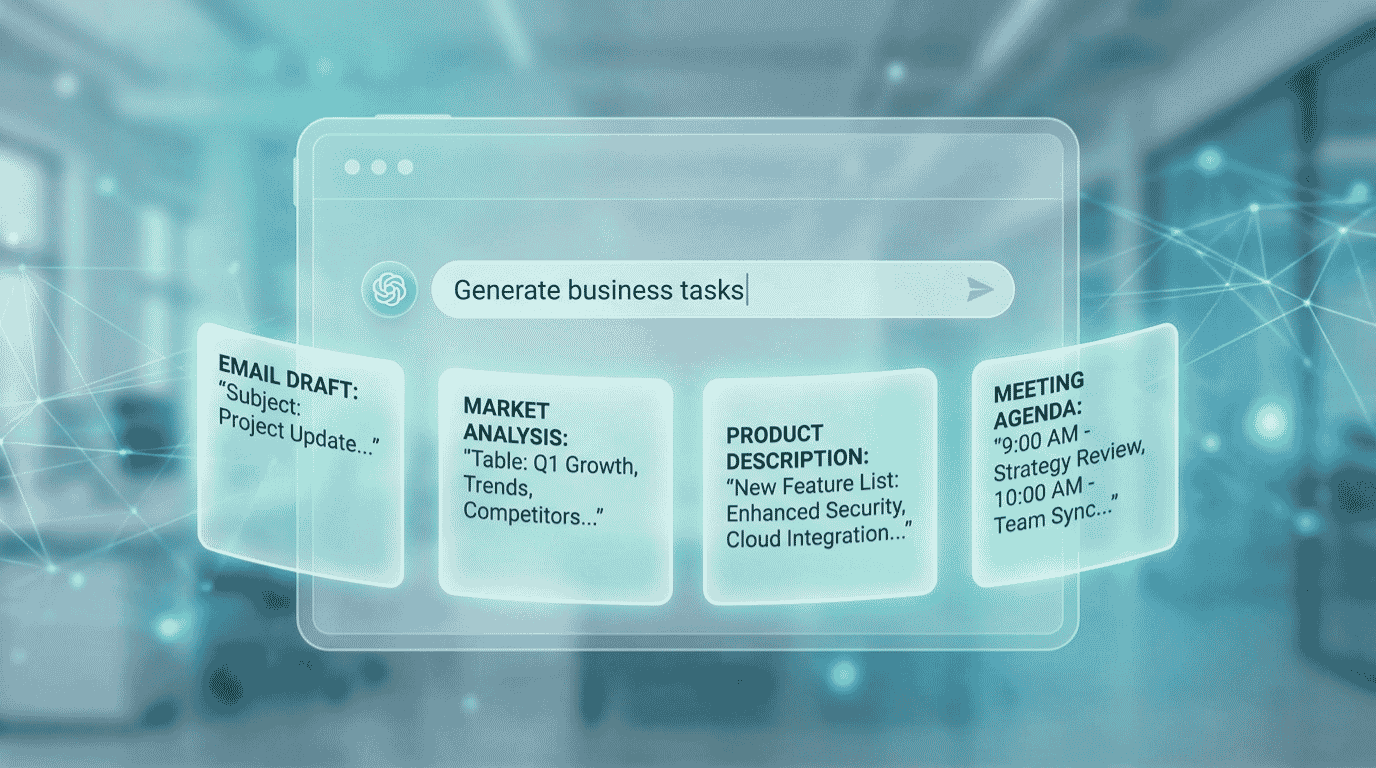
Here are the eight most valuable ways we use ChatGPT in a small business, each with a prompt you can copy, paste, and adapt today.
- Write and reply to emails. Turn a 45-minute email into a 5-minute task. Try: “Write a friendly follow-up email to a customer who requested a quote three days ago. Keep it under 120 words with a clear call to action.”
- Create content. Draft blog posts, captions, and newsletters fast. Try: “Write a 600-word blog outline on [topic] for [audience], with an intro hook, 5 H2 sections, and a conclusion.”
- Market and sell. Generate ad copy, headlines, and sales scripts. Try: “Write 5 Facebook ad headlines for my [business] promoting [offer]. Make them under 10 words, benefit-driven, and urgent.”
- Handle customer service. Draft polite, on-brand replies in seconds. Try: “Draft a reply to a customer upset about a late delivery. Apologize, offer a 10% discount, and reassure them.”
- Brainstorm and plan. Use it as a strategist. Try: “Act as a business strategist and give me 10 low-cost marketing ideas to attract local customers to my [business].”
- Analyze and summarize. Turn messy data into insights. Try: “Summarize this customer feedback into the top 5 themes and suggest one action for each. [paste feedback]”
- Hire and manage. Speed up HR tasks. Try: “Write a job description for a part-time [role] at a small [business], with responsibilities, requirements, and a friendly company blurb.”
- Improve your SEO. Generate keywords and metadata. Try: “Give me 10 long-tail keywords and 5 meta description options for a page about [topic].”
How to Use ChatGPT for Business in 6 Steps
Ready to put it to work? Here is the exact process we use to roll ChatGPT into a small business.
Step 1: Create your account and pick a plan
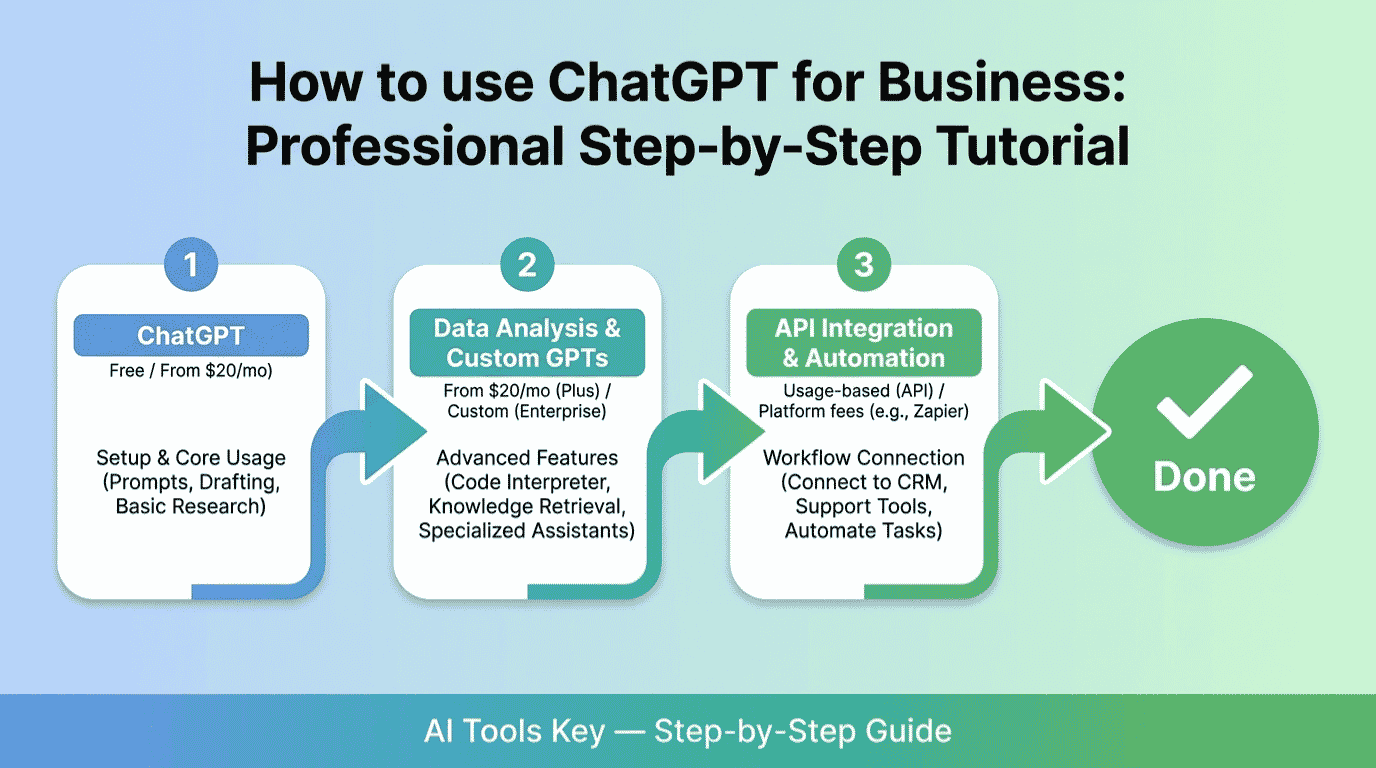
Sign up at the ChatGPT website and start on the free plan to get a feel for it. The free version handles most small business tasks well. When you need the latest model and higher limits, upgrade to ChatGPT Plus, and if your team needs a shared, private workspace, choose ChatGPT Business. We break down the plans further below.
Step 2: Learn to write clear prompts
Prompting is the one skill that changes everything. A strong prompt has four parts: a role (“act as a copywriter”), a task (“write 3 subject lines”), context (“for a bakery sale”), and a format (“under 8 words each”). The more detail you give, the better the result.
For deeper technique, OpenAI publishes a free prompt engineering guide worth bookmarking. Spend ten minutes there and your output quality jumps.
Step 3: Apply it to your most repetitive task first
Do not try to automate everything at once. Pick the one task that drains your week, often email or content, and use ChatGPT for it every day for a week. Once it becomes second nature, add the next task.
Step 4: Save prompts and build custom GPTs
When a prompt works, save it so you never rewrite it. On paid plans you can build a custom GPT: a version of ChatGPT trained on your brand voice, products, and FAQs. Set it up once, and it produces on-brand work every time without re-explaining your business.
Step 5: Pair ChatGPT with your other tools
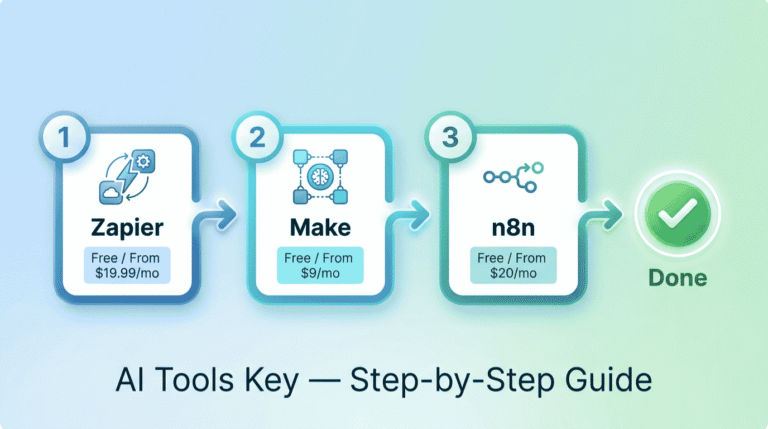
ChatGPT writes and thinks, but it does not design graphics or run automations. Pair it with the right tools to cover the gaps. Use Canva to turn its content into visuals, Jasper for long-form writing at scale, and Zapier to connect ChatGPT to the apps you already use.
Step 6: Keep a human review and protect your data
This is the most important rule in this guide: never publish or send raw AI output without reviewing it. ChatGPT can get facts wrong, so a human check protects your reputation. Also avoid pasting sensitive customer or financial data into the free or Plus tiers, since that data may be used to improve the model. For private work, use ChatGPT Business, which does not train on your data.
Which ChatGPT Plan Is Best for Business?
You can start free and upgrade only when you need to. Here is how the main plans compare for business use.
| Plan | Best For | Price | Key Feature |
|---|---|---|---|
| Free | Trying it out | $0 | Core features, great for testing |
| Plus | Solo owners and pros | $20/mo | Latest GPT-5.5, higher limits, custom GPTs |
| Business | Teams | $20/user/mo | Shared workspace, data kept private |
| Enterprise | Large organizations | Custom | Advanced security and admin controls |
For most solo owners, the free plan is a strong start and ChatGPT Plus at $20 per month is worth it once you rely on it daily. For teams, ChatGPT Business keeps your data private and never uses it to train the model, which matters when staff handle customer information. Note that ChatGPT Plus bills monthly only, and Business has a two-seat minimum.
ChatGPT Dos and Don’ts for Business
A few simple rules separate businesses that get great results from those that get generic ones.
Do
- Be specific in your prompts and give context.
- Use it as a starting point, then edit in your own voice.
- Fact-check anything before you publish or send it.
- Save and reuse the prompts that work.
Don’t
- Paste sensitive customer or financial data into free tiers.
- Publish raw output without a human review.
- Rely on it for legal, medical, or tax advice without an expert.
- Expect perfect results from a vague, one-line prompt.
Used this way, ChatGPT becomes a force multiplier rather than a liability. It does the heavy lifting, and your judgment keeps the quality high.
A Real Example: How a Local Business Uses ChatGPT
Let me make this concrete. Say you run a small landscaping business and wear every hat yourself. Here is how ChatGPT fits into a normal week.
On Monday, you ask it to draft replies to weekend quote requests, turning an hour of writing into ten minutes. Midweek, you use it to write a blog post and three social captions about spring lawn care, then design them in Canva. When a customer leaves a complaint, you draft a calm, professional reply in seconds. On Friday, you paste your customer feedback in and ask for the top themes to improve next month.
None of this replaces you. It just removes the busywork, so you spend more time on the actual jobs and less time at a keyboard. The same approach works for a salon, a consultant, a shop, or an online store.
DIY vs Hiring an AI Expert
So should you set this up yourself or get help? It comes down to time and ambition.
Do it yourself if
- You want to use ChatGPT for everyday writing and ideas.
- You enjoy learning the tool and have time to experiment.
- Your needs are simple and you want full control.
Hire a specialist if
- You want custom GPTs and automations built for your business.
- Your time is better spent running the company.
- You want an AI strategy mapped to real results.
If you would rather get expert help, a consultant can build a custom AI setup and show your team how to use it. Many also offer AI content writing services if you want the content produced for you. Compare experts and budgets in the full directory of AI services on Fiverr.
Want an AI strategy built for your business?
A vetted consultant can map ChatGPT and other AI tools to your exact workflow, set up custom GPTs, and train your team.
Hire an AI ConsultantIs It Worth Learning How to Use ChatGPT for Business?
In our view, yes, clearly. ChatGPT is the highest-leverage tool a small business can adopt right now. It saves hours every week, lowers your costs, and handles the tasks that drain your time, all from one affordable subscription.
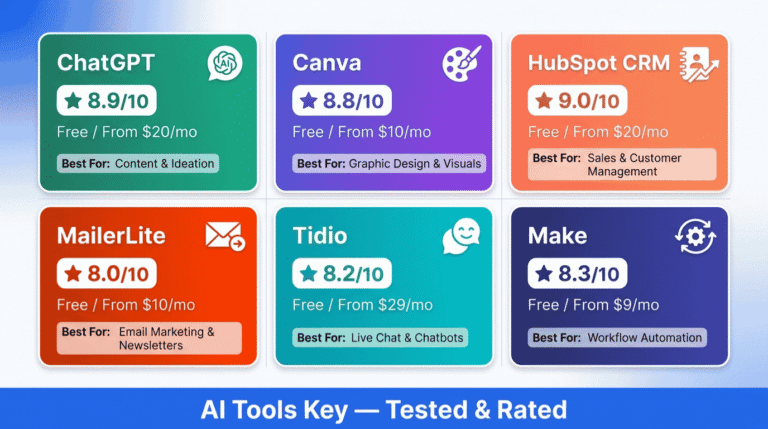
We rate every tool on a transparent 10-point scale across features, ease of use, pricing value, support, and integrations, and ChatGPT scores a 8.9 out of 10. You can read more about how we test in our editorial guidelines. If you want to see how it stacks up against other options, read our ChatGPT vs Claude for business comparison and our roundup of ChatGPT alternatives for business. For the bigger picture, browse the best AI tools for small business, and explore more AI writing tools to pair with it.
Our Recommendation
Start ChatGPT on the free plan, upgrade to Plus ($20/mo) once you use it daily, and choose Business for a private team workspace. Learn to write clear prompts, apply it to your most repetitive task first, and keep a human review on everything. It is the simplest, highest-return AI move a small business can make.
Try ChatGPT FreeThe Information People Are Looking For
Can I use ChatGPT for my business for free?
Yes. ChatGPT’s free plan is powerful enough for many small business tasks, including writing emails, drafting content, and brainstorming. It uses a capable model at no cost. You only need a paid plan like Plus ($20/mo) when you want the latest model, higher usage limits, custom GPTs, or a private team workspace.
Which ChatGPT plan is best for business?
For solo owners, ChatGPT Plus at $20/mo is the best value, adding the latest GPT-5.5 model and custom GPTs. For teams, ChatGPT Business from $20 per user per month adds a shared workspace and keeps your data private. The free plan is best for testing before you commit to a paid tier.
Is it safe to use ChatGPT for business?
It is safe if you use it carefully. Avoid pasting sensitive customer or financial data into the free or Plus tiers, since that content may help train the model. ChatGPT Business does not train on your data and adds security features, so it is the safer choice for teams handling private information.
What are the best ChatGPT prompts for business?
The best business prompts are specific and include a role, task, context, and format. For example: “Act as a copywriter and write 5 promotional email subject lines for a bakery sale, under 8 words each, friendly and urgent.” Clear, detailed prompts produce far better results than short, vague ones.
Can ChatGPT replace employees?
No. ChatGPT speeds up tasks like writing, support, and analysis, but it cannot replace human judgment, relationships, or accountability. It works best as an assistant that frees your team from busywork so they focus on higher-value work. Treat it as a productivity tool, not a replacement for people.
How do small businesses use ChatGPT?
Small businesses use ChatGPT to write emails and content, create marketing copy and ads, answer customer questions, brainstorm ideas, analyze feedback, and write job descriptions. It handles repetitive writing and thinking tasks in seconds, which saves owners hours each week and helps small teams do the work of a much larger one.
Is ChatGPT Plus worth it for a small business?
For most owners who use it daily, yes. ChatGPT Plus costs $20 per month and adds the latest GPT-5.5 model, higher limits, and custom GPTs you can train on your brand. If you only use ChatGPT occasionally, the free plan is enough, so upgrade once it becomes part of your routine.