How to Automate Email Marketing With AI: A Step-by-Step Guide (2026)
If you are spending hours each week writing, sending, and chasing replies to emails, there is a much faster way. Learning how to automate email marketing with AI lets software handle the repetitive parts: drafting subject lines, segmenting your list, choosing the best send time, and triggering follow-ups while you focus on running your business. You do not need a technical background or a big budget to start. In this guide, we will walk through exactly how to set up AI-powered email automation step by step, which tools we recommend after hands-on testing, and what the whole stack really costs.
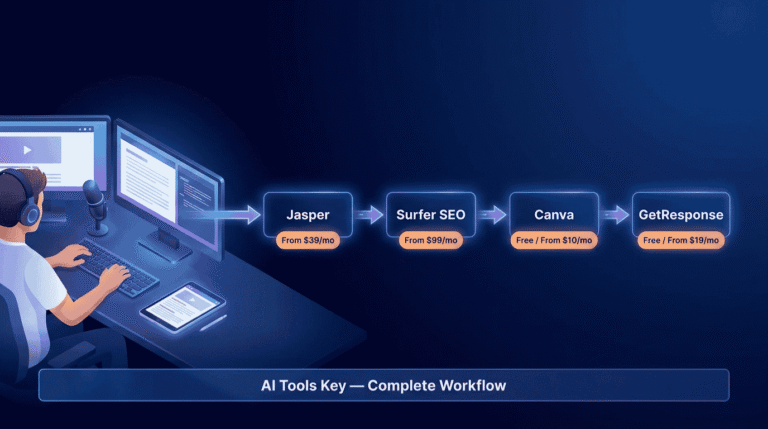
We have tested dozens of email platforms for small business owners, and the same handful keep rising to the top. For most people, GetResponse is the easiest place to begin, so that is where this walkthrough focuses first.
Quick Answer
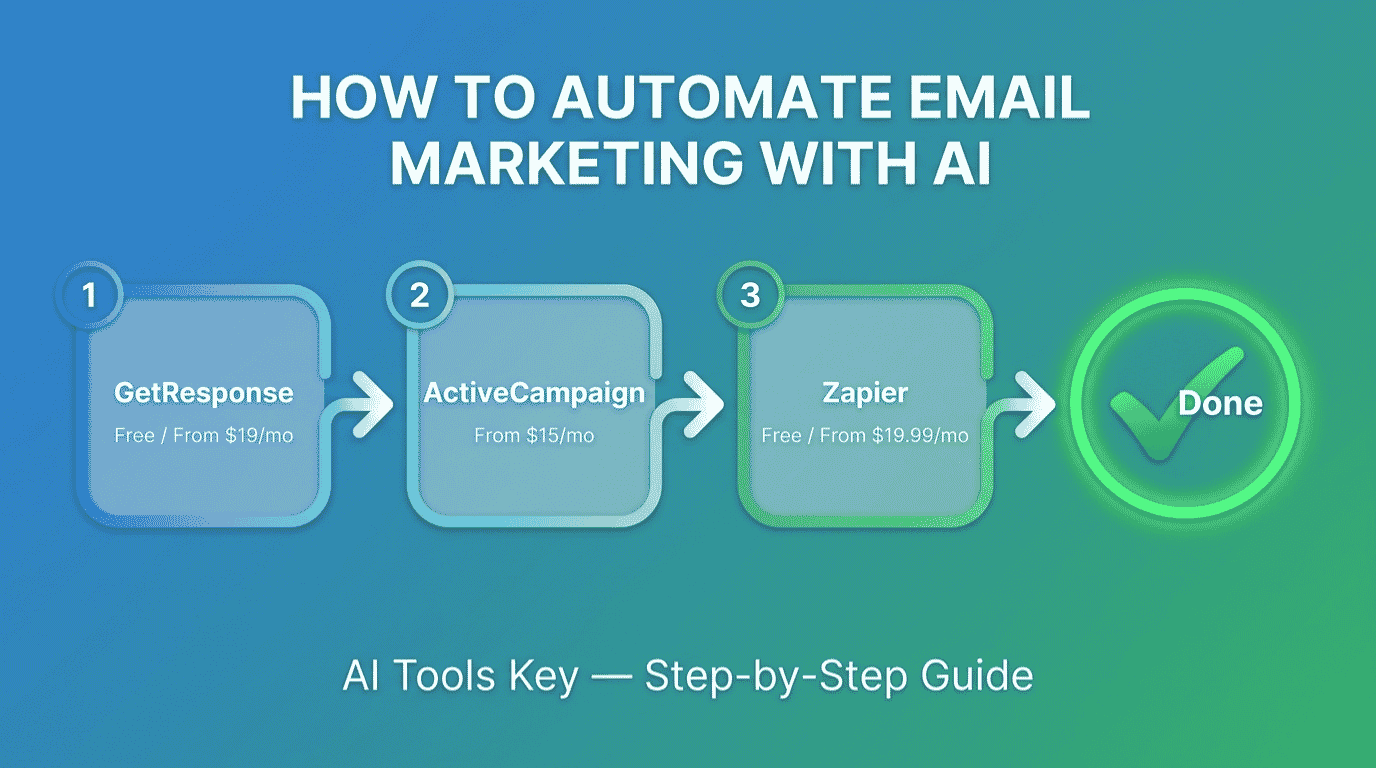
To automate email marketing with AI, pick a platform with built-in AI like GetResponse (from $19/mo, free plan available) or ActiveCampaign (from $15/mo). Let the AI segment your list, write your emails, and set send times, then build a welcome sequence that triggers automatically. Use Zapier to connect your other apps. Most owners get a working flow live in under an hour.
This guide is part of our complete Guide to AI Automation for Small Business. Read the full pillar for a wider view of how to automate marketing, sales, and support with AI.
What Does It Mean to Automate Email Marketing With AI?
Automating email marketing with AI means using software that writes, sends, and optimizes your emails based on subscriber behavior, with very little manual input. The AI segments your list, drafts subject lines and copy, picks the best send time for each person, and fires off follow-up sequences on its own. You set the rules once, and the system runs them around the clock.
In plain terms, you stop sending one email to everyone by hand. Instead, the right message reaches the right person at the right moment, automatically. AI email automation is the single highest-leverage marketing change most small businesses can make this year, because it saves time and lifts results at the same time.
The numbers back this up. According to Litmus and its State of Email research, the share of teams needing two weeks or more to produce a single email fell from 62% in 2024 to just 6% in 2025, a shift credited largely to AI and automation.
What Can AI Automate in Your Email Marketing?
AI is not magic, and it will not replace your judgment. What it does brilliantly is take the slow, repeatable jobs off your plate. Here is what modern platforms like GetResponse, ActiveCampaign, and connector tools like Zapier can handle for you.
- Smart list segmentation: AI groups your subscribers by behavior, interests, and purchase history, so each group gets relevant emails instead of the same generic blast.
- Subject lines and copy: Built-in AI writers draft subject lines, full email bodies, and call-to-action text in seconds, then you edit for voice.
- Send-time optimization: The system learns when each subscriber tends to open and schedules delivery for that window automatically.
- Automated sequences: Welcome series, abandoned-cart reminders, and re-engagement flows trigger the moment someone signs up, buys, or goes quiet.
- Predictive analytics and lead scoring: AI flags who is most likely to buy or to churn, so you can focus your best offers where they count.
- A/B testing: Tools run continuous tests on subject lines and content, then send the winner without you watching the dashboard.
The payoff is real. Email still returns roughly $36 to $40 for every $1 spent, and layering AI on top means you send less and convert more. After testing these features across multiple platforms, we have found send-time optimization and automated sequences deliver the fastest, most visible wins for small lists.
What You Will Need Before You Start
Good news: the barrier to entry is low. To follow this walkthrough, you really only need four things in place.
- An email list, even a small one, or a simple way to start collecting subscribers.
- An AI email platform account (free trials work fine to begin).
- One clear goal for your emails, such as welcoming new subscribers or recovering lost sales.
- About an hour of focused time to build your first flow.
Not sure if you are ready? Use the quick checker below. Answer four yes-or-no questions and it tells you whether to dive into Step 1 now or sort out a prerequisite first. Everything stays in your browser, and nothing is saved or shared.
Are You Ready to Automate Your Email Marketing?
4 quick questions. Takes about 20 seconds.
How to Automate Email Marketing With AI in 7 Steps
Here is the exact process we use when setting this up for a small business. Follow it in order and you will have a live, self-running email flow by the end.
Step 1: Choose your AI email platform
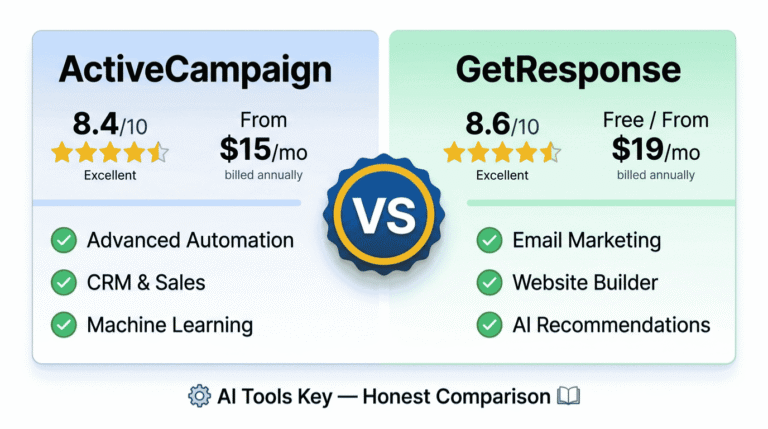
Your platform is the engine, so pick it first. For most small businesses, GetResponse hits the sweet spot of price, ease, and built-in AI. If you want deeper automation logic and have a list with revenue attached, ActiveCampaign is the stronger choice. Both let you start without paying upfront.
Want to see the full field before deciding? Our roundup of the best AI email marketing tools ranks every option we tested, with ratings and pricing.
GetResponse Editor’s Pick
- AI email generator and subject lines
- Unlimited email sends on paid plans
- Visual automation builder
- Landing pages and forms included
We rate GetResponse as the best overall pick for owners who want power without a learning curve. The Starter plan includes unlimited email sends, which is rare at this price.
ActiveCampaign Best Automation
- Active Intelligence AI engine
- Advanced branching automations
- Predictive sending on higher tiers
- Built-in marketing CRM
ActiveCampaign is the best automation platform we have tested for growing businesses. Note that its AI content tools and unlimited automations unlock on the Plus plan (around $49/mo), so factor that in if AI writing is a priority.
Still weighing the two? Our full ActiveCampaign vs GetResponse comparison breaks down where each one wins.
Step 2: Import your list and let AI clean and segment it
Once you are in, upload your contacts as a CSV or connect your existing form. The platform will deduplicate and flag inactive addresses for you, which protects your deliverability.
Next, turn on automatic segmentation. The AI sorts subscribers by signup source, engagement, and behavior. For example, it can split buyers from browsers, or active openers from people who have gone quiet. This single step makes every email that follows more relevant.
Step 3: Write your emails with AI
Now for the part that used to eat your afternoon. Open the AI writer inside your platform, describe your offer or message in a sentence, and let it draft the subject line and body. GetResponse and ActiveCampaign both include this, and many owners also paste a quick brief into ChatGPT or another AI assistant for extra variations.
The trick is to treat AI output as a strong first draft, not the final word. Edit it to sound like you, trim the fluff, and add one specific detail only a human would know. That blend of speed and personality is what converts.
Step 4: Build your first automated flow
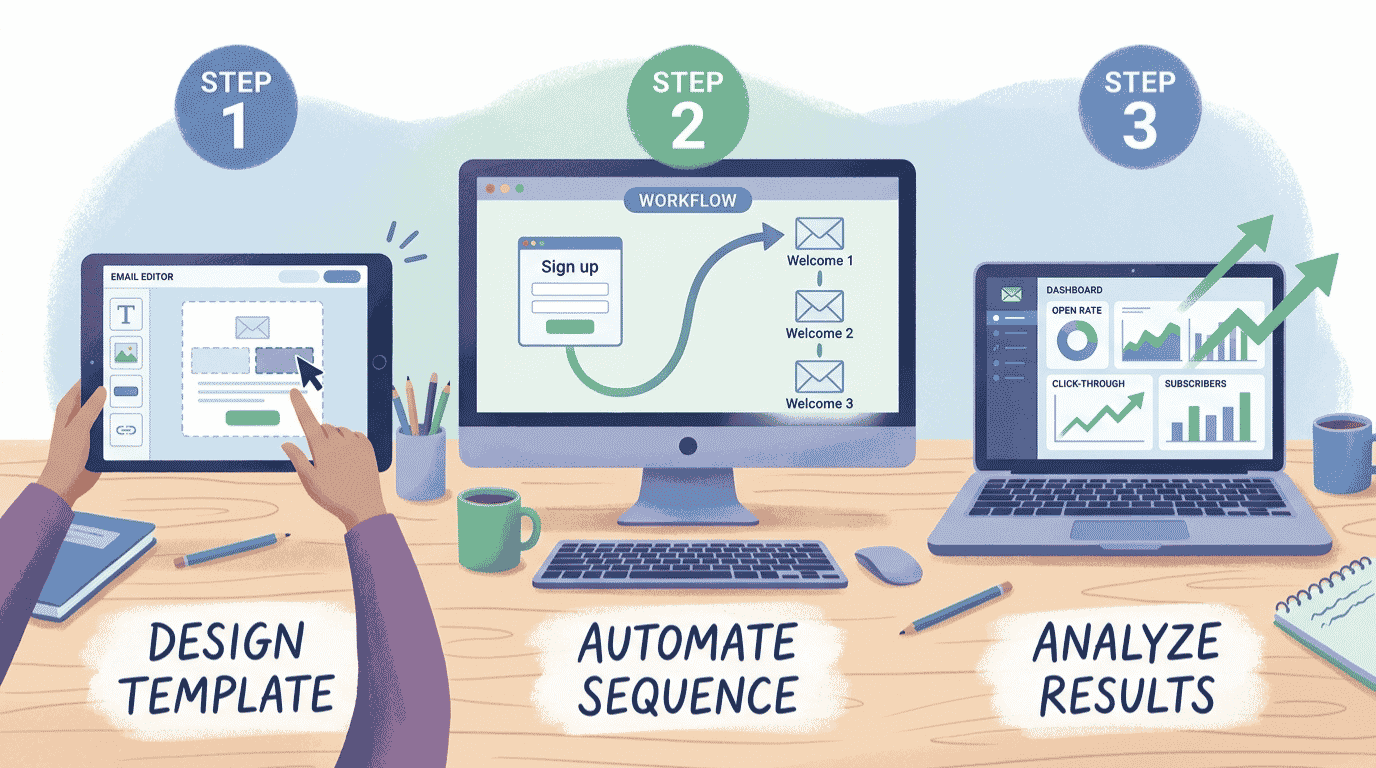
This is where automation comes alive. In your platform’s automation builder, create a simple welcome sequence. A reliable starter flow looks like this: send a welcome email immediately on signup, a helpful tip email after two days, and a soft offer after five days.
Set the trigger to “new subscriber,” drop in your AI-written emails, and add the time delays between them. Hit publish, and the flow now runs for every new signup, forever, with zero effort from you. We recommend nailing this one sequence before adding cart recovery or re-engagement flows.
Step 5: Connect your other apps with Zapier
Your email platform is powerful, but your business runs on more than one tool. This is where Zapier earns its place. Zapier links your apps so an action in one triggers an action in another, with no code. Zapier connects more than 8,000 apps, from online stores to forms to your CRM.
For example, you can add every new Shopify customer to a GetResponse list, or push a new lead from a Facebook ad straight into a welcome flow. Build the connection once, and new contacts flow in automatically. For deeper automation tutorials, see our best AI automation tools roundup.
Step 6: Switch on AI send-time and predictive features
With your flows live, let the AI optimize delivery. Enable send-time optimization so each subscriber gets your email when they are most likely to open it. On higher tiers, turn on predictive sending and lead scoring to surface your warmest contacts.
These settings are usually a single toggle. You will not see a difference overnight, but over a few weeks the AI learns your audience and quietly improves your open and click rates.
Step 7: Test, measure, and let AI optimize
Finally, set up an A/B test on your most important email. Test one thing at a time, usually the subject line, and let the platform send the winner automatically. Then check your dashboard weekly for open rate, click rate, and conversions.
Based on our analysis, the owners who win at email are not the ones who set it and forget it. They review the numbers, tweak one element, and let AI handle the heavy lifting in between. That loop is the whole game.
Don’t want to set this up yourself?
A specialist can build your entire automated email system, flows, segmentation, and integrations, in a few days. Browse vetted experts and have it done for you.
See AI Email Automation ServicesA Real Example: How a Busy Shop Owner Automates Their Emails
Let me make this concrete. Say you run a small online candle shop and sell through Shopify. You are too busy packing orders to write emails by hand, so here is the stack you would build.
First, you connect Shopify to GetResponse with Zapier, so every new customer joins your list automatically. Next, you switch on AI segmentation, which separates first-time buyers from repeat customers. You then use the AI writer to draft a three-email welcome series and a two-email cart-recovery flow, editing each to match your brand voice.
With send-time optimization enabled, the welcome series greets every new buyer at their best open window, and the recovery flow nudges anyone who abandons a cart. The result: you sell more without touching your inbox. That is the same blueprint a coach, consultant, or local service business would follow, just with different emails.
What Does It Cost to Automate Email Marketing With AI?
Here is the honest answer: less than most people expect. You can run a complete AI email automation stack for the price of a few coffees a month. The table below compares the tools we recommend, with current pricing.
| Tool | Best For | Starting Price | Free Option | Rating |
|---|---|---|---|---|
| GetResponse | Best overall for small business | $19/mo | Free plan + 30-day trial | 8.6/10 |
| ActiveCampaign | Best for advanced automation | $15/mo (annual) | 14-day trial | 8.4/10 |
| Zapier | Best for connecting your apps | $19.99/mo (annual) | Free plan (100 tasks) | 8.5/10 |
| Brevo | Best budget multichannel pick | $9/mo | Free plan (300 emails/day) | 8.4/10 |
For a true starter stack, most owners pay nothing at first by using GetResponse’s free plan and Zapier’s free tier. As your list grows, a realistic monthly cost is around $19 to $40 for the email platform, plus $20 for Zapier if you connect several apps. Compared with the hours you save, the return is hard to beat. You can also browse our full AI email marketing tools category for more options.
DIY vs Hiring an Expert
So, should you build this yourself or pay someone? It comes down to time and complexity.
Do it yourself if
- You have a small list and a simple goal like a welcome series.
- You enjoy learning the tools and have an hour to spare.
- Your budget is tight and you want full control.
Hire a specialist if
- You need complex flows, deep segmentation, or store integrations.
- Your time is worth more spent on the business itself.
- You want it done right the first time, fast.
If you would rather skip the setup, a freelancer can wire up your platform, flows, and integrations for you. Explore AI workflow automation setup services, or see the full directory of AI services on Fiverr to compare experts and budgets.
Want your email automation built for you?
Hand the whole project to a vetted specialist and have a complete, AI-powered email system running in days, not weeks.
Hire an Email Automation ExpertIs It Worth Learning How to Automate Email Marketing With AI?
In our view, yes, without question. The time savings alone justify it, and the lift in open rates, clicks, and conversions is the bonus. Every hour you spend setting up automation pays you back many times over as the flows run themselves.
We rate our recommendations on a transparent 10-point scale across features, ease of use, pricing value, support, and integrations. You can read more about how we test in our editorial guidelines. By that standard, GetResponse remains our top pick for most small business owners getting started.
Our Recommendation
Start with GetResponse for the easiest path to AI email automation, or choose ActiveCampaign if advanced automation is your priority. Then add Zapier to connect your other tools. Most owners get a working flow live in under an hour.
Get Started With GetResponseThe Information People Are Looking For
Can AI fully automate email marketing?
AI can automate most of the work, but not all of it. It writes drafts, segments your list, picks send times, and triggers sequences automatically. You still set the strategy, edit the copy for voice, and review results. Think of AI as a tireless assistant that handles execution while you steer.
What is the best AI tool for email marketing automation?
For most small businesses, GetResponse is the best AI email marketing tool thanks to its free plan, built-in AI writer, and easy automation builder. ActiveCampaign is the best pick for advanced, behavior-based automation. For a budget multichannel option, Brevo starts at $9 per month with a free tier.
How do I use AI to write marketing emails?
Open the AI writer inside your email platform, describe your offer in one sentence, and let it draft a subject line and body. Then edit the output to match your voice and add a specific detail. Tools like GetResponse and ActiveCampaign include this, and ChatGPT works well for extra variations.
Is AI email marketing worth it for small businesses?
Yes. AI email marketing saves hours of manual work and improves open rates, clicks, and conversions through smarter segmentation and send times. Email already returns about $36 to $40 for every dollar spent, and AI helps you capture more of that return with less effort. The low starting cost makes it low risk.
How much does it cost to automate email marketing with AI?
You can start free using GetResponse’s free plan and Zapier’s free tier. As your list grows, expect around $19 to $40 per month for an AI email platform, plus roughly $20 for Zapier if you connect multiple apps. ActiveCampaign starts at $15 per month on annual billing.
Can ChatGPT automate email marketing?
ChatGPT writes excellent email copy, subject lines, and ideas, but it cannot send, schedule, or trigger emails on its own. To automate the sending, pair it with an email platform like GetResponse or connect it through Zapier. ChatGPT handles the words; your email platform handles the delivery and timing.
How long does it take to set up automated email marketing?
Most small business owners get a basic automated welcome sequence live in under an hour. Importing your list and writing emails with AI takes the most time at first. Once your first flow runs, adding more sequences like cart recovery or re-engagement takes only minutes each.