Grammarly vs ChatGPT (2026): Which AI Writing Tool Do You Need?
Grammarly vs ChatGPT is a comparison that confuses a lot of people, because the two tools do not really do the same job. Grammarly polishes and corrects the writing you already have. ChatGPT generates brand-new content from a prompt.
Both are AI writing tools, but they sit at opposite ends of the writing process. I have used both daily for years, so this guide is based on real experience, not surface-level features.
Below, we break down what each does best, how they compare on price, and why many writers quietly use both.
Quick Answer
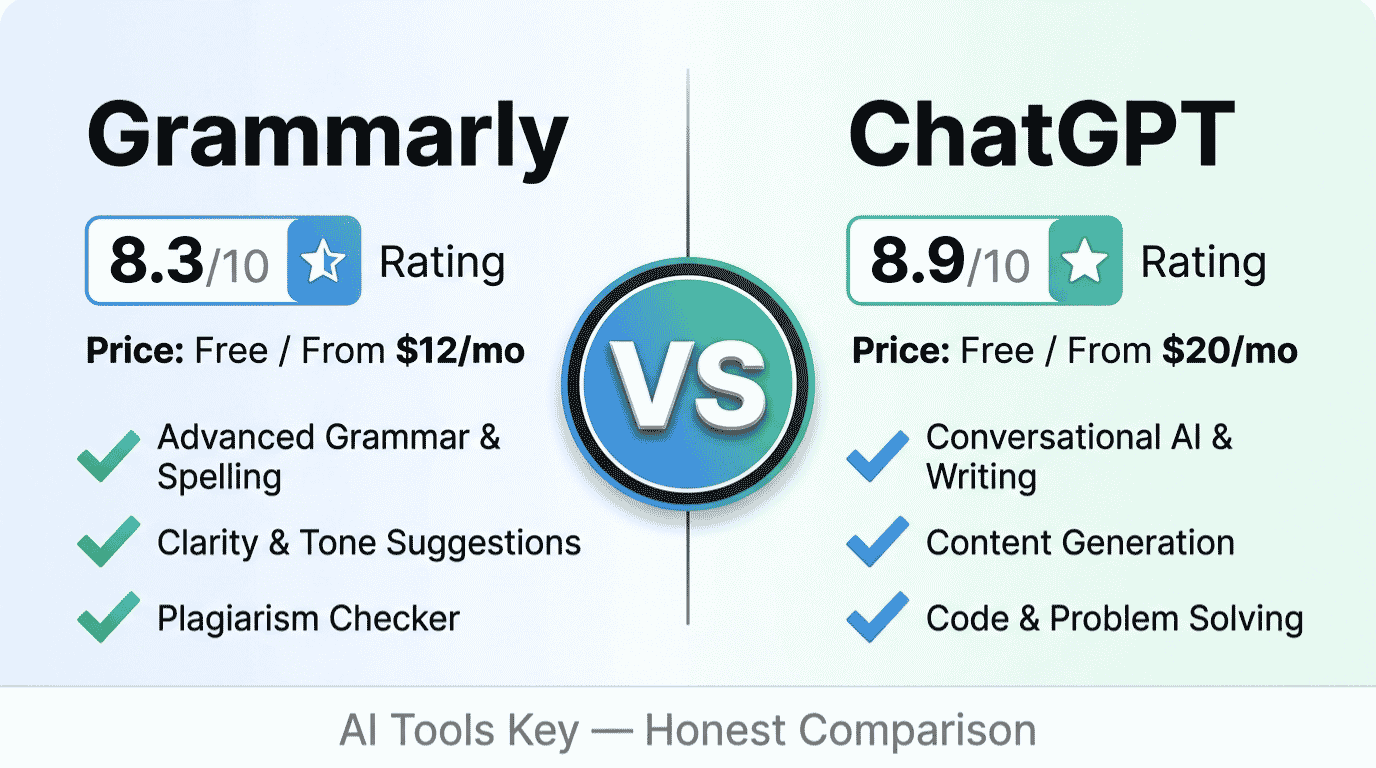
Grammarly and ChatGPT solve different problems. Use Grammarly (free, or $12/month Pro) to fix grammar, clarity, and tone in real time across every app you write in. Use ChatGPT (free, or $20/month Plus) to generate drafts, ideas, and rewrites from scratch. For most writers, the best setup is both.
This comparison is part of our complete AI tools buyer’s guide. Read the full guide for a framework on how to choose the right software for your business.
Grammarly vs ChatGPT at a Glance
Here is the short version before we dig in. These tools overlap a little, but they are built for different stages of writing. Both are top-rated, too: on G2, Grammarly holds a 4.7 out of 5 rating from nearly 13,000 reviews.
| Tool | Best For | Starting Price | Free Plan | Our Rating |
|---|---|---|---|---|
| Grammarly | Real-time grammar and polish everywhere | $12/mo (annual) | Yes | 8.3/10 |
| ChatGPT | Generating drafts and ideas | $20/mo | Yes | 8.9/10 |
Try Grammarly Free Try ChatGPT
Grammarly and ChatGPT are not direct competitors: Grammarly polishes writing you already have, while ChatGPT generates new content from prompts. Keep that in mind as we compare them.
What Is Grammarly?
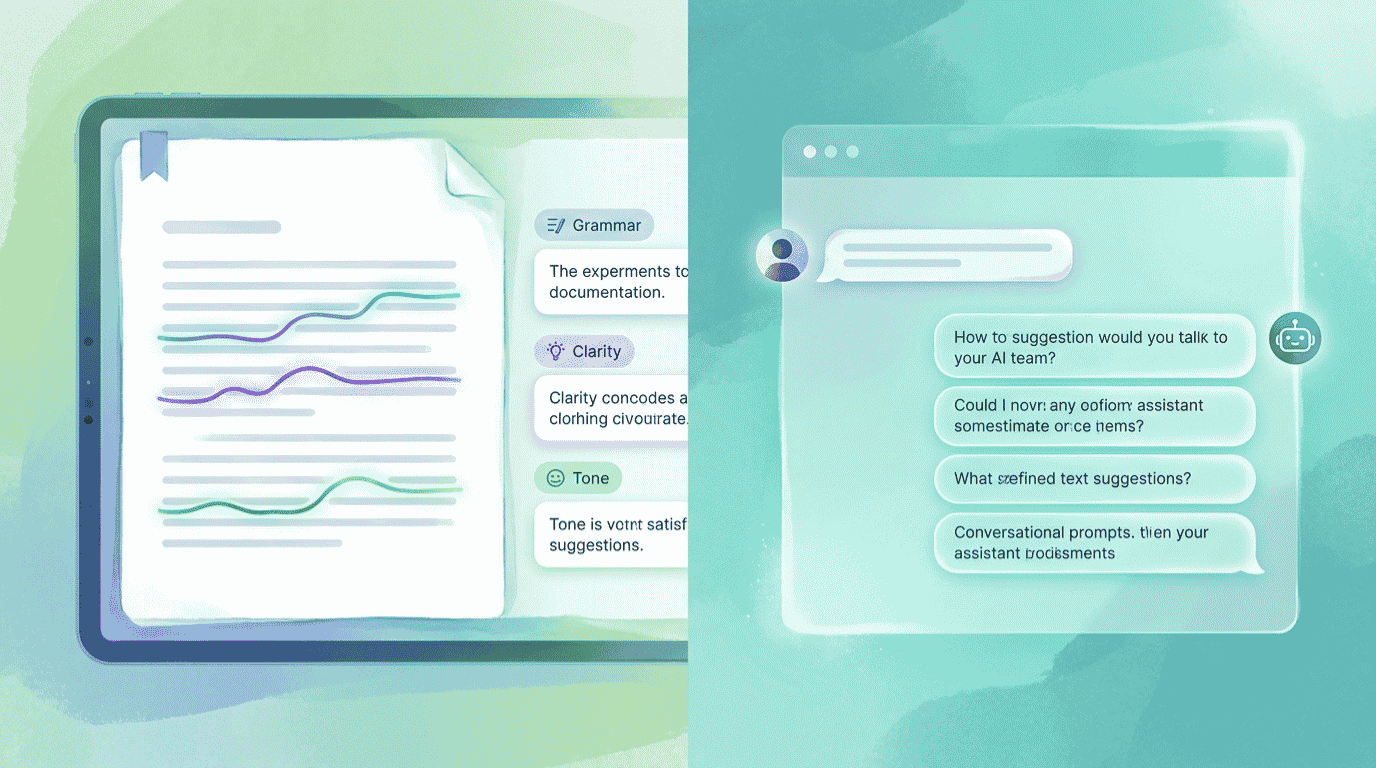
Grammarly is an AI writing assistant focused on making your writing clear, correct, and professional. It checks grammar, spelling, punctuation, clarity, tone, and conciseness as you type.
Its biggest strength is that it works almost everywhere. The browser extension and desktop app follow you into Gmail, Google Docs, Word, Slack, LinkedIn, and most text fields online.
Grammarly also explains its suggestions, so you learn while you write. It has added generative AI features too, formerly branded GrammarlyGO, which can rewrite or draft short pieces. Note that Grammarly recently renamed its paid Premium plan to Pro.
For correctness and polish, it is hard to beat. Grammarly works across every app you write in, from Gmail to Google Docs to Slack, while ChatGPT lives in a separate window.
What Is ChatGPT?
ChatGPT is OpenAI’s general-purpose AI assistant, and it is a powerful content generator. You give it a prompt, and it drafts, rewrites, summarizes, brainstorms, or translates in seconds.
Unlike Grammarly, ChatGPT starts from nothing. It is built to create, which makes it ideal for outlines, first drafts, idea generation, and rewriting large chunks of text from scratch.
It is also far more versatile. Beyond writing, it handles coding, research, and analysis. For more on its models, see OpenAI’s official ChatGPT page. The trade-off is that it lives in its own window and does not proofread your work as you type elsewhere.
Grammarly vs ChatGPT: The Core Difference
If you remember one thing from this comparison, make it this: Grammarly is a polish-first tool, and ChatGPT is a draft-first tool.
Grammarly assumes you already wrote something and want to improve it. It corrects, refines, and tightens what is on the page. ChatGPT assumes a blank page and helps you fill it.
That is why the search “Grammarly vs ChatGPT” is a little misleading. For most writers, the best setup is both: draft in ChatGPT, then polish in Grammarly. Around half of teams already work this way.
Still, if you can only pick one, the right choice comes down to which half of the writing process you struggle with most.
Where Each Tool Works
This difference gets overlooked, but it shapes your day-to-day experience more than any feature list.
Grammarly is embedded. It works inside the tools you already use, catching mistakes in your emails, documents, and messages without you switching tabs. The correction comes to you.
ChatGPT is a destination. You go to it, paste or type your request, and copy the result back out. That round trip is fine for drafting, but it adds friction if all you want is a quick grammar fix in an email.
So for in-the-moment writing across many apps, Grammarly wins on convenience. For sitting down to create something new, ChatGPT is where you go.
This is also why the two rarely cannibalize each other in practice. Grammarly quietly improves the hundreds of small things you write each week, like emails, comments, and captions. ChatGPT handles the bigger, occasional jobs, like a full blog post or a tricky pitch. They cover different moments in your day, which is exactly why so many people keep both installed.
Grammar and Editing: Which Wins?
For pure proofreading and editing, Grammarly is the stronger tool, and it is not especially close.
Grammarly catches granular grammar errors, flags unclear sentences, and suggests tone adjustments with reasoning behind each change. It also includes plagiarism detection and AI text detection on the Pro plan, which ChatGPT does not offer.
ChatGPT can fix grammar if you ask it to, and it does a decent job. The catch is that you have to prompt it, paste your text in, and trust its rewrite without seeing exactly what changed or why.
Grammarly is the better tool for real-time grammar, clarity, and tone correction across every app you write in. If error-free writing is your main goal, this is the deciding factor.
Content Generation: Which Wins?
Flip the question to creating content, and ChatGPT pulls clearly ahead.
ChatGPT generates full drafts, outlines, headlines, and creative pieces from a short prompt. It adapts tone, explores angles, and rewrites entire sections in ways a grammar checker simply cannot.
Grammarly’s generative AI has narrowed the gap, but it stays tighter in scope. Grammarly’s free plan includes 100 AI prompts per month; Pro raises that to 2,000. Those prompts are handy, yet they are not a replacement for a full conversational AI.
ChatGPT is the better tool for generating drafts, ideas, and rewrites from scratch. If your struggle is the blank page, ChatGPT is your answer.
Here is a balanced look at where Grammarly stands overall.
Where Grammarly wins
- Real-time corrections across every app you write in
- Explains why it suggests each change, so you improve
- Catches grammar, clarity, tone, and conciseness others miss
- Built-in plagiarism and AI text detection on Pro
- Genuinely useful free plan, and Pro is just $12/month
Where Grammarly falls short
- It polishes writing; it does not draft from a blank page
- Its generative AI is tighter in scope than ChatGPT
- Plagiarism and 2,000 prompts require the Pro plan
- It can over-suggest, so you still need your own judgment
Pricing Compared
Both tools have a genuinely useful free plan, which is great news if you are on a budget.
On paid plans, Grammarly is cheaper. Grammarly Pro is $12/month on annual billing, while ChatGPT Plus is $20/month. Remember, though, that they unlock different things, so the cheaper sticker price does not automatically mean better value for you.
Here is how the plans line up.
| What | Grammarly | ChatGPT |
|---|---|---|
| Free plan | Yes (100 AI prompts/mo) | Yes (with ads) |
| Entry paid | Pro, $12/mo (annual) | Plus, $20/mo |
| Main job | Polish and correct | Generate and draft |
| Works inside your apps | Yes (everywhere) | No (separate window) |
| Real-time grammar | Yes | No |
| Content generation | Limited | Extensive |
One billing note: Grammarly Pro is $30/month if you pay monthly instead of annually, and ChatGPT Plus is monthly only, with no annual discount.
Grammarly vs ChatGPT: Which Is Actually Cheaper?
Let us put real numbers on it, because “cheaper” depends on what you actually need.
If you only need one tool, Grammarly Pro at $12/month is cheaper than ChatGPT Plus at $20/month. Both free tiers cost nothing and cover the basics, so a tight budget is not a barrier either way.
But many writers want both the drafting and the polishing power. Here is what the full stack costs.
The cost result
A complete write-and-edit setup is ChatGPT Plus ($20/month) plus Grammarly Pro ($12/month), or $32/month total. That is still far less than hiring an editor, and it covers both creating and correcting. If money is tight, running both free tiers together costs $0 and handles everyday writing surprisingly well.
So the honest answer is this: Grammarly is the cheaper single tool, but the two together give you the complete workflow for a reasonable monthly cost.
Why Not Both? The Smart Writing Workflow
Here is the approach most professional writers land on: stop choosing, and run them in sequence.
Use ChatGPT to brainstorm angles, draft an outline, and produce a rough first version. Then move that draft into wherever you are writing and let Grammarly polish the grammar, clarity, and tone in real time.
For example, a small business owner might ask ChatGPT to draft a customer email, paste it into Gmail, and watch Grammarly refine the wording before they hit send. That is the blank page and the red pen, working together in minutes. Once you experience that flow, going back to one tool alone feels like writing with a hand tied behind your back.
If you still want just one tool, the verdict below will point you in the right direction.
Rather not write it yourself? If you would prefer to hand the drafting and editing to a pro, our specialists produce polished, ready-to-publish content. Explore our AI content writing services, or browse the full AI services directory.
Hire a Content Writer on FiverrNot Sure Which One Fits? Try the Head-to-Head Picker
Reading a comparison is one thing; getting a clear answer is another. Answer three quick questions below about what you need, how you write, and what matters most, and the picker returns our recommended winner with current pricing. Nothing you tap is saved or sent anywhere.
Grammarly vs ChatGPT: Which Is Right for You?
3 quick questions, about 20 seconds, no email required.
The Verdict: Which Should You Choose?
After years of using both, here is our straight answer. There is no single winner, because each tool owns a different part of writing.
Choose Grammarly if
You mostly write your own content and want it polished, clear, and error-free across every app you use. Grammarly’s real-time corrections, plagiarism checks, and cheaper $12 plan make it the better pick for editing and professional communication.
Choose ChatGPT if
You need to generate content, beat writer’s block, or rewrite large sections from scratch. ChatGPT’s drafting power and versatility make it the better pick when the blank page is your biggest obstacle.
Our rating weighs five factors: features, ease of use, pricing value, support, and integrations. You can read exactly how we test and rate every tool on our editorial guidelines page. Both score well; they simply solve different problems.
Want to weigh other writing tools too? Our Jasper vs ChatGPT for content and ChatGPT vs Claude comparisons are useful next reads.
Grammarly and ChatGPT Alternatives
These two are not your only options. Depending on your goal, a few alternatives are worth a look.
For generating marketing content with templates and brand voice, Jasper is a strong choice. As a flexible ChatGPT alternative with excellent long-form writing, try Claude. And if you want a budget-friendly AI writer, Rytr is worth testing. You can compare them all in our best AI writing tools roundup, or browse the full AI tools directory.
Prefer to Have Your Content Written for You?
Even the best AI tool still needs a skilled human to prompt, edit, and finalize. If you would rather skip that work, you do not have to do it alone.
Done-for-you content: Our vetted writers draft, edit, and polish your blog posts, emails, and marketing copy, then optimize them to perform. Explore our AI content writing services, or pair them with our AI SEO audit and optimization service for content built to rank.
Hire a Content Writer on FiverrThe Information People Are Looking For
Is ChatGPT better than Grammarly?
Neither is strictly better; they do different jobs. ChatGPT is better for generating content, ideas, and drafts from scratch. Grammarly is better for correcting grammar, clarity, and tone in real time across your apps. If you write your own content and want it polished, Grammarly wins; if you need to create content, ChatGPT wins.
Can ChatGPT replace Grammarly?
Not fully. ChatGPT can fix grammar when you ask it to, but it cannot proofread your writing in real time inside Gmail, Google Docs, or Slack the way Grammarly does. It also lacks plagiarism detection. For embedded, proactive editing across every app, Grammarly remains the better tool.
Is Grammarly better than ChatGPT for grammar?
Yes. Grammarly is purpose-built for grammar and editing, catching errors and tone issues in real time with reasoning for each suggestion. ChatGPT can correct grammar on request, but it does not flag mistakes proactively as you type. For pure grammar and proofreading, Grammarly is the stronger and more convenient choice.
Should I use Grammarly and ChatGPT together?
Yes, and many writers do. The most effective workflow is to draft and brainstorm in ChatGPT, then polish the result with Grammarly’s real-time grammar, clarity, and tone checks. Combining them covers both creating and correcting, and running both free plans together costs nothing to start.
Is Grammarly or ChatGPT cheaper?
Grammarly is cheaper on paid plans. Grammarly Pro costs $12/month on annual billing, while ChatGPT Plus is $20/month. Both also offer free tiers that cover everyday writing. If you want the full draft-and-polish workflow, running both costs about $32/month, still less than hiring an editor.
Does ChatGPT check grammar?
Yes, ChatGPT can check and fix grammar if you paste your text and ask it to. It does a solid job on request. However, it will not catch mistakes automatically as you write in other apps, and it does not show exactly what changed. For continuous, in-app grammar checking, Grammarly is built for the task.
Some links in this article are affiliate links. If you sign up through them, we may earn a commission at no extra cost to you. This never affects our ratings or recommendations. See our full affiliate disclosure for details.