Canva vs Midjourney (2026): Which AI Visual Tool Wins?
Canva vs Midjourney is a comparison that trips people up, because the two tools do very different jobs. Canva is an all-in-one design platform that turns templates into finished graphics. Midjourney is a dedicated AI image generator that creates unique images from a text prompt.
Both involve visuals and AI, but they sit at different points in the creative process. I have used both for real client work, so this guide is based on hands-on experience, not guesswork.
Below, we compare image quality, ease of use, pricing, and which tool actually fits your business.
Quick Answer
Canva and Midjourney solve different problems. Use Canva (free, or about $10/month Pro) to design finished graphics like social posts, presentations, and logos with templates. Use Midjourney (from $10/month, no free tier) to generate unique, high-quality AI images from text prompts. For standout visuals, the best setup is often both.
This comparison is part of our complete AI tools buyer’s guide. Read the full guide for a framework on how to choose the right software for your business.
Canva vs Midjourney at a Glance
Here is the short version before we dig in. These tools overlap on the word “image,” but they are built for different goals. One designs finished layouts; the other generates raw art. Both are hugely popular, too: Canva serves more than 200 million monthly active users worldwide. You can see how real users rate it on G2.
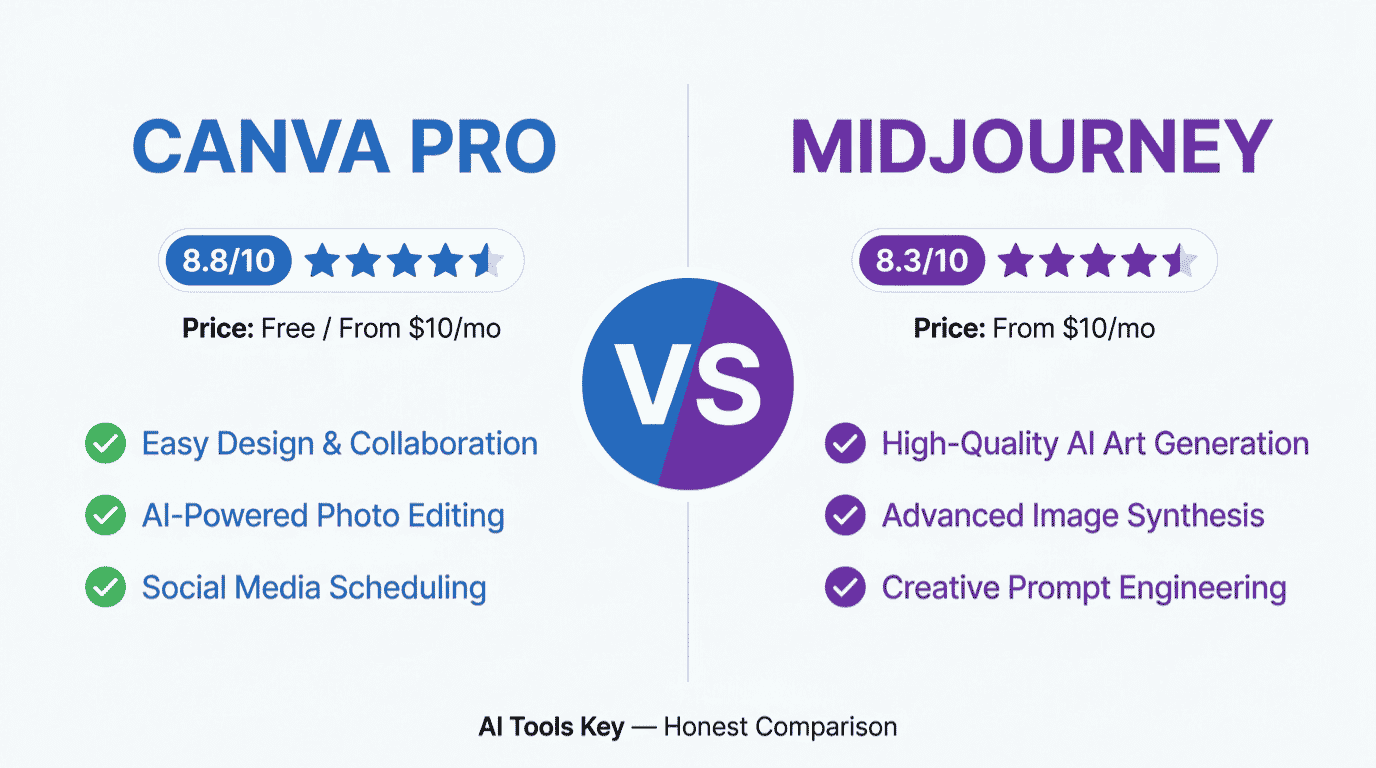
| Tool | Best For | Starting Price | Free Plan | Our Rating |
|---|---|---|---|---|
| Canva | Finished designs from templates | $10/mo (annual) | Yes | 8.8/10 |
| Midjourney | Unique, high-quality AI images | $10/mo (Basic) | No | 8.3/10 |
Canva and Midjourney are not direct competitors: Canva designs finished graphics from templates, while Midjourney generates unique images from text prompts. Keep that in mind as we compare them.
What Is Canva?
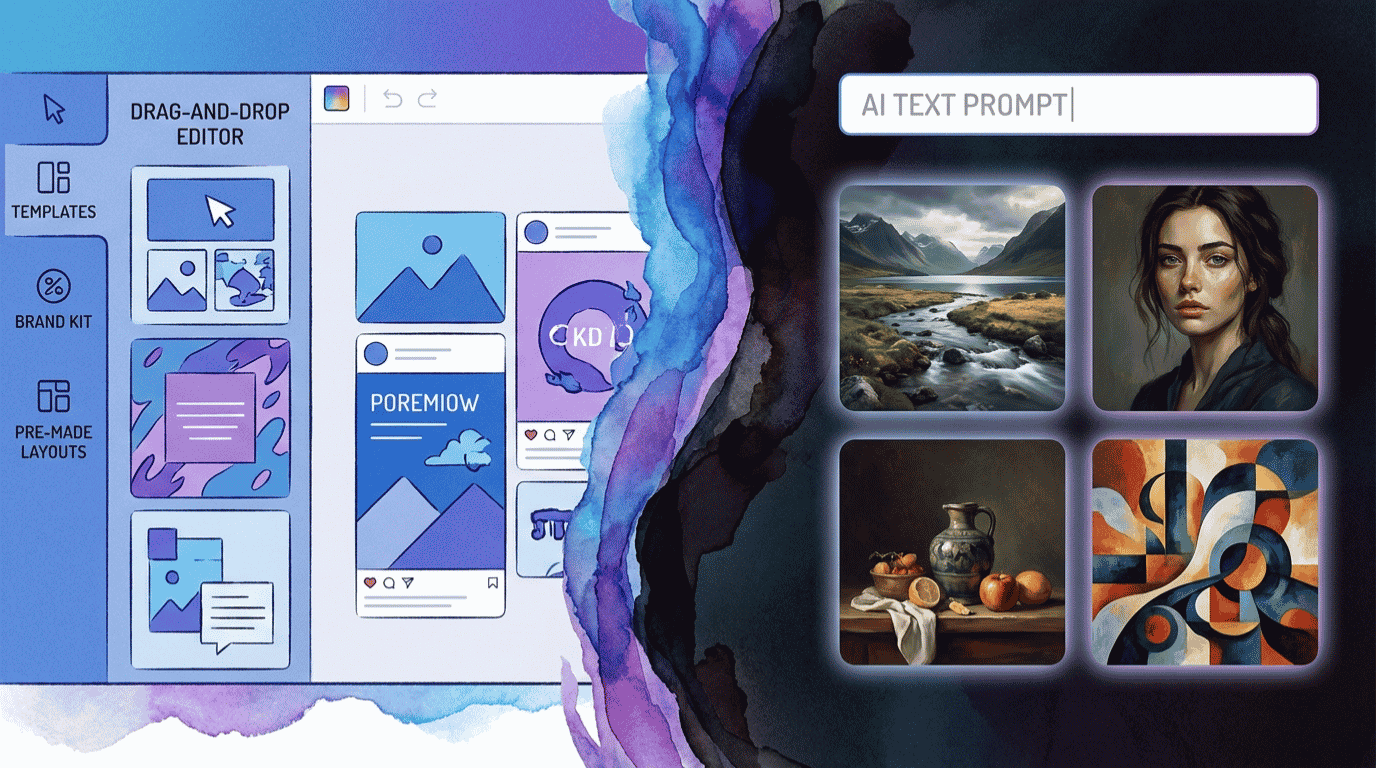
Canva is an all-in-one design platform built for people who are not professional designers. It uses templates and a simple drag-and-drop editor to help you create polished visuals in minutes.
With Canva, you can design social media posts, presentations, logos, flyers, videos, and more, all in one place. Canva offers more than 250,000 templates and a drag-and-drop editor; Midjourney offers neither.
It also has AI built in. Tools like Magic Studio and Magic Media can generate images, remove backgrounds, and resize designs. Crucially, those AI images drop straight into your layout at the right size, ready to use.
Canva’s images are also brand-safe, with clear usage rights, which matters for commercial work. For most everyday business design, it is fast, friendly, and good enough.
What Is Midjourney?
Midjourney is a dedicated AI image generator, and it is one of the best in the world at what it does. You type a text prompt, and it produces striking, original images in seconds.
Where Canva designs, Midjourney creates from scratch. It excels at unique, imaginative, and photorealistic visuals that templates simply cannot produce, from concept art to hero images.
You access it through a web app or Discord, and it runs on a GPU-hour system rather than a fixed image count. For more on its latest models, see Midjourney’s official site.
The trade-off is that Midjourney has no editor and no templates. It gives you a raw image, and what you do with it afterward is up to you.
Canva vs Midjourney: The Core Difference
If you remember one thing from this comparison, make it this: Canva is a design tool, and Midjourney is a generation tool.
Canva assumes you want a finished piece, like a ready-to-post Instagram graphic with text, layout, and branding. Midjourney assumes you want a single, striking image and nothing else.
That is why searching “Canva vs Midjourney” can be misleading. For most small businesses, the best setup is both: generate a striking image in Midjourney, then finish the design in Canva.
Still, if you can only pick one, the right choice depends on whether you need finished designs or raw image quality.
Image Quality and Artistry: Which Wins?
For pure image quality, Midjourney is the clear winner, and it is not especially close.
Midjourney produces images with a level of realism, detail, and artistic flair that Canva’s generator cannot match. Midjourney is consistently ranked the top tool for photorealism and artistic detail by its 680,000-member community.
Canva’s AI images have improved a lot, and they are perfectly fine for everyday social posts and quick visuals. For realism, mood, and “wow” factor, though, Midjourney is in a different league.
Midjourney is the best AI image generator for unique, high-quality, photorealistic, and artistic images. If a single standout image is your goal, this is your tool.
Templates and Ease of Use: Which Wins?
Flip the question to creating finished designs, and Canva pulls far ahead.
Canva is built for speed and simplicity. With templates, drag-and-drop editing, and built-in text and branding, a non-designer can produce a professional-looking graphic in minutes. Midjourney offers none of that.
Midjourney also has a learning curve. Writing good prompts and managing its GPU-hour system takes practice, while Canva is intuitive from the first click.
Canva is the better tool for finished marketing designs like social posts, presentations, and logos. If you need usable, on-brand assets fast, Canva wins easily.
Who Should Use Each Tool?
Still deciding? It often comes down to who you are and what you make each week.
Canva suits small business owners, social media managers, marketers, students, and teams who need a steady stream of finished graphics. If your days are full of posts, slides, and flyers, Canva is built for exactly that rhythm.
Midjourney suits artists, designers, brands, and creators who need one striking, original image and have the patience to prompt for it. If you are crafting a hero image, album art, packaging, or a unique concept, Midjourney delivers what no template can.
If you sit somewhere in between, running both is the realistic answer. That combination gives you professional-looking layouts and genuinely original imagery without compromising on either.
Here is a balanced look at where Canva stands overall.
Where Canva wins
- Hundreds of thousands of templates and a drag-and-drop editor
- All-in-one: social posts, presentations, logos, video, and more
- Built-in AI images that drop straight into your design
- Brand-safe images with clear usage rights
- A genuinely useful free plan and real-time collaboration
Where Canva falls short
- Its AI image quality trails Midjourney for realism and artistry
- Built-in AI credits are limited versus a dedicated generator
- The editor is less precise than professional design software
- The best AI features and storage need the Pro plan
Pricing Compared
This is where the two tools separate in an important way: one has a free tier, and the other does not.
Canva offers a genuinely useful free plan, plus Pro for individuals. Midjourney has no free tier and uses a GPU-hour system, with Basic starting at $10/month for about 200 images. So Midjourney always costs money, while Canva does not have to.
Here is how the plans line up.
| What | Canva | Midjourney |
|---|---|---|
| Free plan | Yes (permanent) | No |
| Entry paid | Pro, $10/mo (annual) | Basic, $10/mo |
| Main job | Design finished graphics | Generate AI images |
| Templates and editor | Yes (250,000+) | No |
| AI image generation | Yes (built in) | Yes (best in class) |
| Best image quality | Good | Excellent |
A billing note on Canva: Pro is $15/month billed monthly, or $120/year, which works out to about $10/month on annual billing. Midjourney’s higher tiers run $30/month for Standard, $60 for Pro, and $120 for Mega, all with roughly 20 percent off when paid annually.
Canva vs Midjourney: Which Is Actually Cheaper?
Let us put real numbers on it, because the gap is bigger than the matching $10 entry prices suggest.
Canva can cost you nothing. Its free plan covers a huge amount of everyday design, and Pro is about $10 a month on annual billing. Midjourney has no free option, and its $10 Basic plan runs out of fast hours quickly, so most regular users need the $30 Standard plan.
Here is what the full picture looks like if you want both tools.
The cost result
For finished designs, Canva is the cheaper and more flexible choice, starting free. For serious AI image generation, budget about $30/month for Midjourney’s Standard plan. A complete setup, Canva Pro plus Midjourney Standard, runs roughly $40/month total, which is still affordable for a business that needs genuinely standout visuals.
So the honest answer is this: Canva is far cheaper on its own, but Midjourney earns its cost when image quality is the whole point.
Why Not Both? The Smart Visual Workflow
Here is the approach a lot of designers and marketers quietly use: stop choosing, and combine them.
Use Midjourney to generate a unique, eye-catching image that no template could produce. Then bring that image into Canva to add your text, logo, layout, and branding, turning raw art into a finished, on-brand asset.
For example, a cafe owner might generate a moody, artistic coffee photo in Midjourney, then drop it into a Canva template to create a polished promo post with their logo and opening hours. That is the best of both worlds in minutes, and it produces visuals that look custom rather than stock. Once you see that result, the two tools stop feeling like rivals and start feeling like a team.
If you still want just one tool, the verdict below will point you in the right direction.
Rather not design it yourself? If you would prefer to hand your visuals to a pro, our specialists create scroll-stopping ad creatives and brand assets using tools like these. Explore our AI ad creative generation service, or browse the full AI services directory.
Hire a Designer on FiverrNot Sure Which One Fits? Try the Head-to-Head Picker
Reading a comparison is one thing; getting a clear answer is another. Answer three quick questions below about what you need, your design skills, and what matters most, and the picker returns our recommended winner with current pricing. Nothing you tap is saved or sent anywhere.
Canva vs Midjourney: Which Is Right for You?
3 quick questions, about 20 seconds, no email required.
The Verdict: Which Should You Choose?
After using both for real projects, here is our straight answer. There is no single winner, because each tool owns a different part of visual creation.
Choose Canva if
You need finished designs like social posts, presentations, logos, and ads, and you want them fast without design skills. Canva’s templates, easy editor, built-in AI, and free plan make it the better pick for everyday business visuals.
Choose Midjourney if
You need unique, high-quality AI images with real artistic impact, and you are comfortable writing prompts. Midjourney’s unmatched image quality makes it the better pick when a single standout visual is the goal.
Our rating weighs five factors: features, ease of use, pricing value, support, and integrations. You can read exactly how we test and rate every tool on our editorial guidelines page. Both score well; they simply solve different problems.
Want to weigh more visual tools? Our best AI design tools and best AI tools for content creation roundups are useful next reads.
Canva and Midjourney Alternatives
These two are not your only options. Depending on your goal, a few alternatives are worth a look.
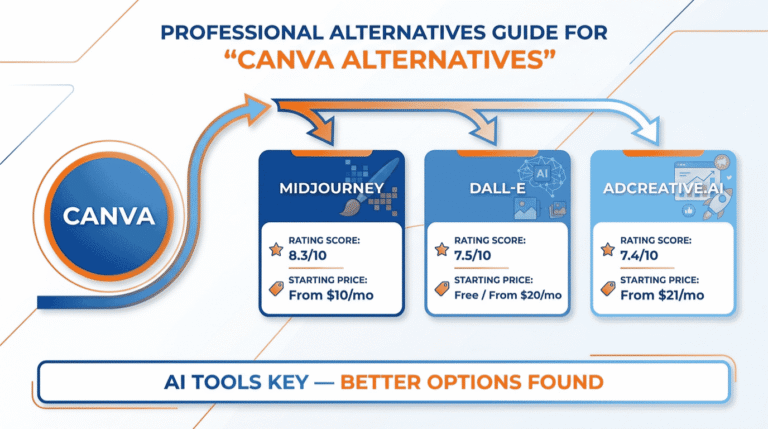
For another strong AI image generator, DALL-E is a flexible, easy-to-prompt choice. If your focus is marketing visuals and ads specifically, AdCreative.ai is built for that job. For moving visuals, our best AI video generators roundup covers the top picks. You can also browse the full AI tools directory for more.
Prefer to Have Your Visuals Designed for You?
Even the best AI tool still needs a skilled human to prompt, edit, and assemble a finished design. If you would rather skip that work, you do not have to do it alone.
Done-for-you visuals: Our vetted designers create ad creatives, social graphics, and complete brand assets that convert. Explore our AI ad creative generation service, or build a full identity with our AI logo design and branding service.
Get a Logo and Brand Kit on FiverrThe Information People Are Looking For
Is Midjourney better than Canva?
For raw image quality, yes; Midjourney produces more realistic and artistic images. But Canva is better for finished designs, because it adds templates, text, layout, and branding that Midjourney cannot. They do different jobs, so the better tool depends on whether you need a standout image or a ready-to-use design.
Is Canva AI as good as Midjourney for images?
Not for pure quality. Canva’s AI images are fine for everyday social posts and quick visuals, and they drop neatly into your designs. For realism, detail, and artistic impact, Midjourney is clearly ahead. Canva wins on convenience and integration; Midjourney wins on the quality of the image itself.
Is Midjourney free?
No. Midjourney removed its free trial in 2023 and has no free tier in 2026. The cheapest way in is the Basic plan at $10/month, which gives about 200 images. Most regular users choose the $30/month Standard plan for unlimited Relax Mode generations. Canva, by contrast, has a genuinely useful free plan.
Can you use Canva and Midjourney together?
Yes, and it is the ideal workflow for many businesses. Generate a unique image in Midjourney, then import it into Canva to add text, your logo, and layout, turning raw art into a finished, on-brand asset. This combines Midjourney’s image quality with Canva’s design tools in just a few minutes.
Which is cheaper, Canva or Midjourney?
Canva is cheaper. It has a permanent free plan, and Pro costs about $10/month on annual billing. Midjourney has no free option, and while Basic is also $10/month, most users need the $30/month Standard plan for regular work. For design on a budget, Canva is the clear winner.
Does Canva use Midjourney?
No. Canva’s AI image generation runs on its own engine, combining a diffusion model with its proprietary Dream Lab system, not Midjourney. The two are separate products from different companies. That is why their image styles and quality differ, and why some creators generate in Midjourney before designing in Canva.
Some links in this article are affiliate links. If you sign up through them, we may earn a commission at no extra cost to you. This never affects our ratings or recommendations. See our full affiliate disclosure for details.