How to Create AI Workflow Automation: A Step-by-Step Guide (2026)
If you keep doing the same manual tasks every day, you can hand most of them to software that thinks. Learning how to create AI workflow automation means building a process where a trigger starts the job, AI makes a smart decision, and an action finishes it, all without you lifting a finger. The best part: you do not need to write a single line of code. In this guide, we will walk through the exact steps after our hands-on testing, compare the four best no-code tools, and show you what it all costs.
We have tested every major no-code automation platform, and the easiest one to start with is Zapier, so we will reference it throughout this walkthrough.
Quick Answer
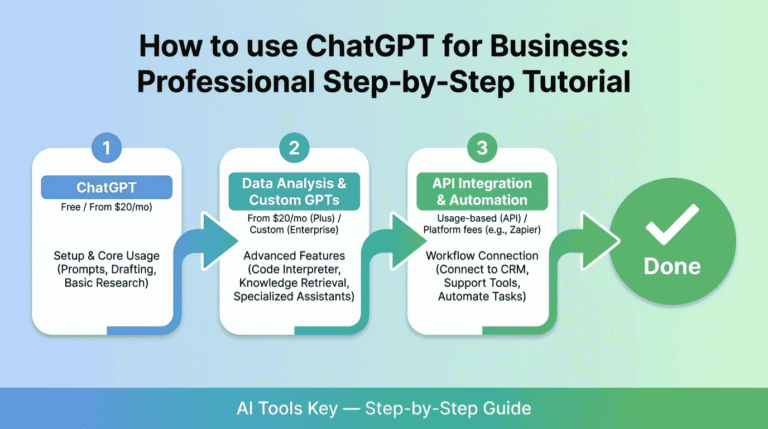
To create AI workflow automation, choose a no-code tool like Zapier (from $19.99/mo), Make (from $9/mo), Pabbly Connect (from $16/mo), or n8n (free self-hosted), then set a trigger, add an AI step to classify or write, and define the output action. Zapier is easiest, Pabbly is best value, and n8n is best for developers. Most workflows take about an hour to build.
This guide is part of our complete Guide to AI Automation for Small Business. Read the full pillar to see how AI can streamline your entire business.
What Is AI Workflow Automation?
AI workflow automation is a process that connects your apps and uses AI to make decisions inside that process automatically. Think of it as automation with a brain. A trigger starts the workflow, AI reads, classifies, or writes something, and an action completes the task, all without manual work.
Traditional automation follows rigid rules: if this happens, do exactly that. AI workflows add judgment, so they can read messy inputs, interpret tone, and route things intelligently. AI workflow automation is the fastest way for a small business to scale without hiring more people.
The momentum is real. According to a Box survey, 73% of top performers have automated previously manual processes, and a UiPath report found 52% of companies see automating complex workflows as a top benefit of AI. For a plain-English primer on the concept, IBM publishes a helpful overview of AI workflows.
How It Works: Trigger, AI, Action
Every AI workflow follows the same simple pattern. Once you see it, you can build almost anything.
- Trigger: the event that starts the workflow, like a new email, form submission, or file upload.
- AI step: the thinking part, where AI summarizes, classifies, writes, or analyzes the input.
- Action: the result, like saving to a sheet, sending a Slack message, or updating your CRM.
Here are a few real examples of that pattern in action:
- New email arrives, AI decides if it is urgent or spam, then routes it to the right folder.
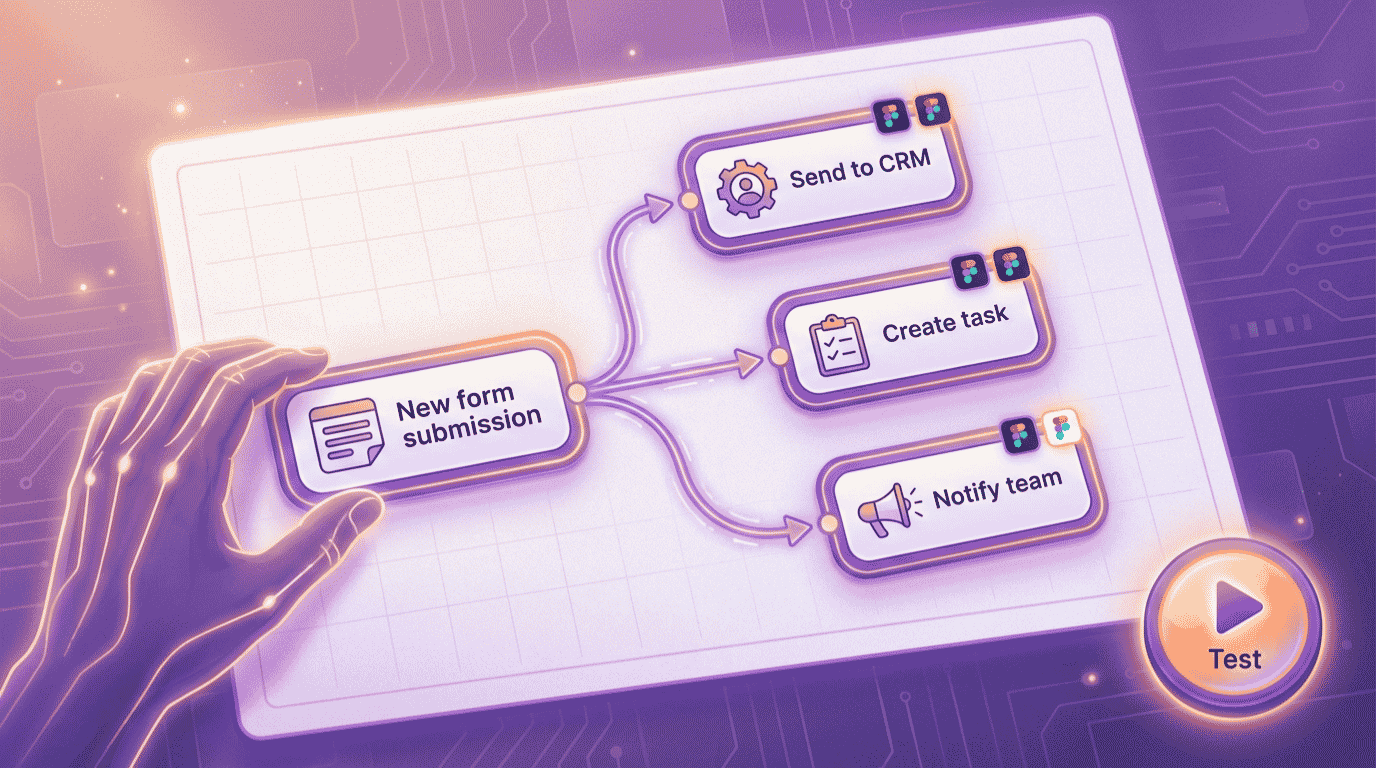
- New form submission, AI summarizes and qualifies the lead, then adds it to your CRM with a Slack alert.
- New customer review, AI analyzes the sentiment, then logs it and flags anything negative.
As one way to remember it: AI does the thinking, and automation does the action. That single idea is the foundation of every workflow you will build.
What You Need to Get Started
The barrier to entry is low. To follow this guide, you really need four things.
- A repetitive task that follows the same steps each time.
- At least two apps that need to share data, like email, a spreadsheet, a form, or a CRM.
- One no-code automation tool (free plans work to start).
- About an hour of focused time to build and test your first workflow.
Not sure if you are ready? Use the quick checker below. Answer four yes-or-no questions and it tells you whether to start Step 1 now or set something up first. Everything stays in your browser, and nothing is saved or shared.
Are You Ready to Build Your First AI Workflow?
4 quick questions. Takes about 20 seconds.
How to Create AI Workflow Automation in 6 Steps
Here is the exact process we use to build an AI workflow from scratch. Follow it in order and you will have a working automation by the end.
Step 1: Map the repetitive task you want to automate
Start with one painful, repeatable task. Write down three things: what starts it (the trigger), what decision needs to be made (the AI step), and what should happen at the end (the action). Do not try to automate everything at once. Nail one workflow first, then expand.
Step 2: Choose your automation tool
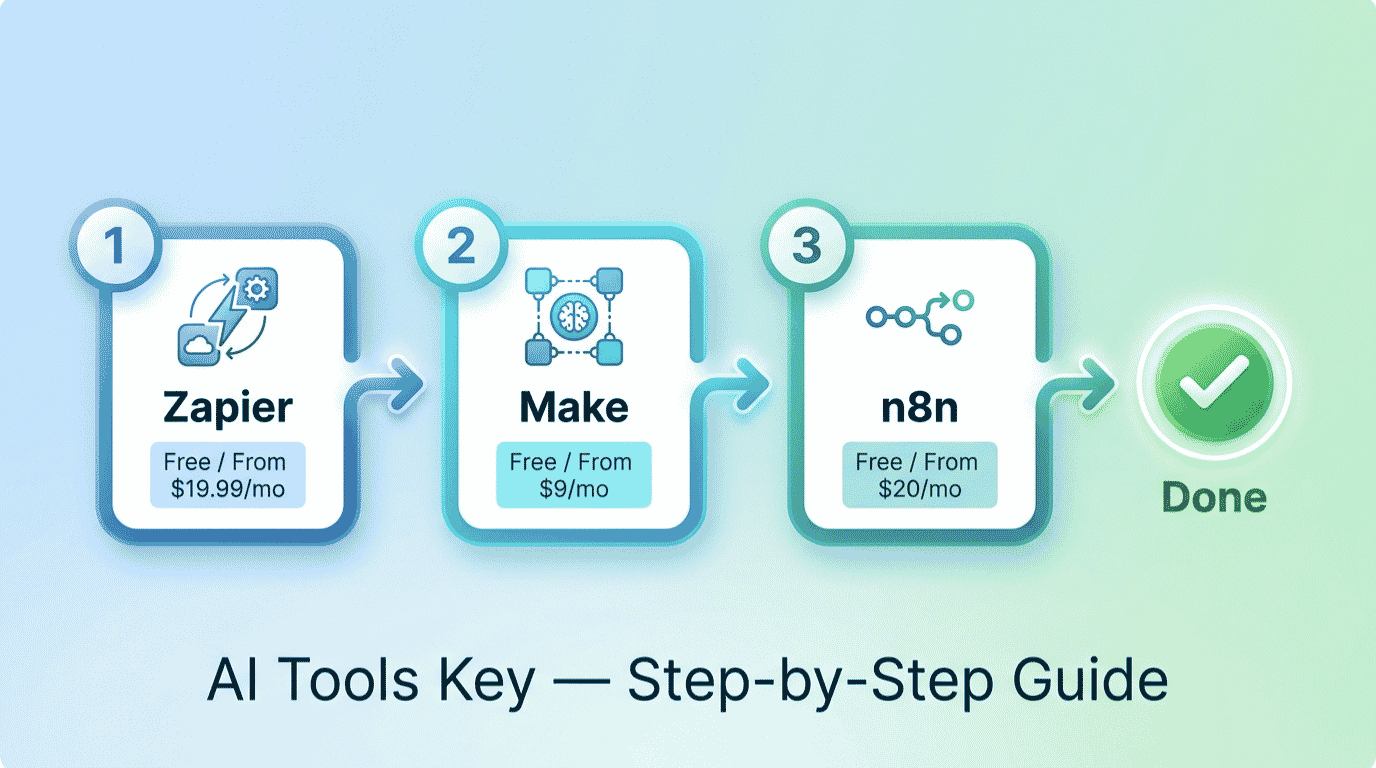
Next, pick the platform that will run your workflow. The four best no-code options are Zapier for the easiest setup, Make for a visual canvas, Pabbly Connect for the best value, and n8n for developers who want full control. We compare all four in detail, with pricing, in the next section.
Step 3: Set your trigger
Inside your chosen tool, create a new workflow and choose the trigger app and event. For example, “new email in Gmail” or “new response in Google Forms.” This is the spark that kicks everything off. Most tools let you test the trigger right away to confirm it fires correctly.
Step 4: Add the AI step
This is where the magic happens. Add an AI action and connect a model like ChatGPT or Claude, then write a clear prompt telling it what to do, such as “classify this email as urgent, normal, or spam” or “summarize this feedback in two sentences.” The clearer your prompt, the better the output.
Step 5: Define the output action
Now tell the workflow what to do with the AI result. Send it to a Slack channel, add a row to a Google Sheet, create a CRM record, or send an email. You can chain several actions together, so one trigger can update multiple apps at once.
Step 6: Test, then keep a human in the loop
Always test before you trust it. Run a few real examples and check the output. A smart safety rule: let AI act automatically only when it is confident, and send anything uncertain to you for review. Keep a human check on important workflows until the results are consistently right.
Want your workflows built for you?
An automation specialist can map your processes, build the workflows, and connect all your apps so everything just runs. Skip the learning curve and have it handled.
See Workflow Automation ServicesThe 4 Best Tools for AI Workflow Automation
The tool you pick shapes how easy, flexible, and affordable your automation will be. Here is how the four best no-code platforms compare after our testing.
| Tool | Best For | Starting Price | Free Option | Rating |
|---|---|---|---|---|
| Zapier | Best overall, easiest to use | $19.99/mo | Free plan (100 tasks) | 8.5/10 |
| Make | Best visual builder | $9/mo | Free plan (1,000 credits) | 8.3/10 |
| Pabbly Connect | Best value and budget | $16/mo | Free plan (100 tasks) | 8.5/10 |
| n8n | Best for developers | $20/mo or free self-hosted | Free self-hosted | 8.4/10 |
Zapier Best Overall
- The largest app library in automation
- Simple trigger-and-action setup
- Built-in AI features and steps
- Best for non-technical users
Zapier is the easiest way to start and connects more apps than anyone. It links more than 8,000 apps, so whatever you use, it likely supports it.
Pabbly Connect Best Value
- Does not charge for filters or routers
- Unlimited workflows on all paid plans
- One-time lifetime payment option
- Beginner-friendly drag-and-drop builder
Pabbly Connect is the budget champion. It only counts action steps, not internal logic, and its lifetime deal can pay for itself within a year versus monthly tools.
Make sits in the middle as a powerful visual builder, and our Zapier vs Make comparison covers that choice in depth. For the full landscape, see our roundup of the best AI automation tools. The key difference to understand: Zapier and Pabbly charge per task or action, while n8n charges per workflow run, which makes n8n cheaper for complex, multi-step workflows.
A Real Example: Automating Lead Handling
Let me make this concrete. Say you run a small agency and get demo requests through a form on your site. Doing this by hand eats your morning. Here is the workflow you would build.
The trigger is a new form submission. The AI step reads the message, qualifies the lead, and writes a one-line summary. The actions then add the lead to your CRM, post a summary to your team’s Slack channel, and send the prospect a friendly auto-reply. You build it once in Zapier or Pabbly Connect, test it, and from then on every lead is captured, sorted, and answered in seconds.
That is hours back every week, with no leads slipping through the cracks. The same blueprint works for support tickets, invoices, content publishing, or any process you repeat.
What Does AI Workflow Automation Cost?
The honest answer: you can start free and pay only as you scale. Every tool above has a free plan or a free self-hosted option, so you can build and test your first workflows at no cost.
For a realistic small business budget, most owners spend between $9 and $30 per month. Make starts at $9/mo, Pabbly Connect at $16/mo, and Zapier at $19.99/mo, while n8n is free if you self-host or $20/mo on the cloud. There is one extra cost to remember: if your AI step uses ChatGPT or Claude through an API, you pay a small per-use fee to that provider on top of your automation tool. Browse the full AI automation tools category for more options.
DIY vs Hiring an Expert
So should you build your workflows yourself or hire help? It comes down to time and complexity.
Do it yourself if
- Your workflows are simple and you enjoy learning the tools.
- You have an hour or two to experiment.
- Your budget is tight and you want full control.
Hire a specialist if
- Your workflows are complex or connect many apps.
- Your time is better spent running the business.
- You want a reliable system built and tested for you.
If you would rather skip the setup, a freelancer can map your processes and build every workflow for you. Compare experts and budgets in the full directory of AI services on Fiverr.
Want a custom automation system built for you?
Hand your repetitive processes to a vetted specialist and get a reliable set of workflows that run your busywork automatically.
Hire a Workflow Automation ExpertIs It Worth Learning How to Create AI Workflow Automation?
In our view, yes, clearly. AI workflow automation turns your repetitive tasks into systems that run themselves, freeing you to focus on the work that grows your business. Every hour you invest in setup returns many times over.
We rate every tool on a transparent 10-point scale across features, ease of use, pricing value, support, and integrations. You can read more about how we test in our editorial guidelines. By that standard, Zapier is the easiest place to start, Pabbly Connect is the best value, and n8n is best for developers. If you want a concrete first project, our guide on how to automate social media with AI walks through a complete workflow.
Our Recommendation
Pick a no-code tool, start on a free plan, and build one workflow using the trigger, AI, action pattern. Choose Zapier for the easiest start, Pabbly Connect for the best value, or n8n if you can self-host. Test everything and keep a human review on important workflows. It is the highest-return move a small business can make.
Get Started With ZapierThe Information People Are Looking For
What is AI workflow automation?
AI workflow automation is a process that connects your apps and uses AI to make decisions inside that process automatically. A trigger starts it, AI reads, classifies, or writes something, and an action completes the task. Unlike traditional automation, it can interpret messy inputs and make smart choices, not just follow rigid rules.
How do I create an AI workflow without coding?
Use a no-code tool like Zapier, Make, Pabbly Connect, or n8n. Create a new workflow, choose a trigger, add an AI step that connects to a model like ChatGPT, then define the output action. The whole thing is built with a visual, drag-and-drop interface, so no coding is required to get started.
What is the best tool for AI workflow automation?
For most small businesses, Zapier is the best overall thanks to its ease of use and 8,000-plus app integrations. Pabbly Connect is the best value with a lifetime deal option, Make offers the best visual builder, and n8n is best for developers who want control and the lowest cost at scale through self-hosting.
How much does AI workflow automation cost?
You can start free with Zapier, Make, Pabbly Connect, or self-hosted n8n. A realistic paid budget is $9 to $30 per month: Make from $9/mo, Pabbly Connect from $16/mo, Zapier from $19.99/mo, and n8n from $20/mo on the cloud. If your AI step uses an API, add a small per-use fee for that.
What is the difference between AI workflow and traditional automation?
Traditional automation follows fixed rules and does exactly what you tell it, no more. AI workflow automation adds judgment, so it can read, classify, interpret tone, and make decisions that are hard to encode manually. In short, traditional automation follows rules, while AI automation makes smart choices based on the input.
What are examples of AI workflow automation?
Common examples include sorting incoming emails by urgency, qualifying and routing new leads from a form, summarizing customer feedback, turning a blog post into social captions, and flagging negative reviews. Each one follows the same pattern: a trigger starts it, AI makes a decision, and an action completes the task automatically.
How long does it take to build an AI workflow?
Most people build their first AI workflow in about an hour. Mapping the task and writing the AI prompt take the most time at first. Once you understand the trigger, AI, action pattern and your tool’s interface, each new workflow usually takes only a few minutes to set up and test.