Best AI Tools for Teachers and Educators in 2026: Your Complete Classroom Workflow
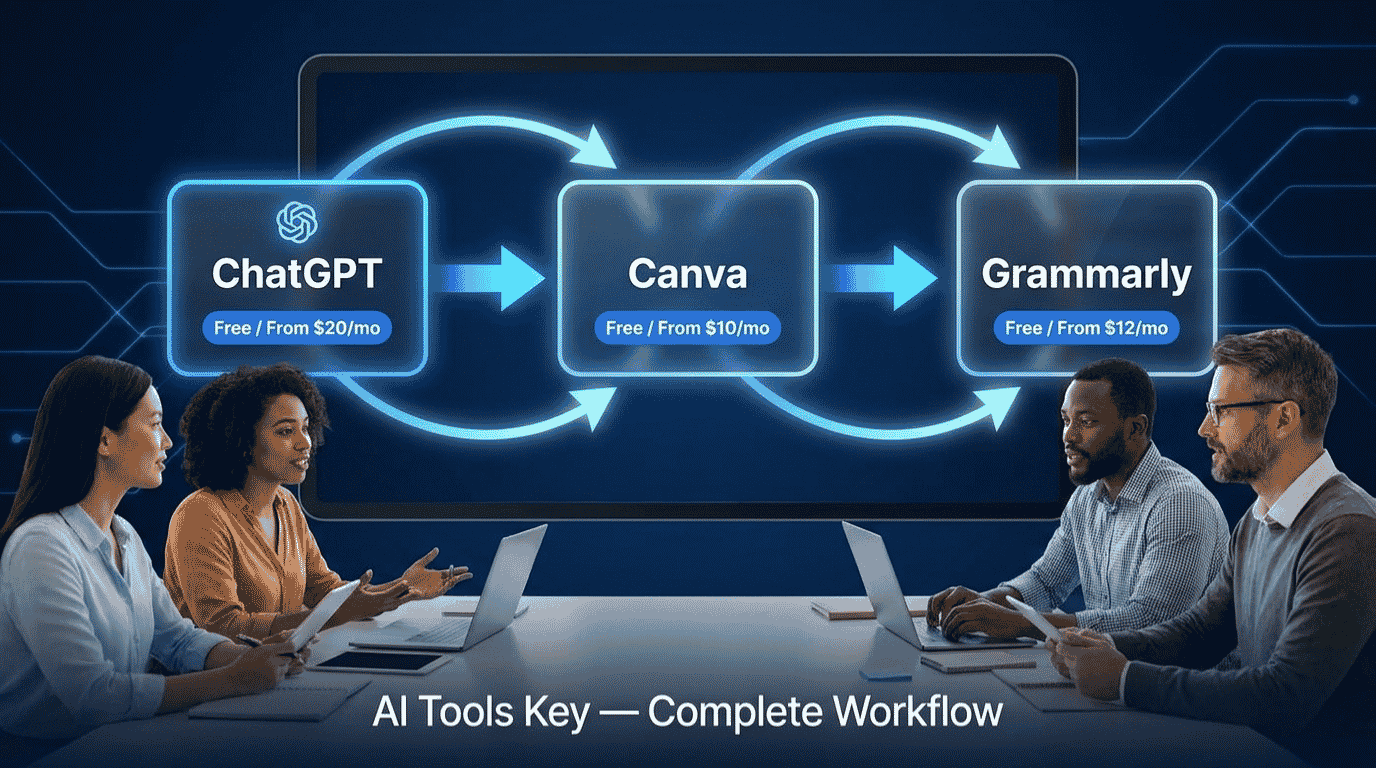
The best AI tools for teachers and educators are not the niche platforms you keep seeing on every list. For most teachers, the fastest wins come from three tools you can start using today: ChatGPT for planning, Canva for visuals, and Grammarly for feedback. Used together, they take a lesson from a blank page to a printed worksheet, a polished slide deck, and graded feedback in a fraction of the usual time. Here is the exact classroom workflow, the tool behind each step, and what the whole stack costs.
Quick Answer
The best AI tools for teachers and educators in 2026 are ChatGPT (free for verified US K-12 teachers through 2027, or $20/month Plus) for lesson planning, Canva (free for verified teachers, or $10/month Pro) for worksheets and slides, and Grammarly (free, or $12/month Pro) for grading feedback and parent emails. A verified teacher can run all three for $0.
This guide is part of our complete guide to AI tools for small business. Read the full pillar for a wider view of the AI tools that save busy professionals hours every week.
Why the best AI tools for teachers and educators save you hours every week
Teaching has a paperwork problem. Lesson plans, differentiated worksheets, rubrics, parent emails, report card comments: the prep work eats the evenings and weekends that should belong to you. AI does not teach for you, but it can draft the repetitive parts so you spend your energy on the classroom instead of the copier.
The shift is already happening at scale. According to OpenAI, three in five teachers already use an AI tool, and those who use it weekly report saving hours each week. Independent education surveys put that time saving even higher.
Teachers who use AI weekly report saving roughly 5.9 hours per week, with lesson planning being where most of those hours come back. That is close to a full working day reclaimed every week, without cutting a single corner on quality.
The trick is to treat AI as a first-draft engine, not a final-answer machine. You bring the judgment about what your students need; the tools handle the typing, formatting, and design. That division of labor is the whole reason this workflow works.
The teacher AI workflow, step by step
Here is the path a single lesson takes through the stack, from idea to graded paper. Each step names the tool that does the heavy lifting and links to our full review so you can dig deeper.
Step 1: Plan and draft lessons with ChatGPT
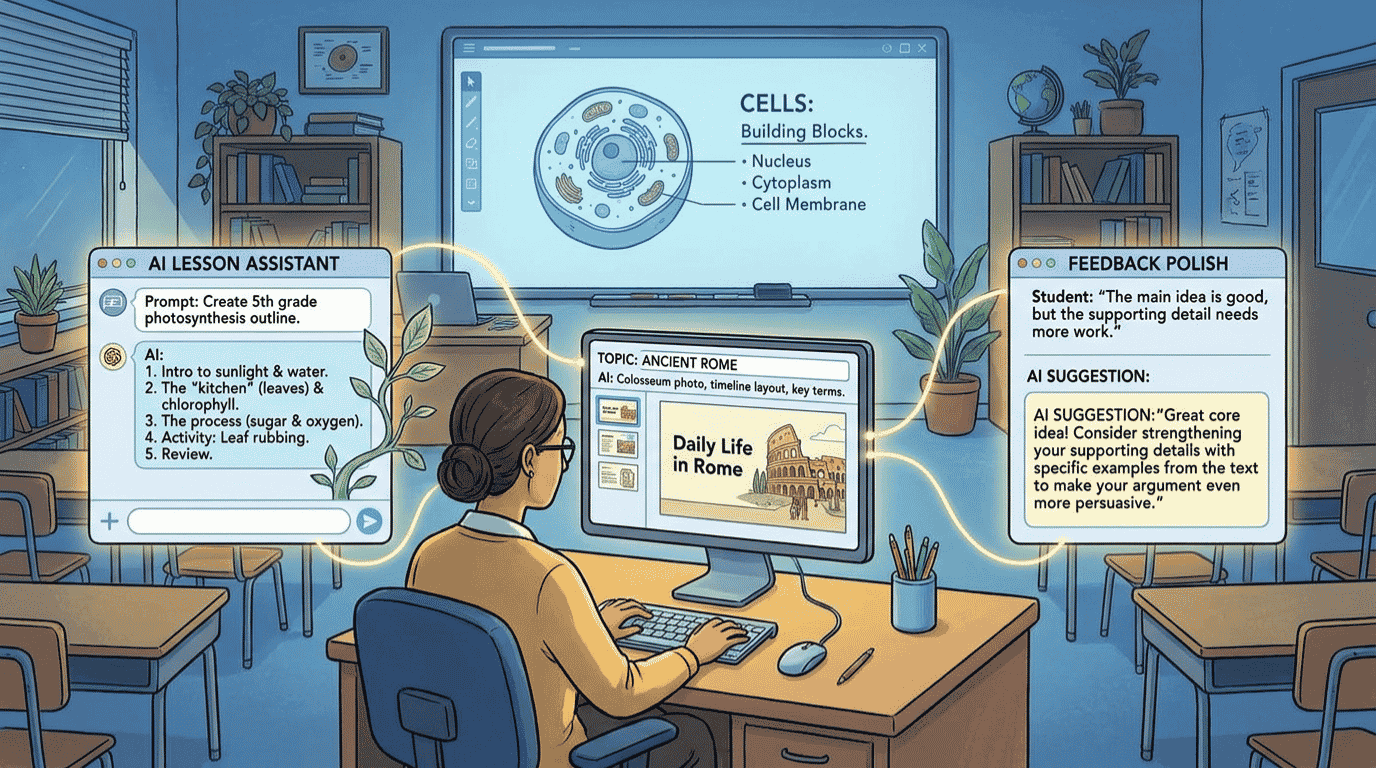
Start where the time crunch hits hardest. Give ChatGPT your topic, grade level, lesson length, and any standards you teach, and it will produce a structured lesson plan, learning objectives, a hook activity, and discussion questions in seconds. Then you edit for your actual classroom.
Workflow tip: Paste your standard or unit goals into the prompt and ask for “a 45-minute lesson with a warm-up, main activity, and exit ticket.” Specific prompts get classroom-ready drafts; vague prompts get generic filler.
ChatGPT Best Overall
- Drafts full lesson plans, rubrics, and quizzes from a short prompt
- Free for verified US K-12 teachers through June 2027 via the ChatGPT for Teachers workspace
- Connects to Canva, Google Drive, and Microsoft 365 so chats start with your classroom context
New to prompting? Our walkthrough on how to use ChatGPT for real work covers the prompt patterns that turn rough requests into usable drafts, and they map directly onto lesson prep.
Step 2: Turn drafts into worksheets and slides with Canva
A great lesson plan still needs to look like something students will use. Canva takes your text and turns it into clean worksheets, classroom posters, and presentation slides with drag-and-drop templates. Its Magic Write and design tools handle the layout so you are not fighting with text boxes at 10pm.
Canva Best for Visuals
- Thousands of editable worksheet, slide, and poster templates by grade and subject
- Magic Write, background remover, and Magic Resize turn one design into many formats
- Canva for Education is 100% free for verified teachers, with LMS links to Google Classroom and Canvas
Canva is the design backbone of this stack for a reason. If you want the full feature breakdown before you commit, read our hands-on Canva Pro review covering what the paid tier adds over the free plan.
Step 3: Polish feedback, emails, and rubrics with Grammarly
Once students hand work back, you are writing again: feedback comments, rubric notes, parent updates, and report card remarks. Grammarly checks your tone and clarity in real time inside Google Docs, Gmail, and your browser, so your written feedback stays professional even at the end of a long day.
Grammarly Best for Writing
- Real-time grammar, clarity, and tone checks inside Docs, Gmail, Word, and the browser
- Free plan catches everyday errors; Pro adds rewrites, tone control, and plagiarism checks
- Tone adjustment keeps parent and admin emails clear and professional
Wondering whether you even need Grammarly when ChatGPT can rewrite text too? Our comparison of Grammarly versus ChatGPT breaks down where each one wins, since the answer is “both, for different jobs.”
Step 4: Differentiate and adapt reading levels
Mixed-ability classrooms need the same content at different reading levels. Ask ChatGPT to rewrite a passage “at a 4th-grade reading level” or “for an English language learner,” and you get a leveled version plus comprehension questions in seconds. It is the single biggest time saver for inclusive classrooms.
Workflow tip: For heavy differentiation work, purpose-built tools like Diffit are built specifically for leveled reading. But for a quick adaptation inside your existing workflow, ChatGPT handles it without another login. More on that trade-off below.
Step 5: Communicate with parents and admin faster
Parent emails are where tone matters most and time is shortest. Draft the message with ChatGPT, then run it through Grammarly for tone, and a tricky behavior update or a field-trip notice goes out polished in two minutes instead of twenty. You can also build a reusable bank of templates you tweak per student.
Browse the full AI writing tools category if you want more options for the planning and communication side of teaching beyond these three picks.
The best AI tools for teachers and educators, compared
Here is the three-tool stack side by side. Each one owns a different stage of the workflow, which is why teachers tend to use them together rather than picking just one.
| Tool | Best For | Starting Price | Free Option | Rating |
|---|---|---|---|---|
| ChatGPT | Lesson planning, differentiation, drafting | $20/mo Plus | Yes (free for verified US K-12 teachers) | 9.0/10 |
| Canva | Worksheets, slides, posters, visuals | $10/mo Pro (annual) | Yes (free for verified teachers) | 8.8/10 |
| Grammarly | Feedback, emails, rubrics, clarity | $12/mo Pro (annual) | Yes (usable free tier) | 8.3/10 |
Best overall: ChatGPT. Best for visuals: Canva. Best for writing and feedback: Grammarly. Most teachers start with whichever step hurts most, then add the other two within a week.
An honest note: where generic AI tools fall short
We test dozens of tools, so here is the straight version. ChatGPT, Canva, and Grammarly are general tools, not curriculum tools. They do not know your state standards, your pacing guide, or the difference between a 45-minute block and an 80-minute one. You still supply that context in every prompt.
Purpose-built education platforms close that gap. MagicSchool offers 80+ teacher-specific generators and is FERPA compliant for districts that require a privacy review. Diffit is unmatched for leveled reading from any text. Khanmigo leads one-on-one student tutoring. If your bottleneck is deep curriculum alignment or student-facing AI, those specialists are worth a look.
So why does our stack still win for most teachers? Three reasons: the tools are universal, the learning curve is near zero, and a verified teacher can run all three for free. You can adopt them this week without a district contract. Start broad with ChatGPT, Canva, and Grammarly, then add a specialist only where you feel a specific pinch. Our testing and rating methodology explains how we weigh features, ease of use, pricing, support, and integrations for every tool we score.
Are these AI tools free for teachers?
Mostly yes, and that is the best-kept secret in classroom AI. Each tool in this stack has a usable free path for educators, so you can build the entire workflow at no cost before you ever pay a cent.
ChatGPT for Teachers is free for verified US K-12 educators through June 2027, with unlimited messages and education-grade privacy that does not use your content to train models by default. You verify your educator status through a third-party partner, then invite colleagues to your workspace.
Canva for Education is 100% free for verified K-12 teachers and students, including the premium design features, Magic Write, and LMS integrations. Sign up with a school email or upload proof of teaching status, and you are usually approved within a few days.
Grammarly’s free plan catches everyday grammar, spelling, and tone issues and includes a monthly allowance of AI prompts, which is plenty for most teachers. The official source for the educator ChatGPT offer is OpenAI’s ChatGPT for Teachers page, and Canva’s free education access lives on the Canva for Education page.
Heads up for non-US and university educators: The free ChatGPT for Teachers workspace is currently limited to US K-12. UK, EU, and higher-ed teachers can still use the standard ChatGPT free tier, or ChatGPT Plus at $20/month, alongside free Canva for Education access.
What this AI teaching stack costs
If you pay for everything, the full stack runs about $42 to $65 per month depending on billing, or far less on annual plans. But the headline number for teachers is different: with verified educator access, your free-only total is $0. Toggle the tools below to see your own number.
Teacher AI Stack Cost Calculator
Toggle the tools you want and see your monthly and annual cost.
The math that matters: a paid stack of around $50 per month is still cheap next to the hours it returns. But if you teach K-12 in the US, verify your educator status and the same workflow costs nothing.
Do it yourself or hire an expert?
This stack is built to be do-it-yourself, and most teachers will happily run it themselves. The tools are designed for non-technical users, and the free tiers mean there is no budget risk to experimenting.
That said, there are moments when handing off makes sense. If you are building a polished slide deck for a conference talk, a district presentation, or a parent night and you want it to look truly professional, a designer can save you a weekend.
Want a presentation done for you? A freelance designer can turn your lesson content into a polished, on-brand slide deck.
Get AI Presentation Design on FiverrThe same logic applies to large content projects, like a full unit of worksheets or a course workbook. If you would rather spend your time teaching, our AI content writing services page connects you with writers who can build the materials to your spec.
How a middle school teacher uses this stack
Here is what a normal week looks like for a 7th-grade science teacher running the workflow. Monday morning, she asks ChatGPT for a five-day unit on cell biology aligned to her standards, then trims it to fit her 50-minute blocks.
Tuesday, she drops the key concepts into Canva and generates a labeled diagram worksheet and a set of slides from a template, all branded with her classroom colors. Wednesday, she uses ChatGPT to create three reading-level versions of the same article for her mixed-ability groups.
Thursday and Friday, as work comes back, she writes feedback inside Google Docs with Grammarly catching tone and clarity, and drafts two parent emails about upcoming labs in minutes. Total new spend: $0, because she verified for ChatGPT for Teachers and Canva for Education. Time saved: most of a planning period every single day.
For a deeper roundup of the best general-purpose options behind this kind of workflow, our guide to the full AI tools directory lets you browse every tool we have reviewed by category.
Our Verdict
For most teachers, the best AI starter stack in 2026 is ChatGPT for planning, Canva for visuals, and Grammarly for feedback. They are easy, universal, and free for verified educators, which makes them the lowest-risk way to claw back hours every week. Add a purpose-built tool like MagicSchool or Diffit only when you hit a specific curriculum or differentiation wall. Start with the one step that drains you most, then layer in the rest.
Your complete teacher AI tool stack:
- ChatGPT (planning and differentiation) – free for verified US K-12 teachers, or $20/mo: try ChatGPT
- Canva (worksheets, slides, posters) – free for verified teachers, or $10/mo: try Canva
- Grammarly (feedback, emails, rubrics) – free, or $12/mo: try Grammarly
- Done-for-you slides: hire a content writer on Fiverr
Some links above are affiliate links. See our affiliate disclosure for details.
The Information People Are Looking For
What is the best AI tool for teachers in 2026?
For most teachers, ChatGPT is the best all-around AI tool in 2026 because it drafts lesson plans, quizzes, rubrics, and differentiated readings from a short prompt. Pair it with Canva for visuals and Grammarly for feedback. Purpose-built platforms like MagicSchool are stronger for deep curriculum alignment.
Is ChatGPT free for teachers?
Yes. ChatGPT for Teachers is free for verified US K-12 educators through June 2027, offering unlimited messages and education-grade privacy that does not train on your content by default. Teachers outside the US or in higher education can use the standard free tier or ChatGPT Plus at $20 per month.
Can teachers use Canva for free?
Yes. Canva for Education is 100% free for verified K-12 teachers and students, including premium templates, Magic Write, the background remover, and LMS integrations with Google Classroom and Canvas. You verify with a school email or proof of teaching status and are usually approved within a few days.
Will AI replace teachers?
No. AI will not replace teachers in 2026 or the foreseeable future. Teaching depends on classroom presence, relationship building, and professional judgment that AI cannot replicate. What AI does replace is repetitive tasks like lesson drafting, formatting, and rubric prep, giving teachers more time for the human side of the job.
What AI tool should a new teacher start with?
A new teacher should start with ChatGPT for lesson planning, since it covers the widest range of tasks with no learning curve. Add Canva for worksheets and slides, then Grammarly for feedback and parent emails. Begin with the single task that drains your time most, then expand once that step feels effortless.
How much time can AI tools save teachers?
Teachers who use AI weekly report saving roughly 5.9 hours per week, with lesson planning being the biggest source of recovered time. OpenAI also reports that three in five teachers already use an AI tool. Most of those savings come from drafting, formatting, and differentiation rather than from replacing teaching itself.
Are AI tools for teachers safe for student data?
It depends on the plan. Education-specific workspaces like ChatGPT for Teachers and Canva for Education are built to support FERPA requirements and do not train on your content by default. Standard consumer plans offer fewer protections, so avoid entering identifiable student information and always follow your district’s data policy.