Best AI Tools for Shopify Store Owners in 2026: The Complete Store Stack
If you run an online store, the best AI tools for Shopify store owners in 2026 can quietly handle the work that eats your day: product descriptions, store visuals, customer questions, abandoned carts, and the busywork between apps. We have tested dozens of them, and the honest takeaway is simple. You do not need a $400-a-month enterprise suite. You need a small, connected stack where each tool does one job well and hands the work to the next.
Quick Answer
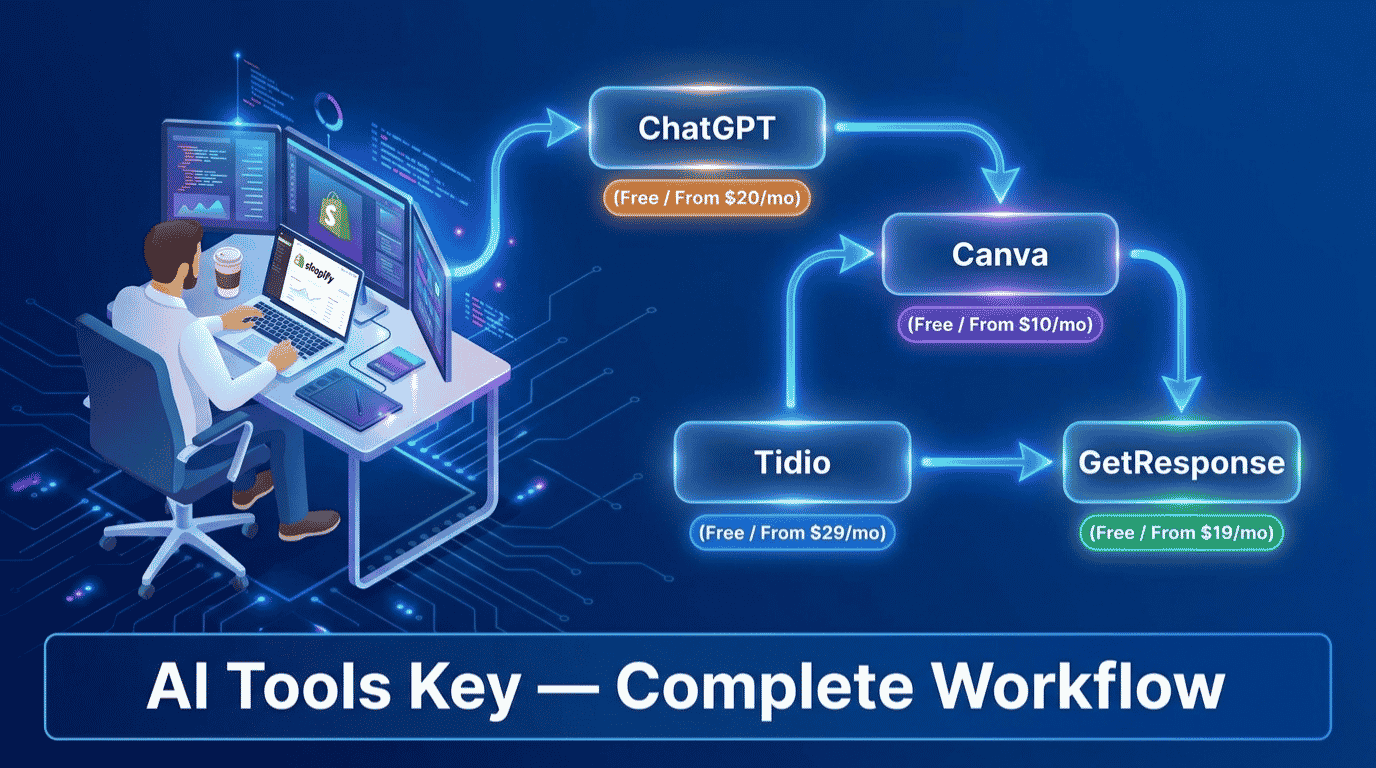
The best AI tools for Shopify store owners in 2026 are ChatGPT (free) for product descriptions, Canva Pro ($10/mo) for store visuals and ads, Tidio (free) for customer support and cart recovery, GetResponse ($19/mo) for email flows, and Zapier ($19.99/mo) to connect your store. Start free, then add one paid tool as sales grow.
This guide is part of our complete Guide to AI Tools for Small Business. Read the full pillar for a wider view of how small teams use AI across content, marketing, and operations.
Why Shopify Store Owners Need an AI Stack in 2026
Running a store means doing ten jobs at once: writing product pages, designing ads, answering the same questions over and over, chasing abandoned carts, and keeping your apps in sync. Each task is small. Together, they swallow your week and leave no time to grow the business.
That is exactly where AI helps. The pain is real and measurable. Baymard Institute research puts the average documented online shopping cart abandonment rate at around 70%, which means most of your hard-won traffic leaves without buying. Good support and timely follow-up win a big share of that back.
It is worth noting that Shopify now ships its own free AI helper, Shopify Magic, for basic product copy and email. It is a fine starting point. The five tools below are the affordable third-party layer that goes further, covering design, real customer support, proper email flows, and automation that Magic does not handle.
Before we get into the workflow, you can also browse our full AI tools directory if you want options beyond the five core picks below.
The Best AI Tools for Shopify Store Owners at a Glance
Here is the full stack in one view. Each tool earns its place at a different stage of running your store, so you are not paying twice for the same job. Prices shown are the lowest monthly cost, which usually means billing annually.
| Tool | Best For | Starting Price | Free Option | Rating |
|---|---|---|---|---|
| ChatGPT | Best for product descriptions (free) | Free / $20/mo | Yes | 8.9/10 |
| Canva Pro | Best value for store visuals and ads | Free / $10/mo | Yes | 8.8/10 |
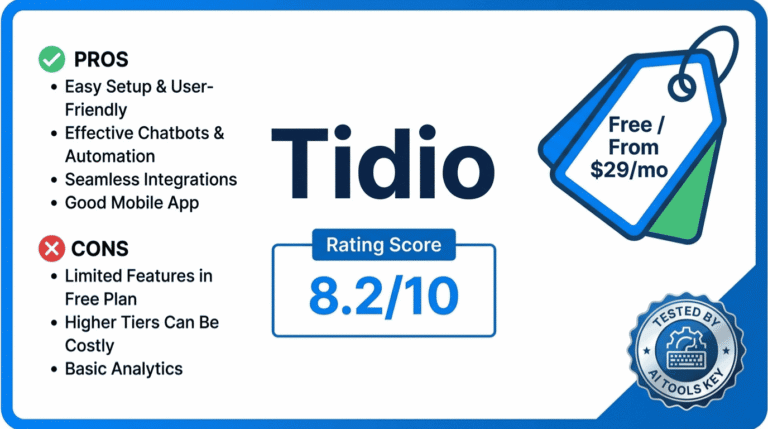
| Tidio | Best for support and cart recovery | Free / $29/mo | Yes | 8.2/10 |
| GetResponse | Best for email and abandoned-cart flows | Free / $19/mo | Yes | 8.6/10 |
| Zapier | Best for connecting your store | Free / $19.99/mo | Yes | 8.5/10 |
Some links in this guide are affiliate links, which means we may earn a commission at no extra cost to you. See our affiliate disclosure for the details. It never changes our ratings.
How We Picked the Best AI Tools for Shopify Store Owners
We did not pull this list from a press release. Every tool here was tested against one question: does it remove real work from a store owner’s week, and can a non-technical merchant run it without a developer?
Our rating considers five factors: features, ease of use, pricing, support, and integrations. You can read the full process in our editorial guidelines. We leaned toward tools with native Shopify support and a genuine free tier, because most stores need to prove an idea before spending big.
We also skipped the enterprise sprawl. Many Shopify roundups push tools that cost $45 to $400 a month before you have made a sale. The best AI tool stack for Shopify store owners in 2026 is one you can start free and scale only as your sales grow. All five of our picks have a real free plan.
The 5-Step AI Workflow for Your Shopify Store
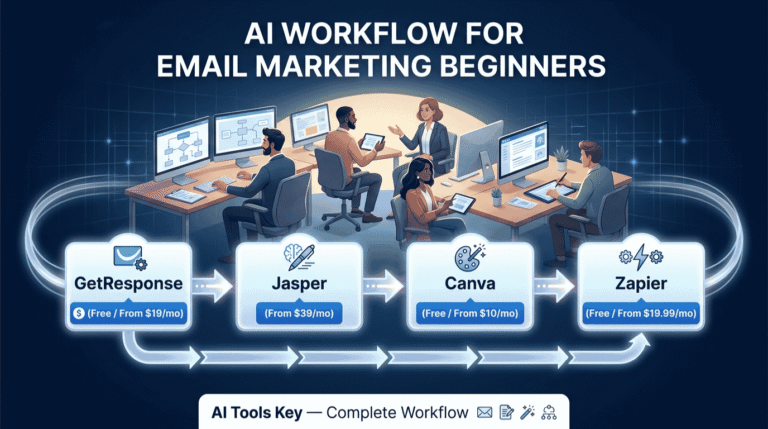
This is the part that matters. Below is the exact pipeline we recommend, from product page to repeat sale. Each step names one tool, links to our full review, and shows where it fits. Follow it in order and nothing falls through the cracks.
Step 1: Write Product Descriptions and Store Copy With ChatGPT
Start with the writing, because that is where most stores stall. ChatGPT turns a few product details into a polished description, SEO meta copy, ad text, and FAQ answers in minutes. For a store with dozens of products, that is hours back every week.
The trick is specificity. Feed it the product features, materials, target customer, and the tone you want, then ask for a description plus three ad variations. The more context you give, the less editing you do later.
Workflow tip: Build one master prompt with your brand voice, then paste each product’s specs into it. You get consistent, on-brand descriptions across your whole catalog instead of writing each one from scratch.
For a deeper playbook on prompts and use cases, our guide on how to use ChatGPT for business goes further. For most stores, the free plan covers product copy and emails just fine.
Step 2: Create Product Images and Ads With Canva Pro
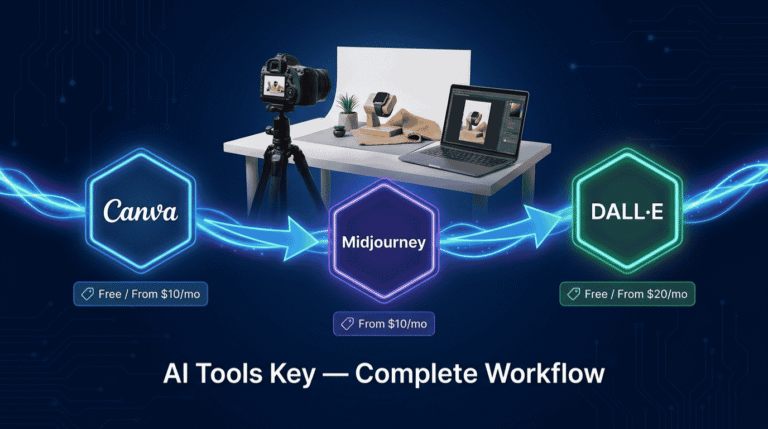
Shoppers buy with their eyes, so your visuals decide whether a product gets a click. Canva Pro is the best value tool for the job, covering product graphics, social posts, ad creative, and banners without a design background.
Canva Pro unlocks 140 million-plus premium photos, videos, and graphics plus the Magic Studio AI tools for about $10 a month billed annually. The one-click background remover cleans up product shots, Magic Resize spins one design into every ad size, and the Brand Kit keeps your store looking consistent.
For a store owner, that means professional product images and a full set of ad creatives in an afternoon, not a week, and without hiring a designer for every campaign.
Our pick for visuals: Canva Pro. It is the cheapest high-impact upgrade a store can make, and the free plan covers a surprising amount before you ever need to pay. For more options, see our best AI design tools guide.
Step 3: Handle Support and Recover Carts With Tidio
Every unanswered question is a sale walking out the door. Tidio puts live chat, a chatbot, and proactive cart-recovery messages on your storefront, and it is built natively for Shopify with order tracking and product recommendations.
Tidio is used by over 300,000 businesses, and its Lyro AI agent can resolve up to 67% of common customer questions automatically. Its Flows can also pop a discount or reminder when a shopper is about to abandon a cart, turning that 70% abandonment problem into recovered orders.
Pricing honesty: Tidio’s Free and Starter plans cover live chat and rule-based chatbot Flows. The Lyro AI agent is a separate add-on, from about $39 a month, though every plan includes 50 one-time Lyro conversations so you can test it first. Budget for Lyro from the start if AI support is your main goal.
Tidio is one of several strong support tools. To compare options, see our roundup of the best AI chatbots for small business.
Step 4: Run Email and Cart-Abandonment Flows With GetResponse
Chat recovers some carts on the spot. Email recovers the rest over the following days. GetResponse handles the automated flows that quietly drive a large slice of store revenue: welcome series, cart abandonment, and post-purchase upsells.
Industry implementation data shows automated email flows can deliver 20 to 35% of total store revenue. GetResponse Starter includes unlimited email sends and an AI email generator from $19 a month, with a free plan for up to 500 contacts to get going.
Set up an abandoned-cart sequence and a post-purchase upsell once, connect them to your store, and they run on autopilot. For most stores, this is the single highest-return automation you can build.
Workflow tip: Start with just two flows: a three-email cart-abandonment series and a post-purchase thank-you with a related-product offer. These two alone recover lost sales and lift repeat orders without any extra ad spend.
GetResponse is one of several strong email tools. To compare options and pricing, see our roundup of the best AI email marketing tools.
Step 5: Connect Your Store and Automate With Zapier
The last step ties the whole stack together. Zapier connects Shopify to your other apps so the busywork happens on its own, with no copy-paste between tools. This is the layer most store roundups skip, and it is where the quiet time savings hide.
Zapier connects more than 8,000 apps and charges by task, not by the number of apps or users you connect. You can push new orders to a spreadsheet, alert your fulfillment partner, add buyers to your email list, and ping yourself about low stock, all automatically.
Think of the repetitive glue in your store: order notifications, inventory updates, syncing customers to GetResponse, saving invoices. Zapier handles each one in the background. The free plan covers 100 tasks a month to test it, and the Starter plan unlocks multi-step automations from $19.99 a month.
Workflow tip: Begin with one automation that hurts the most, usually syncing new customers into your email tool. Build it once, watch it run, then add the next. Do not try to automate everything on day one.
Zapier is one of several automation options. To compare alternatives and pricing, see our roundup of the best AI automation tools.
A Real Example: How a Small Shopify Store Uses This Stack
Let me make this concrete. Picture a one-person store selling handmade home goods, with around 40 products, steady social traffic, and no team.
A new product drops on Monday. The owner pastes the specs into ChatGPT and gets a description, SEO copy, and three ad captions in ten minutes, then builds the product graphics and an Instagram carousel in Canva Pro from a saved template.
Through the week, Tidio answers shipping and sizing questions on the storefront and nudges hesitating shoppers with a cart reminder. Anyone who still leaves without buying drops into a GetResponse cart-abandonment sequence. Behind the scenes, Zapier adds every new buyer to the email list and logs orders to a spreadsheet. Nothing is forgotten, and no hour is lost to admin.
That is a fully marketed, well-supported store run by one person in a couple of hours of daily admin. Based on our testing, this is the realistic payoff of a connected stack: not magic, just far less friction at every step.
What This Shopify AI Stack Costs
Now the question every store owner asks: what is the bill? The honest answer is that it depends on how much you turn on. You do not need everything at once.
Toggle the tools below to see your real monthly and annual cost. It also shows the free-alternative total, so you can see exactly where paying is worth it. Nothing is saved, and all the math stays in your browser.
Shopify AI Stack Cost Calculator
Toggle tools on or off to see your monthly and annual cost. Prices are the lowest monthly rate (billed annually).
Three numbers are worth memorizing. A lean free starter, with ChatGPT, Canva, Tidio, GetResponse, and Zapier all on their free plans, costs $0. A solid paid starter of Canva Pro plus GetResponse Starter runs about $26 a month. The full stack with all five tools on paid plans lands near $95 a month, billed annually. For most stores, recovering a handful of carts covers the entire bill.
DIY vs Hiring an Expert
The stack above is fully doable yourself. Still, time is the one thing store owners never have enough of, and sometimes the smarter move is to hand off a piece of it.
Why run the stack yourself
- Lowest cost, since all five tools have free plans
- Full control over your product copy, brand, and customer experience
- You build a system that compounds with every product and campaign
Why hire it out instead
- Writing dozens of product descriptions is tedious to do alone
- Setting up a chatbot and flows correctly takes time to get right
- Great for launching fast or clearing a backlog before a big sale
Want it done for you? If writing every product page is not how you want to spend your week, our vetted freelancers handle AI product description writing. Want a store chatbot set up properly? Try AI chatbot setup, or browse all AI services on Fiverr.
Your Complete Tool Stack
The full Shopify store stack at a glance, with current pricing:
- ChatGPT (product descriptions and copy): Free or $20/mo. Try free
- Canva Pro (store visuals and ads): Free or $10/mo. Get Canva
- Tidio (support and cart recovery): Free or $29/mo. Start free
- GetResponse (email and cart-abandonment flows): Free or $19/mo. Start free
- Zapier (connect your store): Free or $19.99/mo. Automate
Our recommendation: Start with the free tier of all five tools to build the workflow at zero cost. Tidio’s free live chat plus a GetResponse cart-abandonment flow is the fastest way to recover lost sales. As your store grows, add Canva Pro for polished visuals first, then paid GetResponse and Tidio Lyro when volume justifies it.
Frequently Asked Questions
What are the best AI tools for Shopify store owners in 2026?
The top AI tools for Shopify store owners in 2026 are ChatGPT for product descriptions, Canva Pro for store visuals and ads, Tidio for customer support and cart recovery, GetResponse for email flows, and Zapier for automation. Together they cover content, design, support, marketing, and operations for a small store at low cost.
Does Shopify have its own AI, and is it free?
Yes. Shopify Magic is Shopify’s built-in AI, included free on every plan. It drafts product descriptions and email copy and powers the Sidekick assistant and background removal. It is a solid starting point, but most stores still add third-party tools for design, real customer support, email flows, and automation that Magic does not cover.
What is the best AI tool for writing Shopify product descriptions?
ChatGPT is the best AI tool for writing Shopify product descriptions. Give it the product features, materials, and target customer, and it drafts descriptions, SEO copy, and ad text in seconds. Build one master prompt with your brand voice, then reuse it across your catalog for consistent, on-brand listings at scale.
What is the best AI chatbot for a Shopify store?
Tidio is the best AI chatbot for Shopify stores on a budget. It offers native Shopify support, live chat, and the Lyro AI agent, which Tidio says resolves up to 67% of common questions. Note that Lyro is a paid add-on on lower plans, with 50 one-time conversations included to test it first.
How much do AI tools for Shopify cost?
You can run a capable Shopify AI stack for free using the free tiers of ChatGPT, Canva, Tidio, GetResponse, and Zapier. A paid starter runs about $26 a month, and the full stack on paid plans is roughly $95 a month billed annually. That is far below the $45 to $400 many enterprise Shopify apps charge.
Can AI help recover abandoned carts on Shopify?
Yes. With cart abandonment averaging around 70%, AI tools recover lost sales two ways. Tidio’s proactive chat Flows nudge hesitating shoppers on-site, while GetResponse runs automated cart-abandonment email sequences over the following days. Used together, they win back a meaningful share of carts that would otherwise be lost for good.
Are there free AI tools for Shopify store owners?
Yes. Shopify Magic is free and built in, and ChatGPT, Canva, Tidio, GetResponse, and Zapier all offer real free plans. You can run a full beginner workflow at zero cost, covering product copy, visuals, live chat, email, and light automation, then upgrade only the tools you use most as your store grows.