Best AI Tools for YouTube Creators in 2026: The Complete Creator Stack
If you run a channel solo, the best AI tools for YouTube creators in 2026 can hand you back the hours you currently lose to scripting, editing, thumbnails, and SEO. We have tested dozens of them, and the truth is simple: you do not need 15 apps. You need a small, connected stack where each tool feeds the next. Get that right, and one person can ship the kind of content that used to need a small team.
Quick Answer
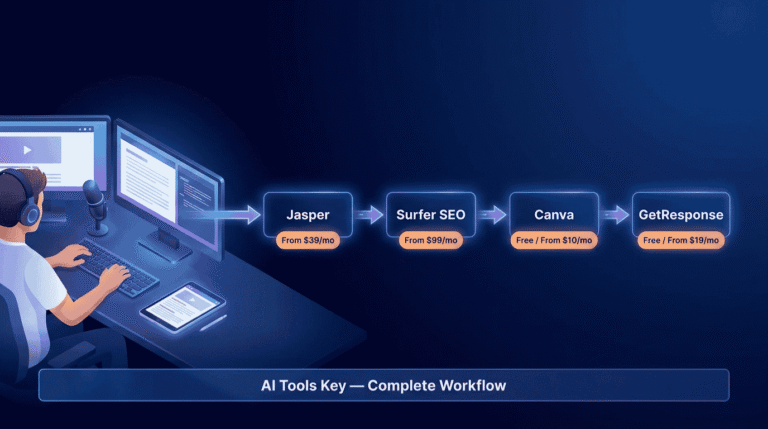
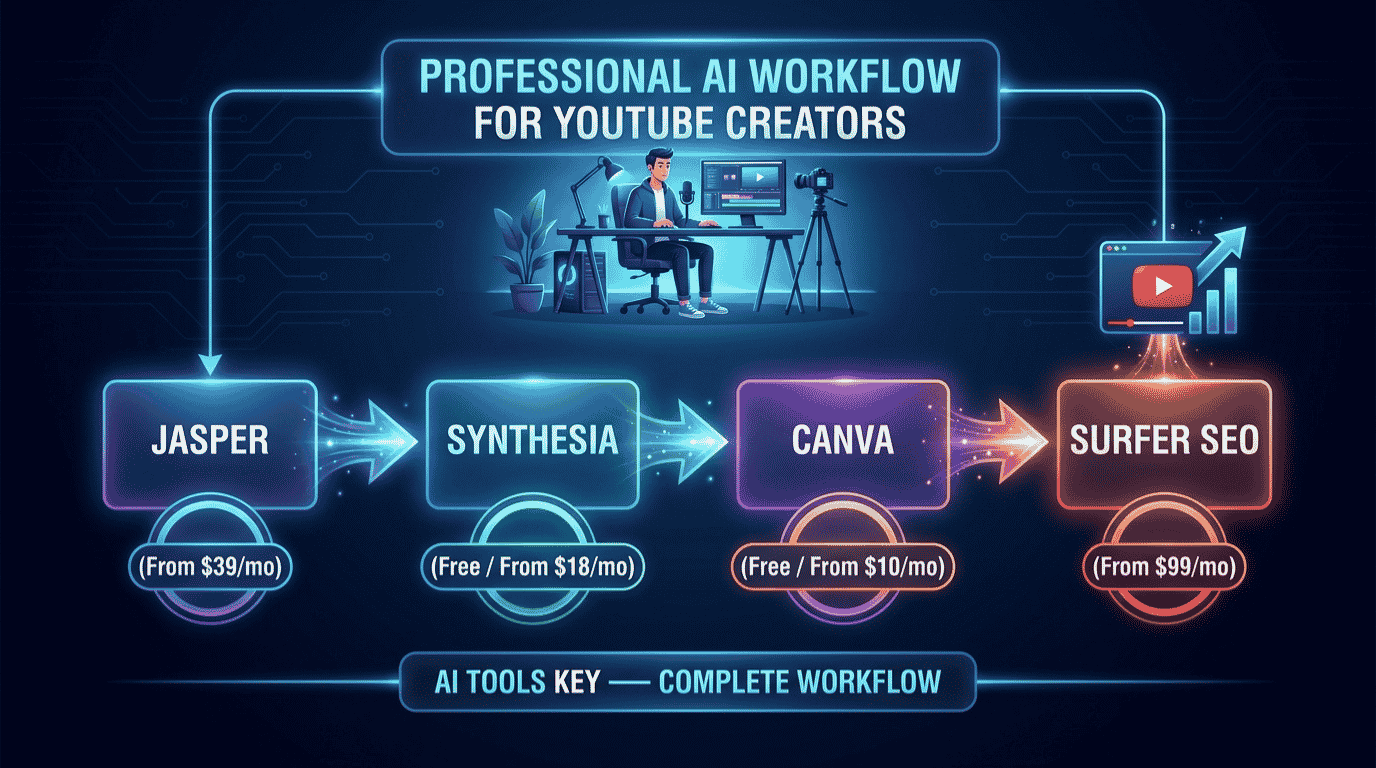
The best AI tools for YouTube creators in 2026 are ChatGPT (free) for ideas and scripts, Jasper AI ($39/mo) for polished scripts and descriptions, Synthesia (free plan) for faceless video, Canva Pro ($10/mo) for thumbnails, and Surfer SEO ($99/mo) for search optimization. Start free, then add one paid tool at a time.
This guide is part of our complete Guide to AI Tools for Small Business. Read the full pillar for a wider overview of how small teams use AI across marketing, content, and operations.
Why YouTube Creators Need an AI Stack in 2026
Here is the uncomfortable part. The platform is crowded, and most uploads never get seen. Industry research suggests around 88% of YouTube videos get fewer than 1,000 views, and only about 3.67% ever pass 10,000 views. The gap between channels that grow and channels that stall is rarely talent. It is output, consistency, and packaging.
That is exactly where AI helps. It removes the boring, time-sucking steps so you can post more often without burning out. On YouTube, faster turnaround usually means more shots on goal, and more shots on goal means more chances to hit.
For a small business owner using video as a marketing channel, the math is even clearer. Every hour you save on production is an hour back for your actual business. The goal is not to replace you. It is to let one person run a channel that looks like it has a producer, an editor, and a thumbnail designer behind it.
Before we get into the workflow, you can also browse our full AI tools directory if you want options beyond the five core picks below.
The Best AI Tools for YouTube Creators at a Glance
Here is the full stack in one view. Each tool earns its place at a different stage, so you are not paying twice for the same job. Prices shown are the lowest monthly cost, which usually means billing annually.
| Tool | Best For | Starting Price | Free Option | Rating |
|---|---|---|---|---|
| ChatGPT | Best for ideas and scripting (free) | Free / $20/mo | Yes | 8.9/10 |
| Jasper AI | Best for polished scripts and descriptions | From $39/mo | 7-day trial | 9.0/10 |
| Synthesia | Best for faceless and multilingual video | Free / $18/mo | Yes | 8.0/10 |
| Canva Pro | Best value for thumbnails and branding | Free / $10/mo | Yes | 8.8/10 |
| Surfer SEO | Best for video and search SEO | From $99/mo | Money-back | 8.4/10 |
Some links in this guide are affiliate links, which means we may earn a commission at no extra cost to you. See our affiliate disclosure for the details. It never changes our ratings.
How We Picked the Best AI Tools for YouTube Creators
We did not pull this list from a press release. Every tool here was tested against a simple question: does it remove real work from a creator’s week, and does the output hold up on camera or on a thumbnail?
Our rating considers five factors: features, ease of use, pricing, support, and integrations. You can read the full process in our editorial guidelines. In short, we favor tools a non-technical creator can pick up in an afternoon, because most of you do not have time for a steep learning curve.
We also weighted free tiers heavily. The best AI tool stack for YouTube creators in 2026 is one you can start for free and grow into, not a $300 monthly bill you commit to on day one. Three of our five picks have a real free plan.
The 5-Step AI Workflow for YouTube Creators
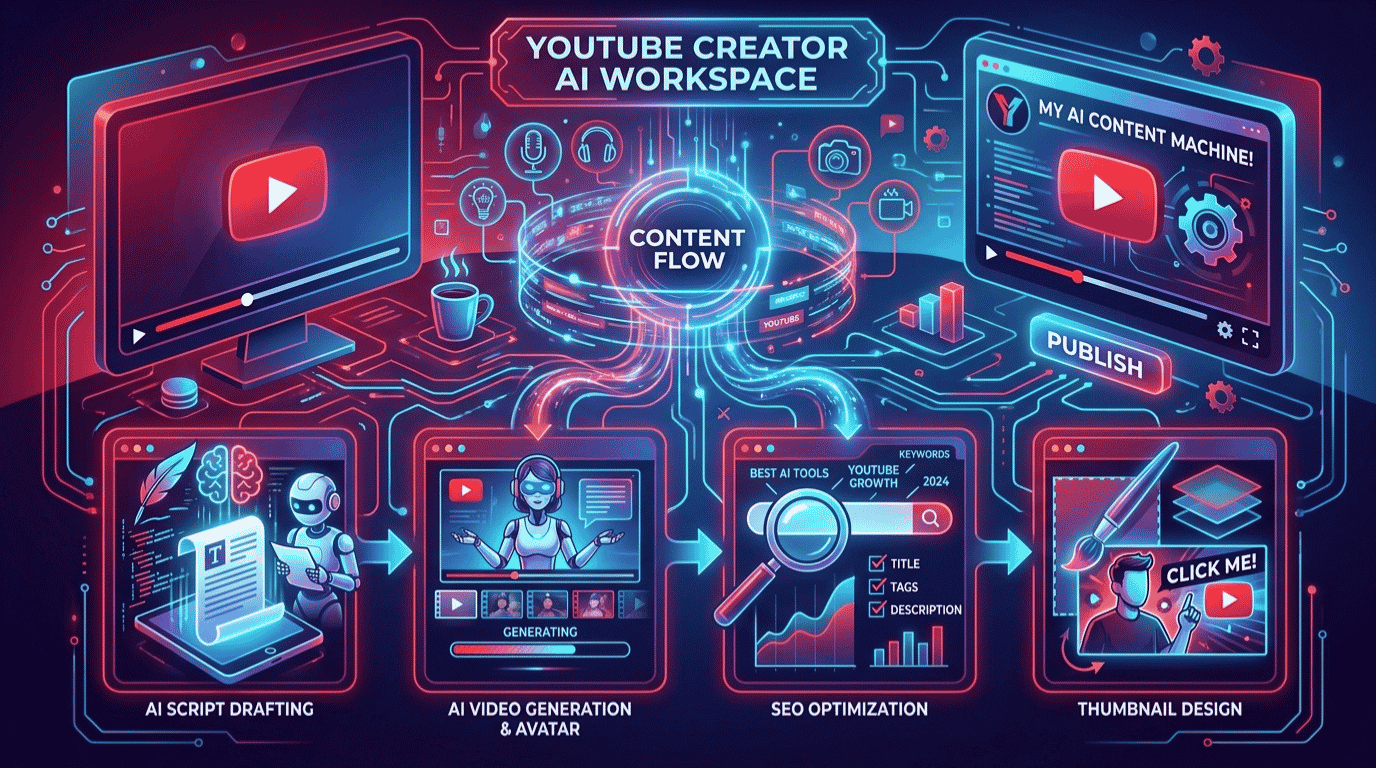
This is the part that matters. Below is the exact pipeline we recommend, from blank page to published video. Each step names one tool, links to our full review, and shows where it fits. Follow it in order and nothing falls through the cracks.
Step 1: Generate Ideas, Titles, and Scripts With ChatGPT
Start with the blank page problem, because that is where most creators stall. ChatGPT is the fastest way to turn a vague topic into a list of title options, a tight hook, and a full script outline in minutes.
The trick is specificity. A prompt like “write a 10-minute script reviewing a budget microphone for new podcasters, using a hook, problem, solution structure” beats “write a mic review” every time. The more context you give, the less editing you do later.
Workflow tip: Ask ChatGPT for five competing title options and a one-line thumbnail concept for each. You will pick your packaging before you ever hit record, which keeps the whole video on message.
For more prompt ideas across your whole content engine, our guide to the best AI tools for content creation goes deeper. For most creators, the free plan covers scripting just fine.
Step 2: Turn Rough Drafts Into Polished Scripts and Descriptions With Jasper AI
When you publish more than once a week, raw AI drafts start to feel generic. That is where Jasper AI earns its keep. You train it on your brand voice once, then it writes scripts, descriptions, and chapter summaries that sound like you, not a template.
Jasper AI ships with 50+ content templates and supports 30+ languages, including dedicated templates for video scripts, hooks, and YouTube descriptions. The browser extension also lets you rewrite a clunky sentence anywhere, from your script doc to your community posts.
Here is the part other lists miss. One Jasper draft becomes five assets. The same script can be repurposed into a blog post, an email, a thread, and a set of Shorts captions, so a single video feeds your whole funnel.
Jasper AI Editor’s Pick
- Brand voice training keeps every script on tone
- 50+ templates including video scripts and descriptions
- Repurpose one video into a blog, email, and social posts
Step 3: Produce Faceless and Multilingual Video With Synthesia
Not everyone wants to be on camera, and not every video needs you to be. Synthesia turns a text script into a talking-head video with a realistic AI avatar, which makes it the go-to for faceless channels, explainer content, and B-roll narration.
The standout feature is reach. Synthesia generates AI avatar videos in 140+ languages from a single script, so you can publish the same lesson in English, Spanish, and German without re-recording a thing. For educational and how-to channels chasing a global audience, that is a real edge.
Workflow tip: The free plan is watermarked and capped, so use it to test avatar quality and pacing. Move to the Starter plan only once you know faceless video fits your channel.
Synthesia is one of several strong options here. If you want to compare avatars, text-to-video, and clip generators side by side, see our roundup of the best AI video generators.
Create a Free Video With Synthesia
Step 4: Design Scroll-Stopping Thumbnails and Channel Art With Canva Pro
Your thumbnail decides whether anyone clicks, full stop. Canva Pro is the best value tool for the job, and it is the one app on this list nearly every creator should run from day one.
Canva Pro unlocks 140 million-plus premium photos, videos, and graphics for about $10 a month billed annually, plus the Magic Studio AI tools. The one-click background remover and Magic Resize alone save hours, and the Brand Kit keeps your fonts and colors consistent across every video.
Great thumbnails in 2026 share three traits: one clear focal point, high contrast, and three or four words of large, readable text. Canva makes all three easy, even if you have zero design background.
Our pick for thumbnails: Canva Pro. It is the cheapest high-impact upgrade a creator can make, and the free plan covers a surprising amount before you ever need to pay. For more design options, see our best AI design tools guide.
Step 5: Optimize Titles, Descriptions, and Show-Notes With Surfer SEO
Discovery is not just the YouTube algorithm anymore. People find videos through Google and through AI answers too, which is why the smartest creators turn each video into searchable text. Surfer SEO handles that layer.
Use it to write keyword-rich descriptions, plan a companion blog post or show-notes page, and structure that page so it ranks on Google and gets cited in AI Overviews. Surfer scores your text in real time against the pages already ranking, so you are optimizing with data instead of guessing. Google’s own Search Central documentation backs the same fundamentals Surfer automates.
Workflow tip: Turn every long-form video into a blog post. It captures search traffic the video alone never would, and it gives you a second home for affiliate links. Our guide to the best AI SEO tools covers cheaper alternatives if Surfer is out of budget.
Of the five, this is the one to add last. It pays off once you are publishing consistently and want compounding search traffic on top of your views.
Optimize Content With Surfer SEO
A Real Example: How a Faceless Channel Uses This Stack
Let me make this concrete. Picture a solo creator running a faceless personal-finance channel who has a day job and maybe six hours a week to spend on YouTube.
On Monday, they open ChatGPT and generate ten video ideas tied to trending money questions, then pick one and draft a script. On Tuesday, they drop that draft into Jasper AI to tighten it into their calm, no-hype voice and spin out the description and Shorts captions in the same pass.
Wednesday is production day. They paste the script into Synthesia, pick an avatar, and render a clean talking-head video in two languages. Thursday, they build the thumbnail in Canva Pro using a bold number and a high-contrast background. Friday, they run the description and a companion blog post through Surfer SEO and hit publish.
That is a full video, packaged and optimized, in well under six hours, by one person. Based on our testing, this is the realistic payoff of a connected stack: not magic, just far less friction at every step.
What This AI YouTube Stack Costs
Now the question everyone asks: what is the bill? The honest answer is that it depends on how much you turn on. You do not need everything at once.
Toggle the tools below to see your real monthly and annual cost. It also shows the free-alternative total, so you can see exactly where paying is worth it. Nothing is saved, and all the math stays in your browser.
YouTube AI Stack Cost Calculator
Toggle tools on or off to see your monthly and annual cost. Prices are the lowest monthly rate (billed annually).
Three numbers are worth memorizing. A lean free starter (ChatGPT, Synthesia, and Canva on their free plans) costs $0. A solid paid starter of Canva Pro plus ChatGPT Plus runs about $30 a month. The full pro stack with all five tools lands near $166 a month, billed annually. Most creators live happily in the middle and only reach the top tier once a channel earns.
DIY vs Hiring an Expert
The stack above is fully doable yourself. Still, time is the one thing creators never have enough of, and sometimes the smarter move is to hand off a piece of it.
Why run the stack yourself
- Lowest cost, since three of the five tools have free plans
- Full creative control over voice, look, and pacing
- You build a skill that compounds with every video
Why hire it out instead
- Editing and thumbnails still eat hours even with AI
- A pro nails packaging faster while you focus on filming
- Great for batching a backlog or launching fast
Want it done for you? If you would rather skip the editing grind, our vetted freelancers handle AI video creation and turn raw footage into finished uploads. Need scripts and descriptions instead? Try AI content writing services, or browse all AI services on Fiverr.
Your Complete Tool Stack
The full YouTube creator stack at a glance, with current pricing:
- ChatGPT (ideas and scripts): Free or $20/mo. Try free
- Jasper AI (polished scripts and descriptions): From $39/mo. Start trial
- Synthesia (faceless and multilingual video): Free or $18/mo. Create free video
- Canva Pro (thumbnails and branding): Free or $10/mo. Get Canva
- Surfer SEO (search optimization): From $99/mo. Optimize content
Our recommendation: Start with the free tier of ChatGPT, Synthesia, and Canva to learn the workflow at zero cost. The moment your channel starts earning, add Canva Pro and Jasper AI first. They give the biggest return on the least money. Save Surfer SEO for when you are ready to turn views into compounding search traffic.
Frequently Asked Questions
What are the best AI tools for YouTube creators in 2026?
The best AI tools for YouTube creators in 2026 are ChatGPT for ideas and scripts, Jasper AI for polished scripts and descriptions, Synthesia for faceless video, Canva Pro for thumbnails, and Surfer SEO for search optimization. Together they cover the full workflow from idea to published, optimized video for one person.
Can AI tools help automate YouTube content creation?
Yes. AI tools automate the repetitive parts of YouTube content creation, including scripting, thumbnail design, voiceover, and description writing. They will not replace your judgment or personality, but a connected stack lets a solo creator publish more often and at higher quality without hiring an editor, designer, or writer.
Are there free AI tools for YouTube creators?
Yes. ChatGPT has a strong free plan for scripting, Canva offers a generous free tier for thumbnails, and Synthesia includes a free plan for testing AI avatar video. You can run a full beginner workflow at zero cost, then upgrade only the tools you use most as your channel grows.
What is the best AI tool for YouTube thumbnails?
Canva Pro is the best AI tool for YouTube thumbnails. It costs about $10 a month billed annually and includes a one-click background remover, Magic Studio AI tools, and a Brand Kit for consistency. The free plan also handles most thumbnail needs, making it the easiest high-impact upgrade for any creator.
Can I make YouTube videos without showing my face using AI?
Yes. Synthesia turns a text script into a talking-head video using a realistic AI avatar, so you can run a faceless channel without ever appearing on camera. It also generates videos in 140-plus languages from one script, which makes it ideal for explainer, educational, and global content.
What is the best AI tool for writing YouTube scripts?
ChatGPT is the best free option for YouTube scripts and idea generation, especially with a detailed prompt. For creators publishing more than once a week, Jasper AI is better because it learns your brand voice and reuses one script as a blog post, email, and Shorts captions, saving real time.
How much does a full AI YouTube tool stack cost?
A full AI YouTube stack with all five tools costs roughly $166 a month billed annually. However, most creators start free with ChatGPT, Synthesia, and Canva, then add Canva Pro and ChatGPT Plus for about $30 a month. Use the calculator above to price the exact tools you need.