How to Automate Social Media With AI: A Step-by-Step Guide (2026)
If posting consistently across Instagram, Facebook, and LinkedIn is eating your week, AI can take most of that work off your plate. Learning how to automate social media with AI means letting software handle the content creation, design, and scheduling, so you stay consistent without living inside your apps. You do not need to be technical or hire an agency. In this guide, we will walk through a clear, step-by-step process, share the exact tools we recommend after hands-on testing, and show you what the whole stack costs.
We have tested the leading tools that power a social media automation workflow, and a few stand out. For creating scroll-stopping graphics, Canva is our top pick, so we will lean on it throughout this walkthrough.
Quick Answer
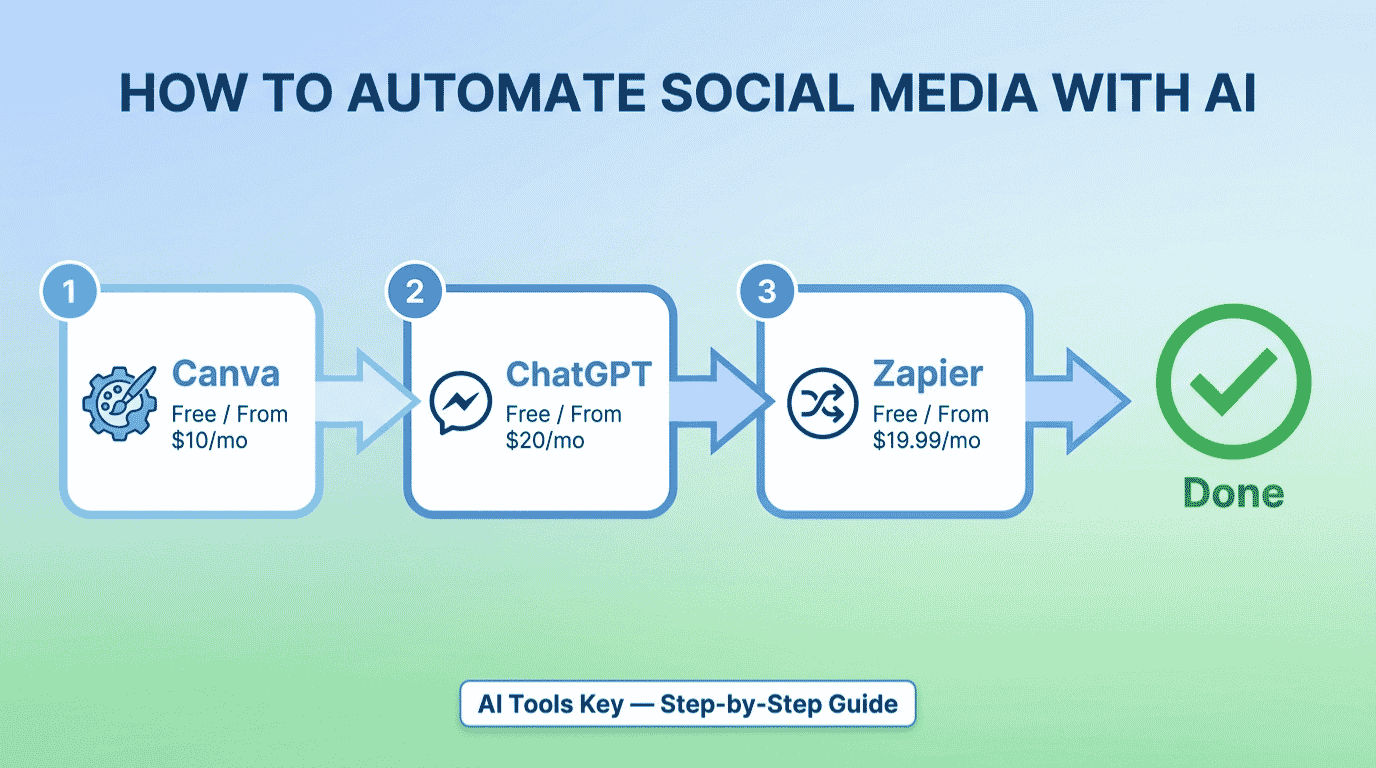
To automate social media with AI, use ChatGPT (free) to write captions, Canva (from $10/mo) to design visuals, and Zapier (from $19.99/mo) or Make (from $9/mo) to schedule and auto-post across platforms. AI handles the repetitive creation and posting, while you keep human review for brand voice. Most small businesses set this up in about an hour.
This guide is part of our complete Guide to AI Automation for Small Business. Read the full pillar to see how AI can streamline marketing, sales, and support across your business.
What Does It Mean to Automate Social Media With AI?
Automating social media with AI means using smart tools to handle the repetitive parts of posting: generating ideas, writing captions, designing visuals, and publishing on a schedule. AI does the heavy lifting, while you set the strategy and approve the output. The goal is a consistent, on-brand presence without spending hours every day in your accounts.
Here is the honest framing we use: AI is your tireless assistant, not your replacement. The best social media automation pairs AI speed with human judgment on voice and strategy. Get that balance right and you stay consistent without sounding like a robot.
The shift is already mainstream. Salesforce’s social team reported saving over 12,000 hours a year through automation, and a Sprout Social report found 60% of users rely on Instagram and Facebook to discover products. Showing up consistently is no longer optional.
What AI Can Automate on Social Media
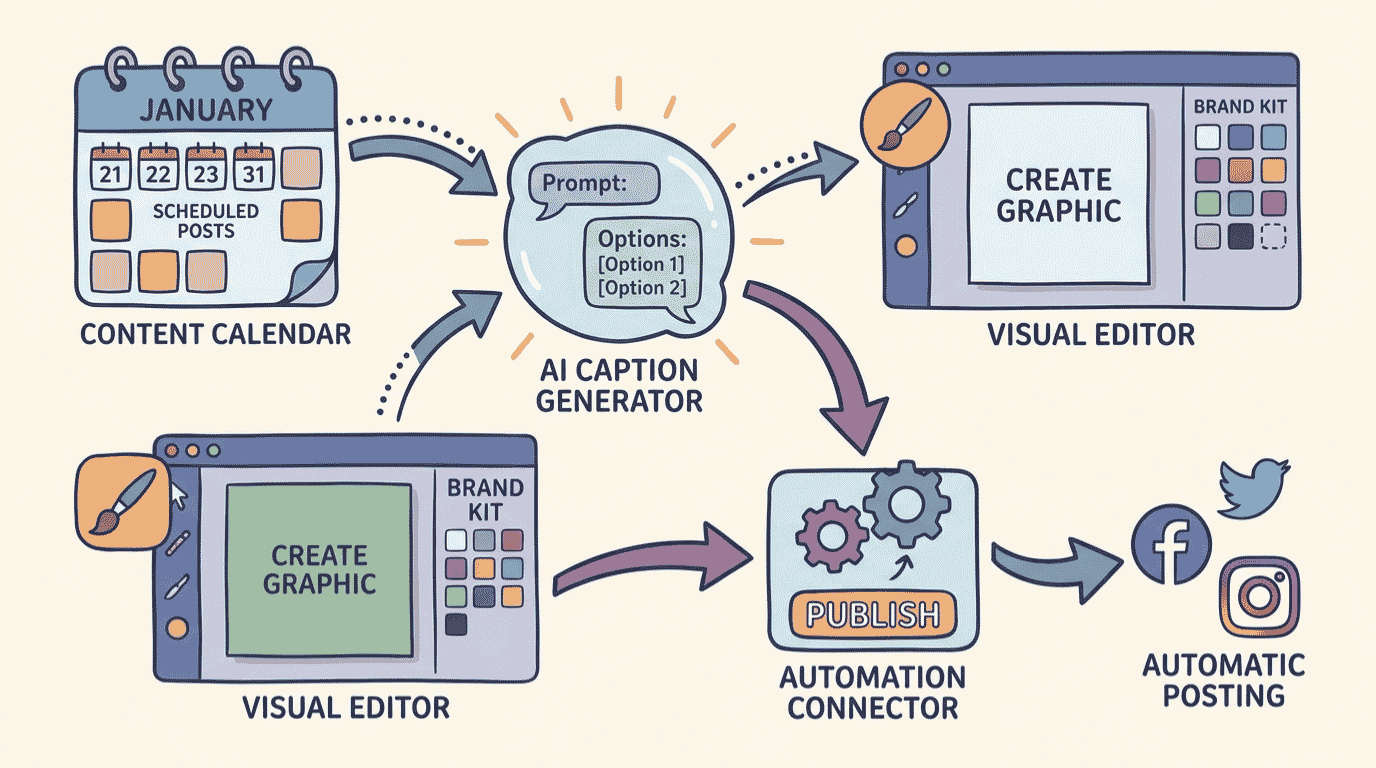
AI will not run your entire strategy, but it will erase the busywork. Here is where modern tools like Canva, ChatGPT, Zapier, and Make earn their keep.
- Content ideas and planning: AI generates a month of post ideas and a content calendar in minutes, grouped by theme and platform.
- Captions and hooks: AI writes scroll-stopping captions, hooks, and hashtags you can refine in your own voice.
- Graphics and video: AI design tools turn a prompt into polished posts, carousels, and short videos using brand-ready templates.
- Scheduling and auto-posting: Automation tools publish your content at the right times across every platform, hands-free.
- Repurposing: AI turns one blog post or video into a week of platform-specific posts automatically.
- Connecting your apps: Automation platforms wire your tools together so content flows from idea to published post. Zapier alone connects more than 8,000 apps.
The payoff is consistency without the grind. Instead of dreading your content calendar, you batch a month of posts in an afternoon and let the system publish them while you run your business.
What You Need to Get Started
The barrier to entry is low. To follow this guide, you really need four things.
- Social media accounts you post to, like Instagram, Facebook, or LinkedIn.
- A sense of your brand voice and the topics you post about.
- At least one AI tool (free plans and ChatGPT’s free tier work to start).
- About an hour of focused time to set up your first automation.
Not sure if you are ready? Use the quick checker below. Answer four yes-or-no questions and it tells you whether to start Step 1 now or set something up first. Everything stays in your browser, and nothing is saved or shared.
How to Automate Social Media With AI in 7 Steps
Here is the exact process we use to build a social media automation system. Follow it in order and you will have content creating and posting itself by the end.
Step 1: Plan your content with AI
Start with a plan, not a blank calendar. Open ChatGPT and ask it to brainstorm a month of post ideas for your business, grouped by theme and platform. A prompt like “Act as a social media strategist and give me 20 post ideas for a [your business], grouped into 4 weekly themes” gives you a full calendar in seconds.
Review the ideas, cut the weak ones, and keep the gems. You now have a roadmap instead of the daily scramble for something to post.
Step 2: Write captions and hooks with AI
Next, turn each idea into a caption. Ask AI to write the hook, body, and a call to action, then give it your brand voice notes so it sounds like you. Always edit the result. This is the most important rule in this guide: never post raw AI text without adding your own voice and a human detail.
Keep your captions short, specific, and human. AI gets you 80% of the way there in seconds, and your edit makes it sound like a real person wrote it.
Step 3: Create graphics and video with AI
Now make it look good. Canva turns your captions into polished posts, carousels, and short videos using thousands of brand-ready templates. Its Magic Studio AI can generate images from a text prompt, remove backgrounds, and resize one design for every platform in a click.
Set up a brand kit with your colors, fonts, and logo so every post stays consistent. Once that is in place, creating an on-brand graphic takes a minute, not an hour.
Step 4: Choose your automation tool
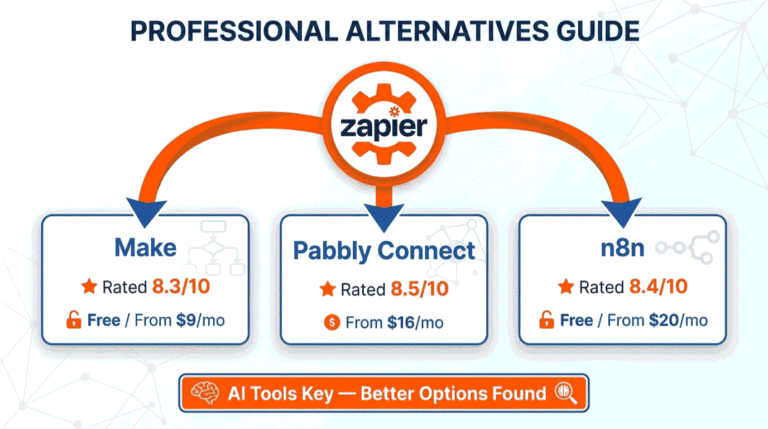
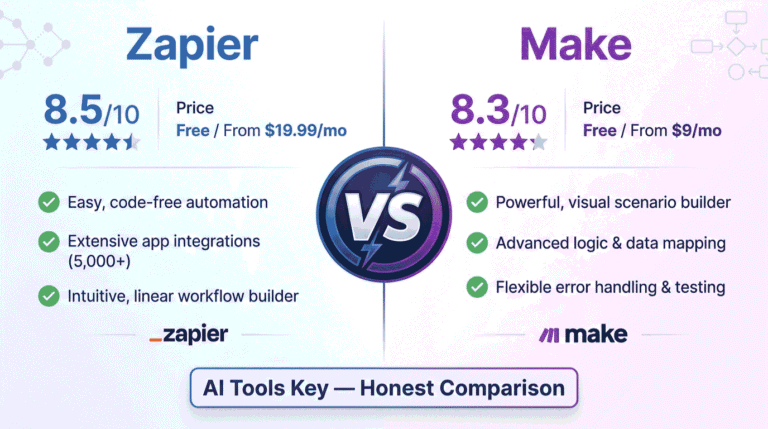
This is the engine that ties everything together and posts for you. The two best no-code options are Zapier and Make. Zapier is the easiest and connects the most apps, while Make is cheaper and gives you more visual control. Both let you build automations by clicking, not coding.
Zapier Easiest to Use
- Largest app library in automation
- Simple trigger-and-action setup
- Built-in AI features
- Templates for social posting
We rate Zapier as the easiest way to automate posting across platforms. If you want automations running fast without fiddling, this is the pick.
Make Best Value
- Visual drag-and-drop builder
- Cheaper at higher volumes
- Granular control over each step
- Connects AI, Sheets, and socials
Make is the best value for hands-on users. It costs less than Zapier at scale and lets you see every step of your workflow on a visual canvas.
Not sure which to pick? Our Zapier vs Make comparison breaks down the differences in detail, and you can browse more options in our best AI automation tools roundup.
Step 5: Build your auto-posting workflow
Now wire it together. In Zapier or Make, create a workflow that takes your finished posts, often from a Google Sheet or a content folder, and publishes them to your social accounts on schedule. A common setup is “new row in Google Sheet, then post to Facebook, Instagram, and LinkedIn.”
You can even connect ChatGPT inside the workflow to draft captions automatically, then route them through your scheduler. Start with one platform, confirm it posts correctly, then add the rest.
Step 6: Schedule at the best times across platforms
Timing matters as much as content. Use your scheduler to publish when your audience is most active, and stagger posts so each platform gets content formatted for it. Canva’s Content Planner can also schedule directly to several platforms if you prefer to keep design and posting in one place.
Batch a week or month of posts at once, set the schedule, and your feed stays active even when you are busy or offline.
Step 7: Track performance and improve
Automation is never finished. Check your analytics weekly to see which posts drive engagement, then feed those winners back into your AI prompts. Ask ChatGPT to write more in the style of your best performers.
Based on our experience, the accounts that win treat this as a loop: create, post, measure, refine. Over time, your automated content gets sharper because it learns from real results.
Want your social media run for you?
A specialist can set up your content system, design your templates, and manage your posting calendar. Browse vetted experts and have it handled.
See Social Media Management ServicesA Real Example: How a Local Business Automates Social Media
Let me make this concrete. Say you run a small coffee shop and want a steady social presence without hiring anyone. Here is the system you would build.
First, you ask ChatGPT to plan a month of posts: new drinks, behind-the-scenes moments, and customer features. You write the captions with AI and edit them in your friendly, local voice. Then you design each post in Canva using your brand colors and a few templates. Finally, you drop the finished posts into a Google Sheet and build a Make workflow that publishes them to Instagram and Facebook on schedule.
Now your shop posts consistently every week while you focus on customers, and you spend one afternoon a month instead of an hour a day. The same blueprint works for a gym, a boutique, a coach, or a SaaS startup.
What Does a Social Media Automation Stack Cost?
Here is the honest answer: you can start free and scale up only as you grow. The table below compares the tools we recommend, with current pricing.
| Tool | Best For | Starting Price | Free Option | Rating |
|---|---|---|---|---|
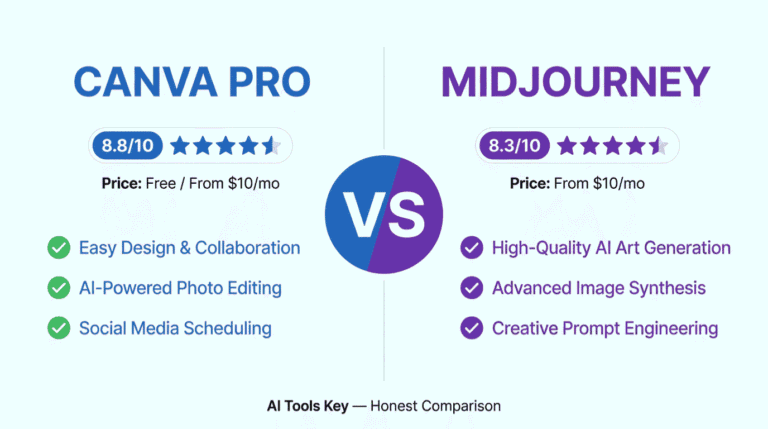
| Canva Pro | Best for social media graphics | $10/mo | Free plan | 8.8/10 |
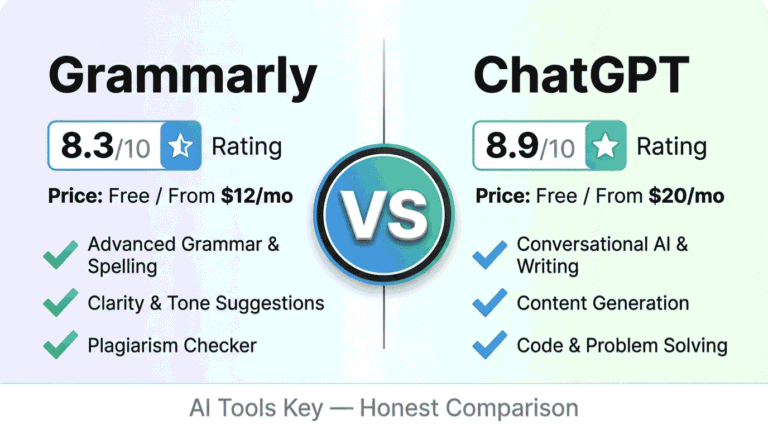
| ChatGPT | Best for captions and ideas | Free / $20/mo | Free plan | 8.9/10 |
| Zapier | Best for connecting your apps | $19.99/mo | Free plan (100 tasks) | 8.5/10 |
| Make | Best value automation | $9/mo | Free plan (1,000 credits) | 8.3/10 |
For a true starter setup, you can begin with ChatGPT’s free plan, Canva’s free plan, and Make’s free tier and pay nothing while you test. A realistic small business budget is Canva Pro at $10 per month plus one automation tool, which keeps you under $30 a month. Note that Canva’s $10 rate is the annual price, with month-to-month closer to $15. Browse our full AI automation tools category for more options.
Does Automated Social Media Hurt Engagement?
This is the worry that holds people back, so let me be direct. Automation does not hurt engagement when you keep a human in the loop. It hurts only when you post raw, generic AI content with no personality. The fix is simple: automate the production, but keep your voice and judgment in every post.
AI adoption is now the norm, not the exception. According to HubSpot’s research, 46% of marketers already use generative AI to draft content. The winners are the ones who use it to move faster while still sounding human. Use AI for the first draft and the scheduling, then add the personality that makes people stop scrolling.
DIY vs Hiring an Expert
So should you build this system yourself or hire help? It comes down to time and complexity.
Do it yourself if
- You enjoy creating content and learning the tools.
- You can spend an afternoon a month on it.
- Your budget is tight and you want full control.
Hire a specialist if
- You want a full content system built and managed for you.
- Your time is better spent running the business.
- You want consistent, professional results without the setup.
If you would rather skip the setup, a freelancer can build your system, design your templates, and manage your calendar. Many also offer AI content writing services if you need the posts written for you. Compare experts and budgets in the full directory of AI services on Fiverr.
Want your social media handled by an expert?
Hand your content and scheduling to a vetted specialist and get a consistent, on-brand presence without lifting a finger.
Hire a Social Media ExpertIs It Worth Learning How to Automate Social Media With AI?
In our view, yes, clearly. Automation turns social media from a daily chore into a system that runs itself, freeing you to focus on your business while staying consistent. Every hour you spend setting it up returns many times over.
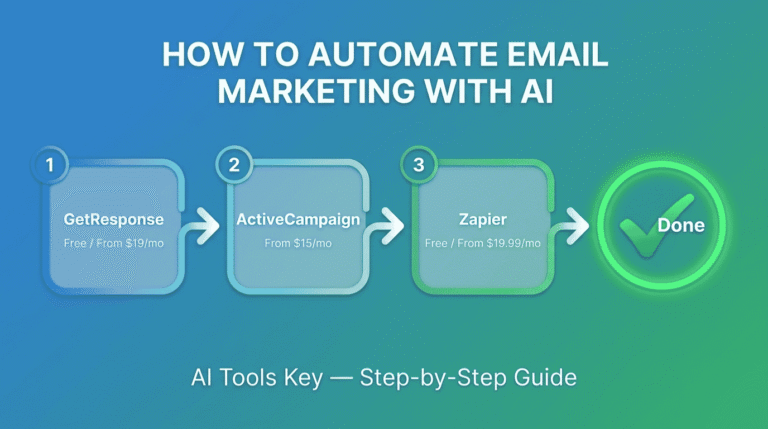
We rate every tool on a transparent 10-point scale across features, ease of use, pricing value, support, and integrations. You can read more about how we test in our editorial guidelines. By that standard, Canva is our top pick for design, paired with ChatGPT for captions and Make or Zapier for posting. For a broader shortlist, see our guide to the best AI tools for social media marketing, and if you want to automate other channels, our guide on how to automate email marketing with AI.
Our Recommendation
Use ChatGPT (free) for captions, Canva for design, and Make or Zapier to schedule and post automatically. Automate the production and publishing, then add your own voice so every post sounds human. That blend keeps you consistent without the daily grind.
Get Started With CanvaThe Information People Are Looking For
Can AI automate social media?
Yes. AI can automate most of social media, including content ideas, captions, graphics, and scheduling. Tools like ChatGPT write posts, Canva designs visuals, and Zapier or Make publish them automatically. You still set the strategy and review for brand voice, but AI handles the repetitive creation and posting work.
How do I use AI for social media posts?
Use ChatGPT to brainstorm ideas and write captions, Canva to design the graphics, and an automation tool like Zapier or Make to schedule and post them. Give the AI your brand voice and topics so the output sounds like you, then edit each post before it goes live for the best results.
What is the best AI tool for social media?
For most small businesses, Canva is the best AI tool for social media design, ChatGPT is best for captions and ideas, and Zapier or Make are best for automating posting. The right mix depends on your needs, but combining a design tool, a writing tool, and an automation tool covers the whole workflow.
Can I automate social media posting for free?
Yes. You can start for free using ChatGPT’s free plan for captions, Canva’s free plan for design, and Make’s free tier, which includes 1,000 credits a month, for posting. Free plans have limits on volume, so most growing businesses upgrade to a paid plan once they scale up their posting.
Does automated social media hurt engagement?
No, not when you keep a human in the loop. Automation hurts engagement only when you post generic, raw AI content with no personality. If you use AI for the first draft and scheduling, then add your own voice and judgment, automated posting can match or beat manual posting while saving hours.
How much does social media automation cost?
You can start free with ChatGPT, Canva, and Make’s free tiers. A realistic paid stack runs about $10 to $30 per month: Canva Pro at $10/mo, plus Make at $9/mo or Zapier at $19.99/mo. ChatGPT is free or $20/mo for Plus. The cost stays low compared to the hours you save.
How long does it take to set up social media automation?
Most small business owners set up a basic social media automation in about an hour. Planning content and writing your first batch of captions takes the most time at first. Once your design templates and posting workflow are built, creating and scheduling future posts takes only minutes each week.